Know who is on site, right now.
Properlex lets vendors sign in and out from their portal when they arrive at a property, and visitors sign themselves in at a kiosk link for that property. Property managers see a live list of who is on site at each property, with a timestamped history of every visit.
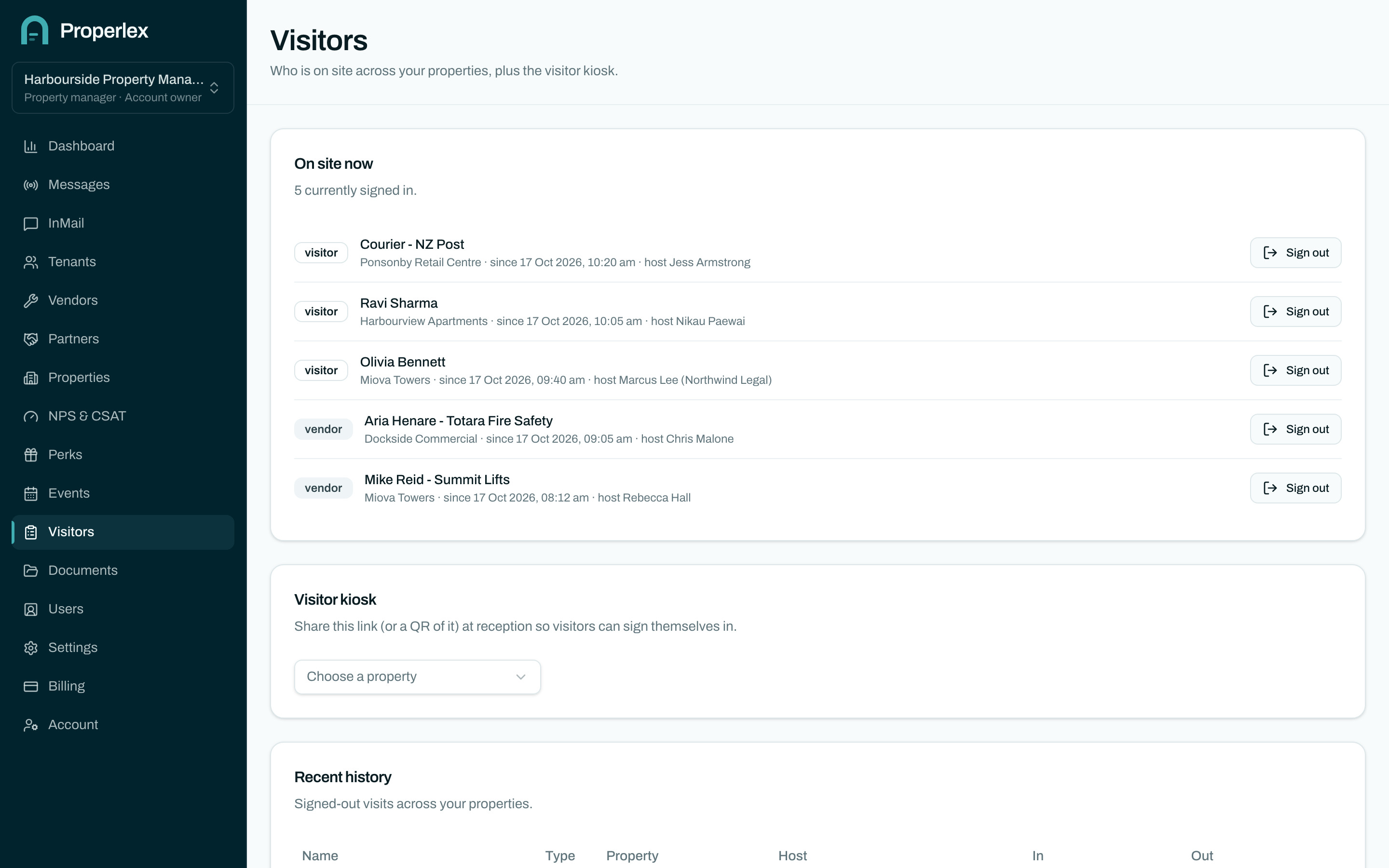
Vendor & Visitor Sign In in three steps.
- 1
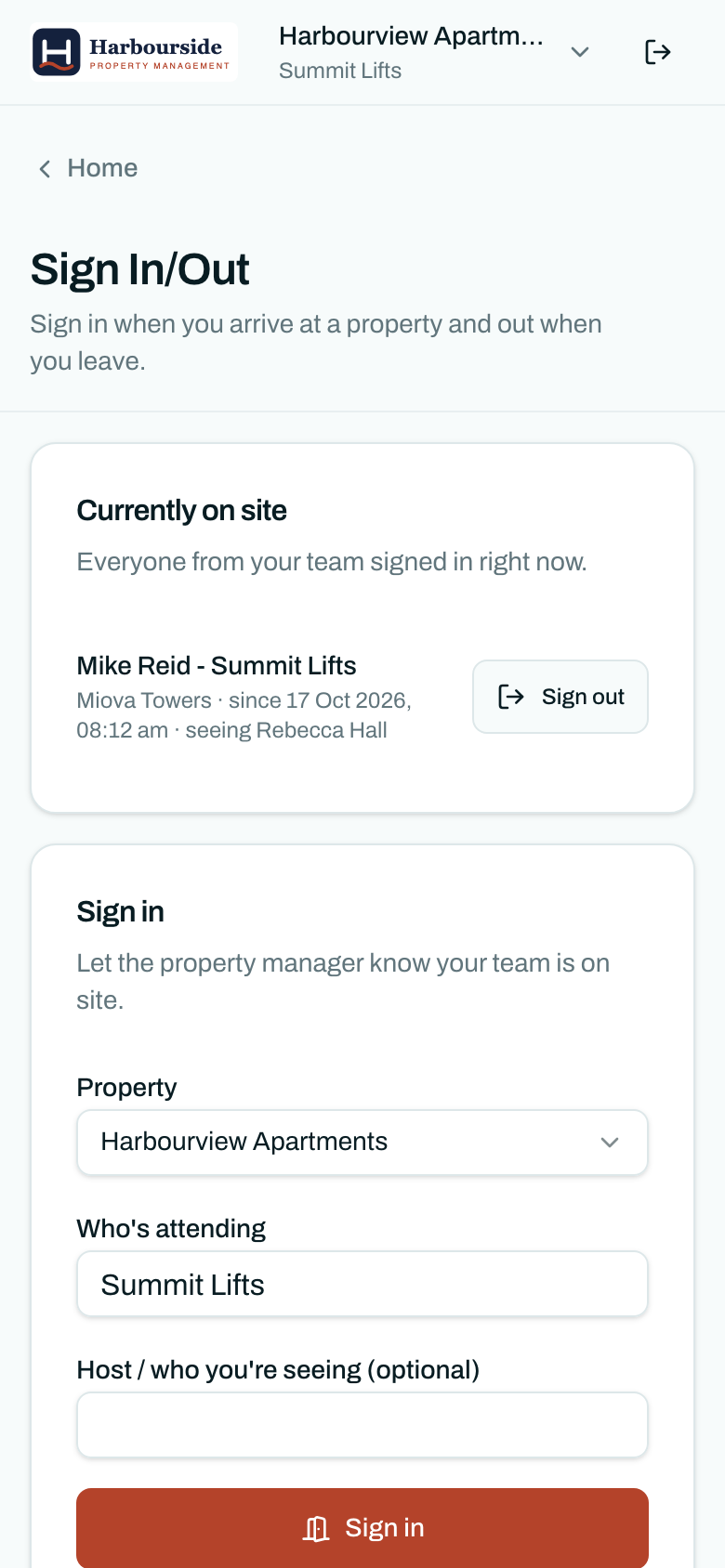
Vendors sign in from their phone
A contractor signs in at the property from the Properlex portal, with who they are seeing and how long they expect to be.
- 2
Visitors use the kiosk link
Each property has its own sign-in link for visitors. Put it on a tablet at reception or a QR code at the door.
- 3
See who is on site
A live list shows who is at each property now, and the history shows every visit with sign-in and sign-out times.
What changes for your team.
- No more paper bookA record you can search, instead of a visitor book nobody reads.
- Accounted for in an emergencyThe on-site list is the list an evacuation has to account for.
- Contractors on recordKnow when vendors arrived and left, for safety and for the invoice.
Vendor & Visitor Sign In questions
How do visitors sign in?
Each property has a kiosk link. Visitors open it on a tablet at reception, or from a QR code, and enter their name and who they are visiting.
Do vendors need to download an app?
No. Vendors sign in from the Properlex portal in their phone's browser.
Can I see who was on site last week?
Yes. Every visit is kept with its sign-in and sign-out times.
Related features
- Document StorageEvacuation plans, site maps and house rules, shared only with the right parties.Learn more
- Property ContactsPublish the building manager, after-hours and security numbers to the right parties.Learn more
- Role Based AccessFive roles, property-level access and single sign-on for your team and every party.Learn more
See Properlex with your own properties.
Book a demo and we'll tailor a plan to how your team already works.