Contact details that stay right, because the right people keep them.
Properlex keeps every tenant, vendor and partner contact against the properties they belong to. You invite one primary contact for each business or household, and they manage their own people in their portal. Scheduled confirm-your-details messages catch anything that has gone out of date.
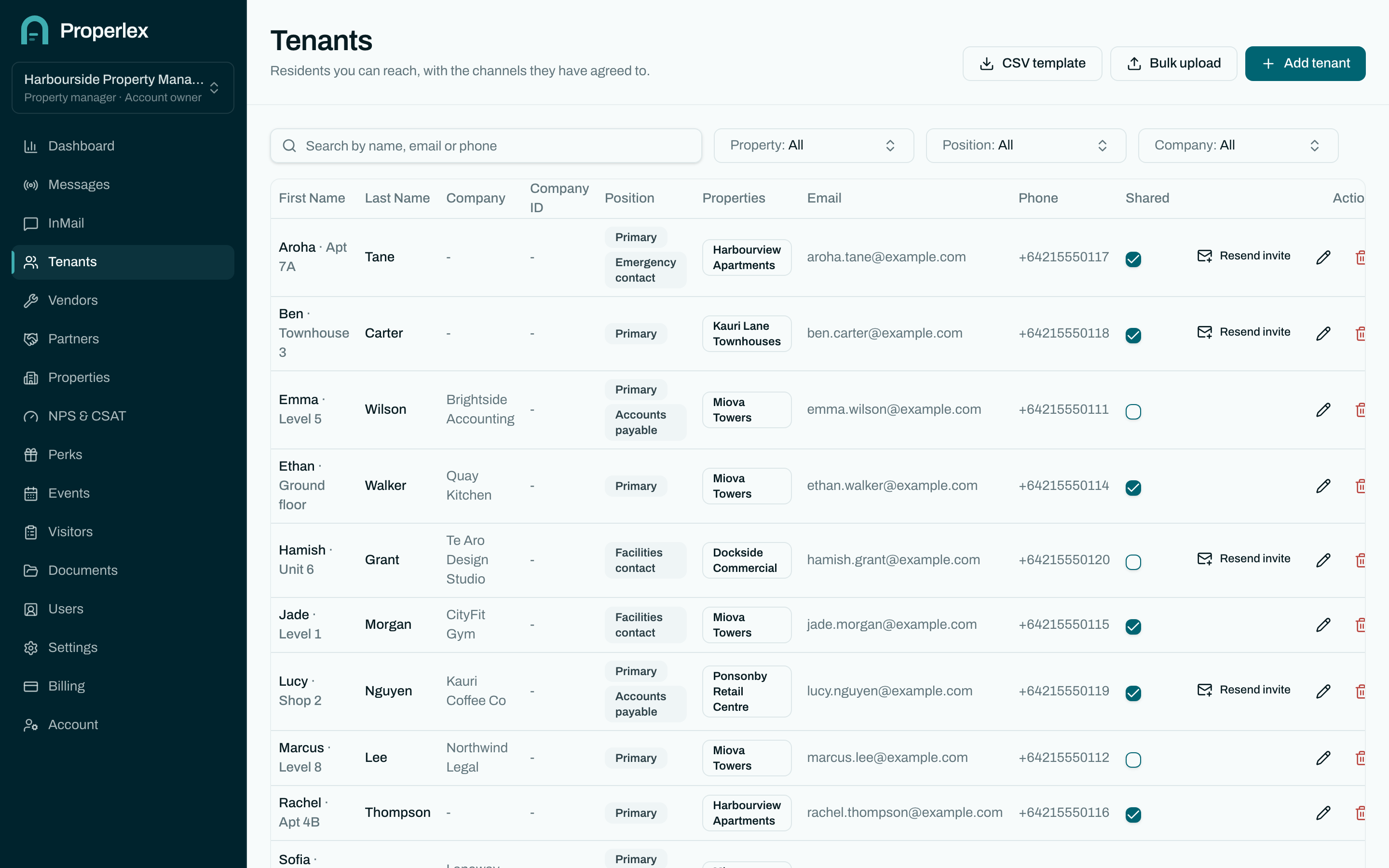
Contact Management in three steps.
- 1
Bring your contacts in
Import tenants, vendors and partners from a spreadsheet using the CSV template, or add them one by one against their properties.
- 2
Organise them the way you work
Give contacts positions, such as primary resident or site lead, and tenant types, such as residential or retail, so you can reach exactly the right people.
- 3
Let them keep it current
Each party's portal owner adds and removes their own people. Scheduled confirm-your-details messages ask contacts to confirm or correct their details, and record each answer.
What changes for your team.
- Invite one, they manage the restYou invite a single primary contact per party. They maintain their own team, so lists don't go stale on your side.
- Organised by propertyContacts belong to the properties they are connected to, so a notice for one building never reaches another.
- Shared only where you chooseDecide which tenant types vendors and partners can see, property by property.
- Opt-outs respectedEach contact's SMS and email preferences are kept with the record and honoured when you send.
Contact Management questions
Can I import the contacts I already have?
Yes. Download the CSV template for tenants, vendors or partners, fill it in from your existing spreadsheet and import it. Properlex lists any rows it could not read so you can fix them.
How do contact details stay up to date?
Two ways. Each tenant, vendor and partner manages their own people in their portal, and you can schedule confirm-your-details messages that ask contacts to confirm or correct their details on a regular basis.
What are positions and tenant types?
Positions describe a contact's role, such as primary resident, emergency contact or site lead. Tenant types group tenancies, such as residential or retail. Both let you target a message precisely.
Related features
- CommunicationsSMS, email and InMail to every party, written once and sent from one place.Learn more
- Role Based AccessFive roles, property-level access and single sign-on for your team and every party.Learn more
- Property ContactsPublish the building manager, after-hours and security numbers to the right parties.Learn more
See Properlex with your own properties.
Book a demo and we'll tailor a plan to how your team already works.