The numbers that matter, already in their pocket.
Properlex lets you publish the contacts people need at each property, such as the building manager, the after-hours line and security, and choose whether tenants, vendors or partners can see each one. They appear in each party's portal, so nobody has to ask who to call.
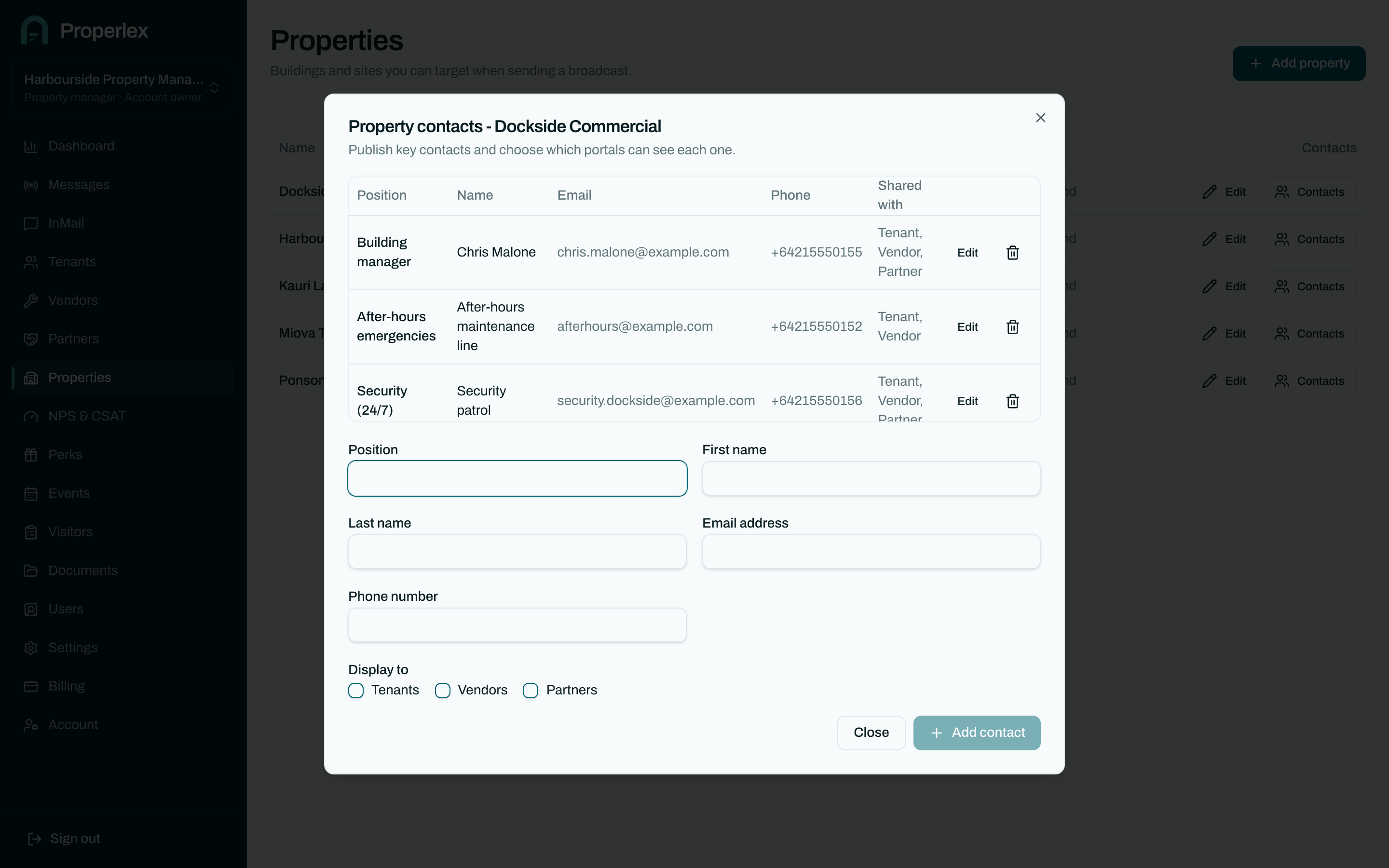
Property Contacts in three steps.
- 1
Add the contacts for a property
Name, position, phone and email for the people who look after the building.
- 2
Choose who sees each one
Share the after-hours line with tenants and vendors, and the facilities manager with contractors only.
- 3
Update once
When a number changes, change it in one place and every portal shows the new one.
What changes for your team.
- Fewer "who do I call?" messagesThe right number is in each party's portal before they need it.
- Visible to the right peopleEach contact is shared only with the parties you choose.
- Ready after hoursWhen something goes wrong at 2am, tenants already have the after-hours line.
Property Contacts questions
Who can see a property contact?
Only the parties you share it with. You choose tenants, vendors, partners or any combination for each contact.
Is this the same as my contact list?
No. Your contact list is the people you message. Property contacts are the people you publish for others to reach, such as the building manager.
Can each property have different contacts?
Yes. Every property has its own published contacts.
Related features
- Document StorageEvacuation plans, site maps and house rules, shared only with the right parties.Learn more
- Contact ManagementTenants, vendors and partners organised by property, and kept current at the source.Learn more
- CommunicationsSMS, email and InMail to every party, written once and sent from one place.Learn more
See Properlex with your own properties.
Book a demo and we'll tailor a plan to how your team already works.