Everyone sees what their job needs, and nothing more.
Properlex gives your team five roles, from view only to owner, lets you build your own with specific permissions, and limits people to the properties they look after. Tenants, vendors and partners each see only their own side of the record, and staff sign in with Google or Microsoft.
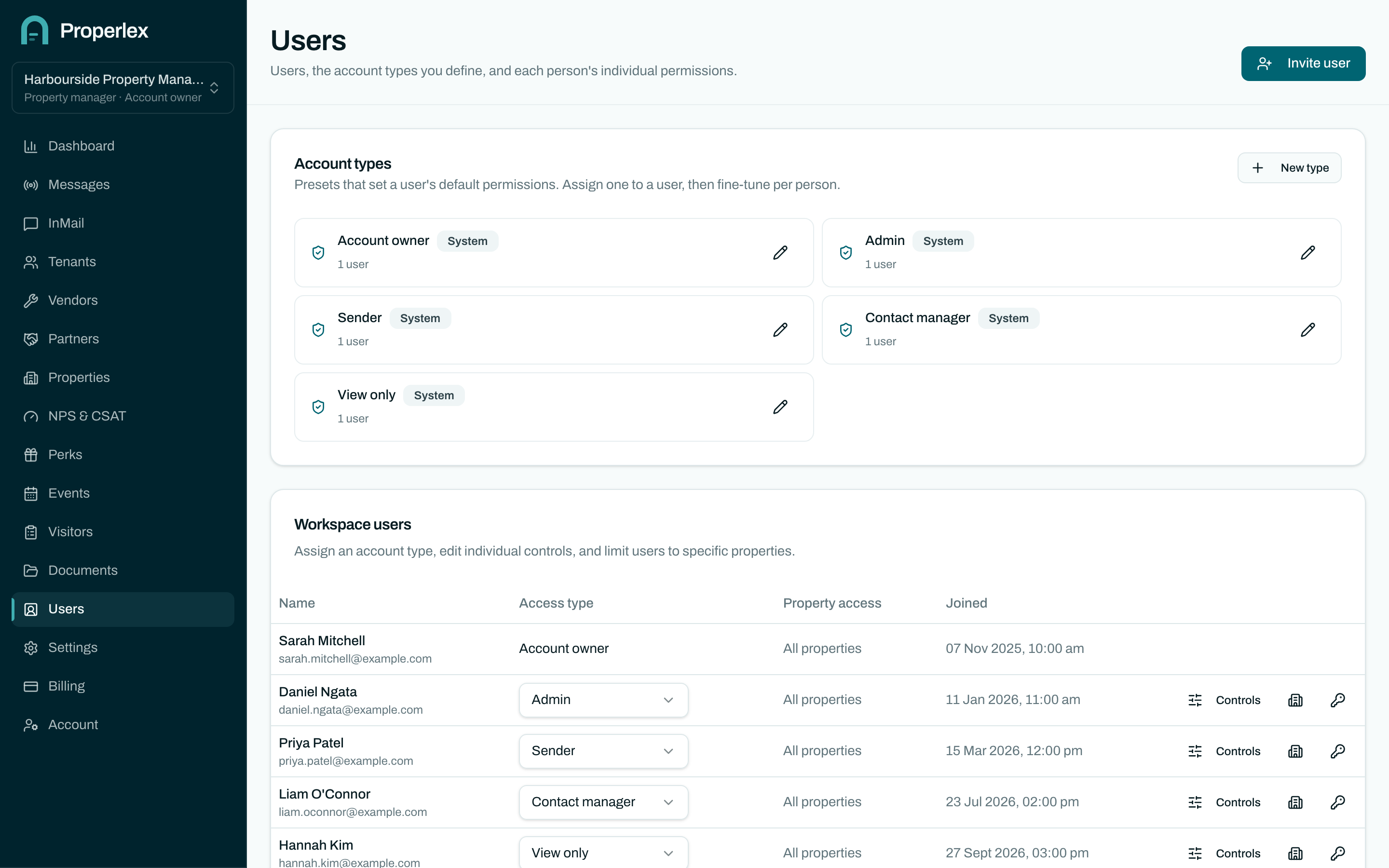
Role Based Access in three steps.
- 1
Pick a role
Owner, admin, sender, contact manager or view only, or build your own role with exactly the permissions you need.
- 2
Limit it to properties
Give someone access to the properties they look after rather than the whole portfolio.
- 3
Let each party run their own team
A tenant, vendor or partner's portal owner decides who in their business can message you, view the inbox, post offers or manage contacts.
What changes for your team.
- Enforced in the databaseAccess rules are applied by the database itself, not just hidden in the interface.
- Google and Microsoft sign-inStaff use the directory you already run. Remove someone there and their access goes with it.
- Each party on their own sideTenants, vendors and partners see their own messages, documents and contacts, never each other's.
Role Based Access questions
What roles are there?
Owner, admin, sender, contact manager and view only. Admins can also create custom roles with exactly the permissions they choose.
Can I limit someone to certain properties?
Yes. Assign a team member to the properties they look after and they see only those.
Is access enforced on the server?
Yes. Every privileged action is checked on the server and by row-level security in the database, whatever the browser sends. See our security page for details.
Related features
- Contact ManagementTenants, vendors and partners organised by property, and kept current at the source.Learn more
- Delivery ReportsSent, delivered, opened and bounced for every recipient, with a full audit trail.Learn more
- Document StorageEvacuation plans, site maps and house rules, shared only with the right parties.Learn more
See Properlex with your own properties.
Book a demo and we'll tailor a plan to how your team already works.