Your brand on every portal, email and invitation.
Properlex lets property managers set their logo, colours and email signature once, and shows them on the portals their tenants, vendors and partners use and in every email they send, from broadcasts to invitations. Each property can keep the default brand or override any part of it.
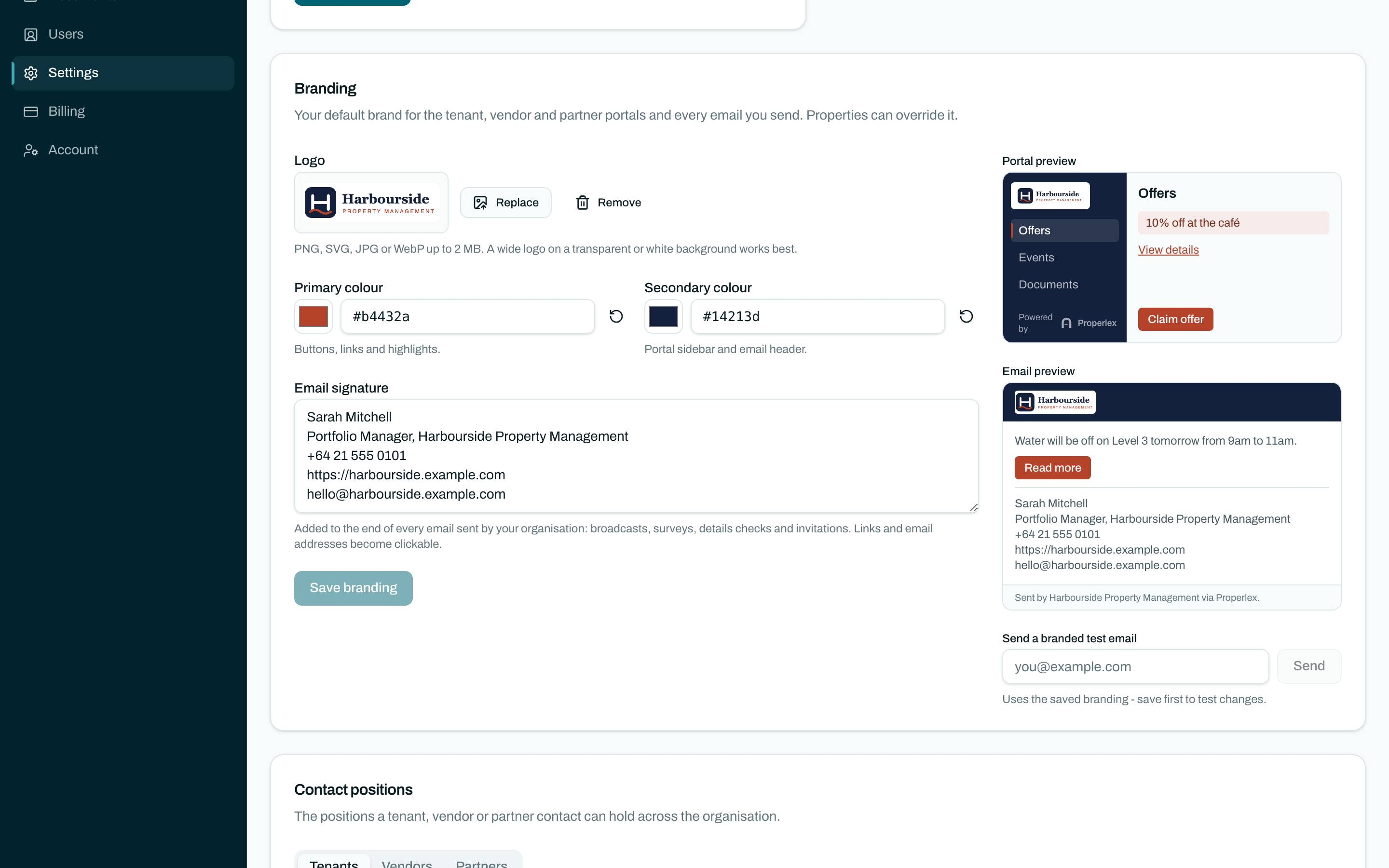
Custom Branding in three steps.
- 1
Set your brand
Upload your logo, choose a primary and a secondary colour, and write your email signature in Settings.
- 2
Tailor it per property
Override the logo, colours or signature for any property. Anything you leave blank uses your default brand.
- 3
Check it, then send
Preview the portal and email live as you edit, and send yourself a branded test email before anyone else sees it.
What changes for your team.
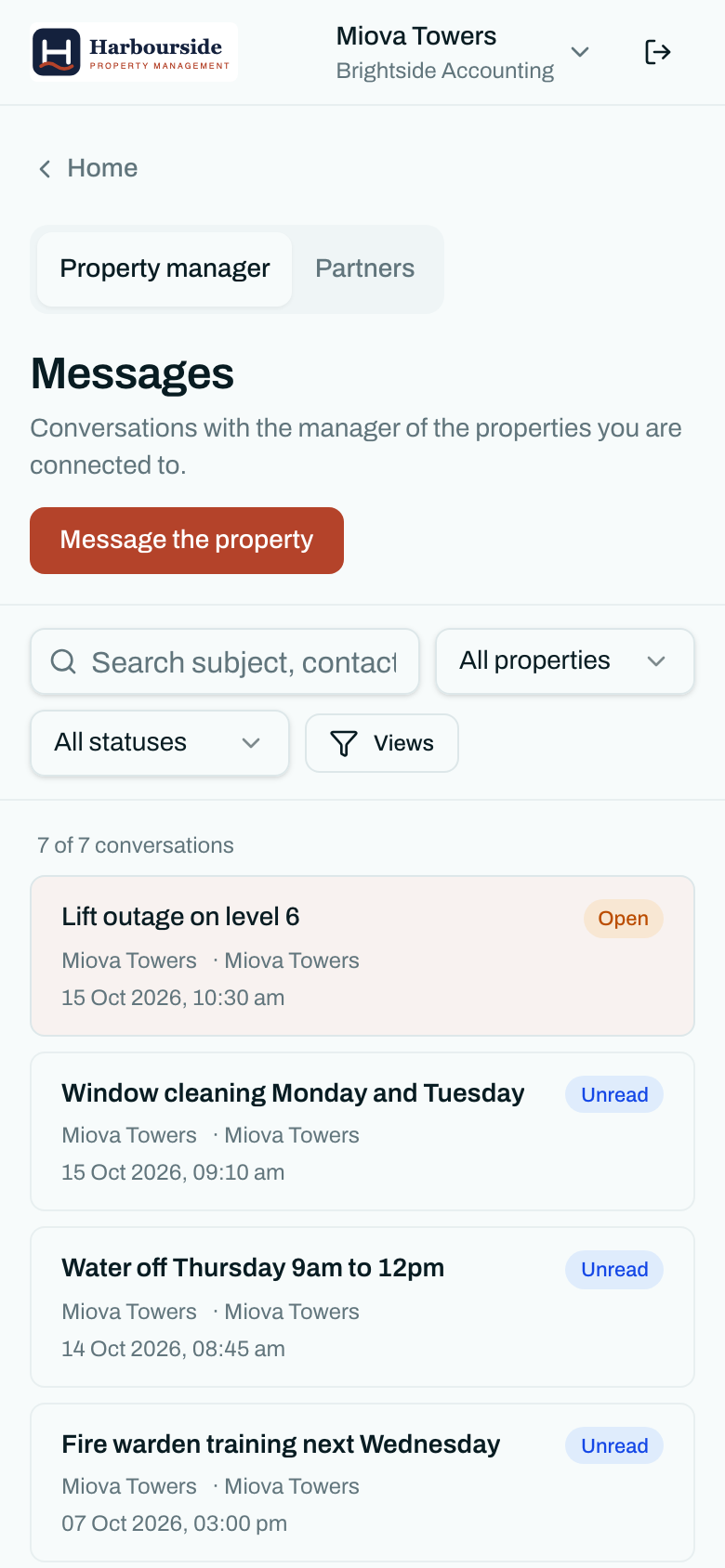
- Recognised at a glanceTenants see your logo and colours in their portal and inbox, so they know a notice is really from you.
- Every email, not just someBroadcasts, invitations, surveys, details checks and alerts all carry your logo, colours and signature.
- One brand or manyRun every property under one brand, or give a building its own identity without a second account.
- Your signature, in plain text tooYour email signature is added to the plain-text version of each email as well as the designed one.
Custom Branding questions
What can I brand?
Your logo, a primary colour for buttons and links, a secondary colour for the portal navigation, and your email signature. They appear on the tenant, vendor and partner portals, on invitation, survey, details-check and visitor sign-in pages, and in every email you send.
Can each property have its own branding?
Yes. Set a default brand for your organisation, then override any part of it for a property. A field you leave blank on a property uses the default.
Do tenants still see Properlex?
Your brand leads. The portals keep a small "Powered by Properlex" note.
Can I see it before tenants do?
Yes. Settings shows a live preview of the portal and an email as you edit, and you can send yourself a branded test email.
Related features
- CommunicationsSMS, email and InMail to every party, written once and sent from one place.Learn more
- Contact ManagementTenants, vendors and partners organised by property, and kept current at the source.Learn more
- Role Based AccessFive roles, property-level access and single sign-on for your team and every party.Learn more
See Properlex with your own properties.
Book a demo and we'll tailor a plan to how your team already works.