The right documents, in front of the right people.
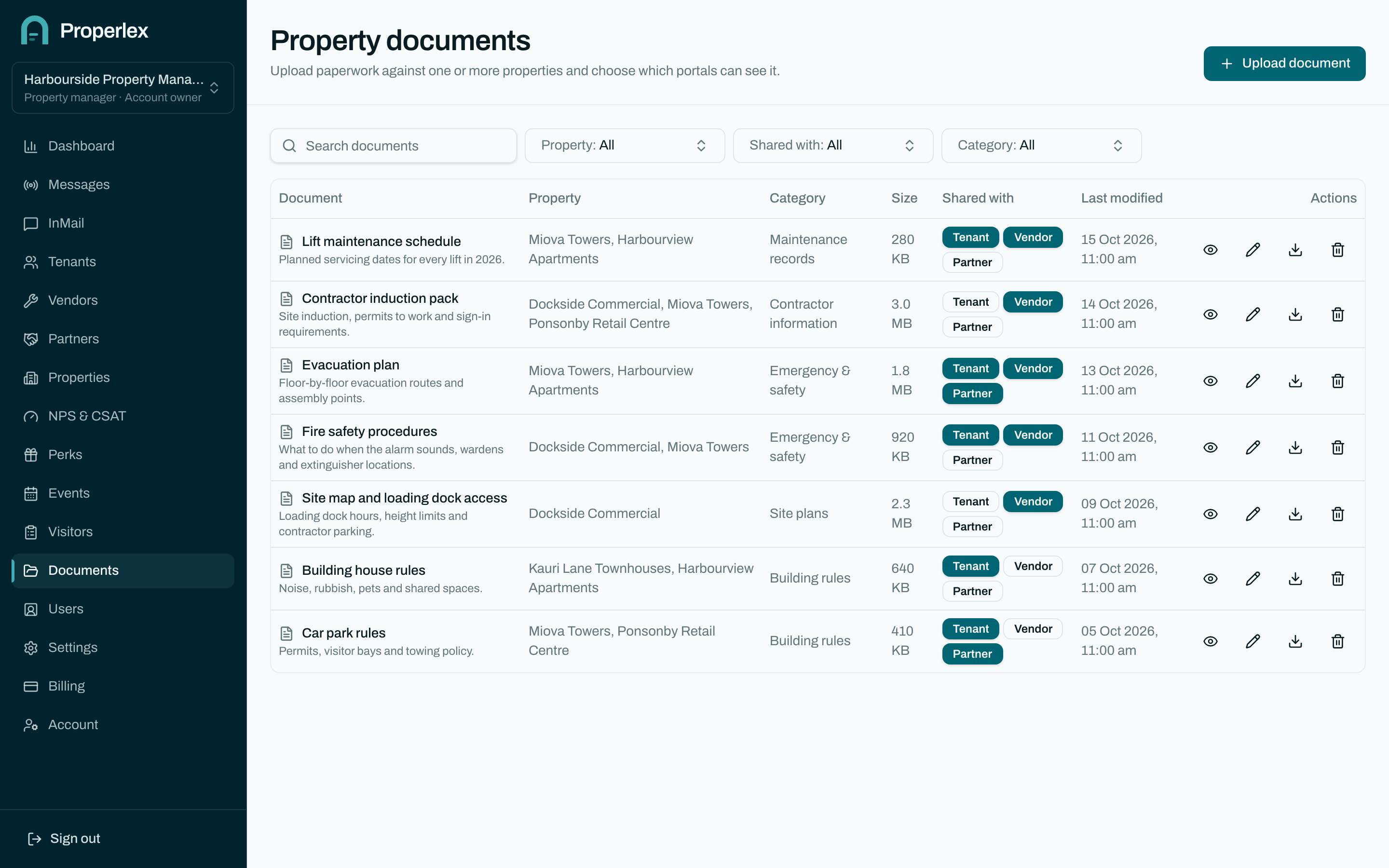
Properlex stores property documents, such as evacuation plans, site maps, house rules and contractor inductions, against each property and files them into categories. You choose whether tenants, vendors or partners can see each document, and they open it from their own portal.
Document Storage in three steps.
- 1
Upload and file
Add a document to one property or several, and file it in a category such as emergency procedures or site maps.
- 2
Choose who sees it
Share each document with tenants, vendors, partners or nobody but your team.
- 3
Keep it current
Replace a file when it changes, and everyone who can see it gets the new version in their portal.
What changes for your team.
- One place to lookTenants and contractors find the plan or procedure in their portal instead of asking you for it.
- Shared with careContractor inductions go to vendors, house rules to tenants, and internal files stay internal.
- Ready for an emergencyEvacuation plans and site maps are already in front of the people at the property when they are needed.
Document Storage questions
Who can see a document?
Only the parties you share it with: tenants, vendors or partners connected to that property. Documents you don't share are visible to your team alone.
Can one document apply to several properties?
Yes. Add it once and link it to every property it applies to.
Who on my team can upload documents?
Anyone whose role includes document permissions. You decide that in Role Based Access.
Related features
- Property ContactsPublish the building manager, after-hours and security numbers to the right parties.Learn more
- Vendor & Visitor Sign InA live list of every contractor and visitor on site, at every property.Learn more
- Role Based AccessFive roles, property-level access and single sign-on for your team and every party.Learn more
See Properlex with your own properties.
Book a demo and we'll tailor a plan to how your team already works.