Set up contractor compliance
In Health & Safety, Settings, choose where the induction and hazard register apply, who reviews vendor documents, and whether new induction versions must be redone.
- For
- Property managers
- Needs
- Contractor compliance switched on
Settings decide how contractor compliance works across your properties.
Steps
Go to Health & Safety, then Settings, and find Contractor compliance.
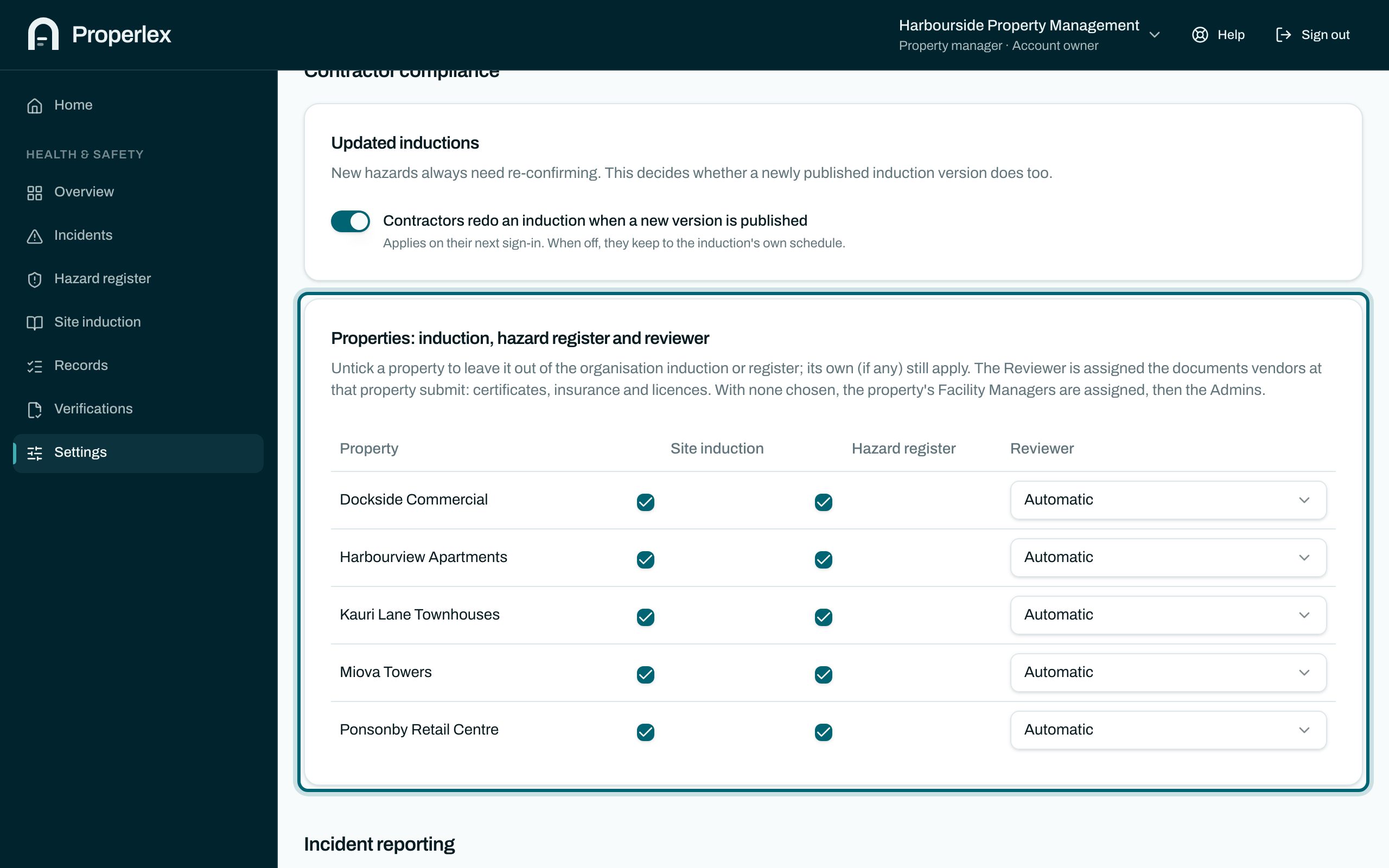
Under Updated inductions, choose whether Contractors redo an induction when a new version is published. New hazards always need re-confirming.
Under Properties: induction, hazard register and reviewer, for each property:
Choose whether the organisation's Site induction and Hazard register apply there. The Account owner can leave a property out.
Choose the Reviewer for vendor documents, or leave it Automatic.
Incident reporting has its own settings on the same page. See Choose who investigates incidents.
Last checked against the app on .