Choose who investigates incidents
Go to Health & Safety, then Settings. Under Incident reporting, choose a fallback investigator and an investigator for each property, and check each property's jurisdiction.
- For
- Property managers
- Needs
- Incident reporting switched on
Every incident goes to the property's investigator. If a property has none, it goes to the fallback investigator. Set both so a serious report always reaches someone.
Before you start
You need the Manage incident settings control.
Investigators need the Investigate incidents control.
Steps
Go to Health & Safety, then Settings, and find Incident reporting.
Under Alerts and the fallback investigator, choose a Fallback investigator. Only people with the Investigate incidents control who work with every property are listed.
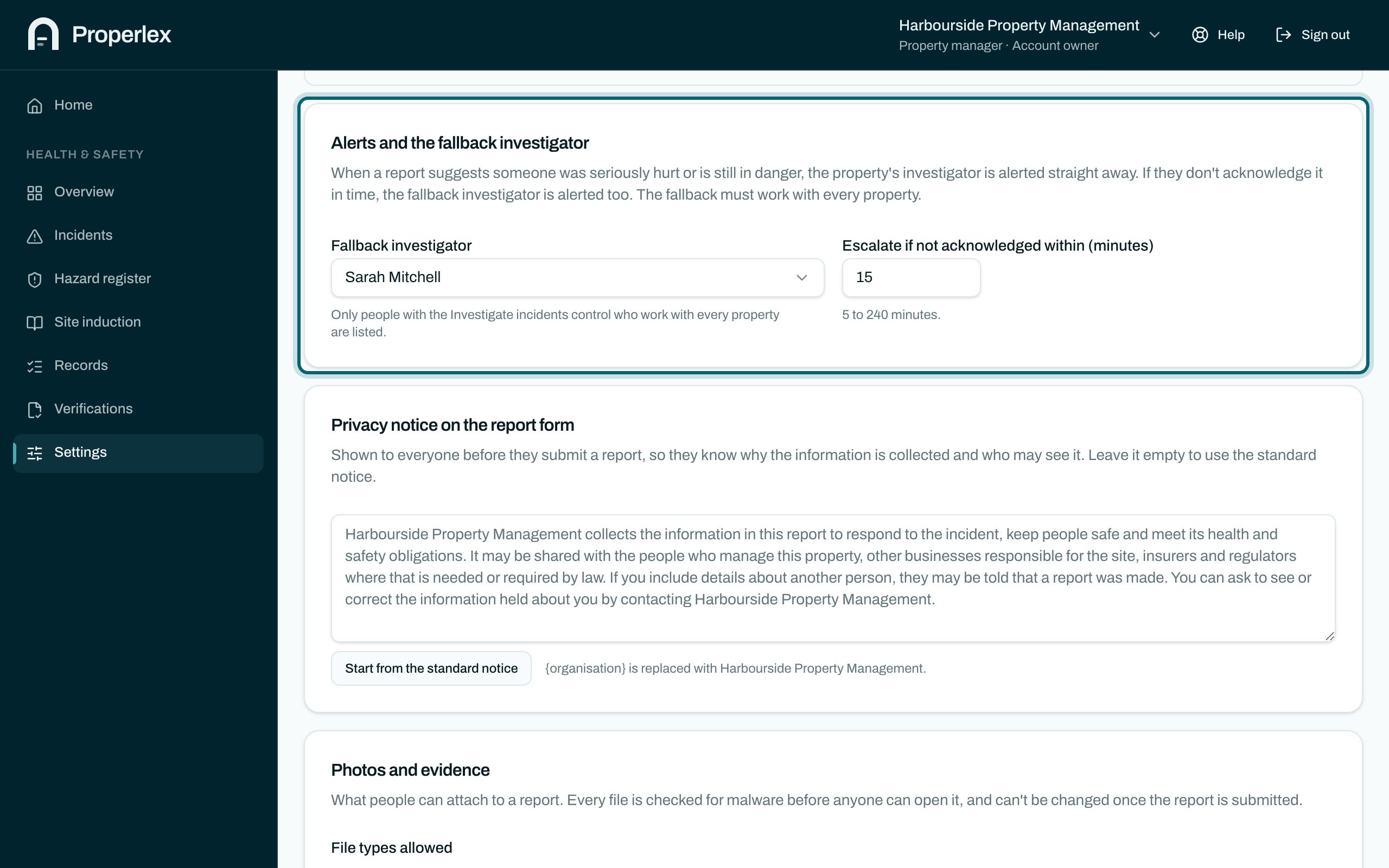
Set Escalate if not acknowledged within (minutes). If the property's investigator doesn't acknowledge a serious report in time, the fallback investigator is alerted too.
Under Properties, choose an Investigator for each property.
Check each property's Jurisdiction. It decides which regulator and rules apply.
Select Save incident settings.
Australian properties
Choose the state or territory as the jurisdiction, for example NSW or VIC, so the right regulator and the 000 emergency number are shown. New Zealand properties use WorkSafe New Zealand and 111.
Other settings on this page
Privacy notice on the report form: what reporters are told about how their information is used.
Photos and evidence: the file types, size and number of files allowed.
Keeping records: how many years incident records are kept.
How long records must be kept, and which events must be notified, are legal duties. Check them with your adviser. The guidance in the app hasn't been reviewed by a lawyer yet.
Last checked against the app on .