See every property, across every module.
Reports brings together what is happening across your portfolio: messages and delivery, utilities consumption, cost and emissions compared with the year before, and the dashboards inside each module, from asset replacement forecasts to inspection on-time rates.
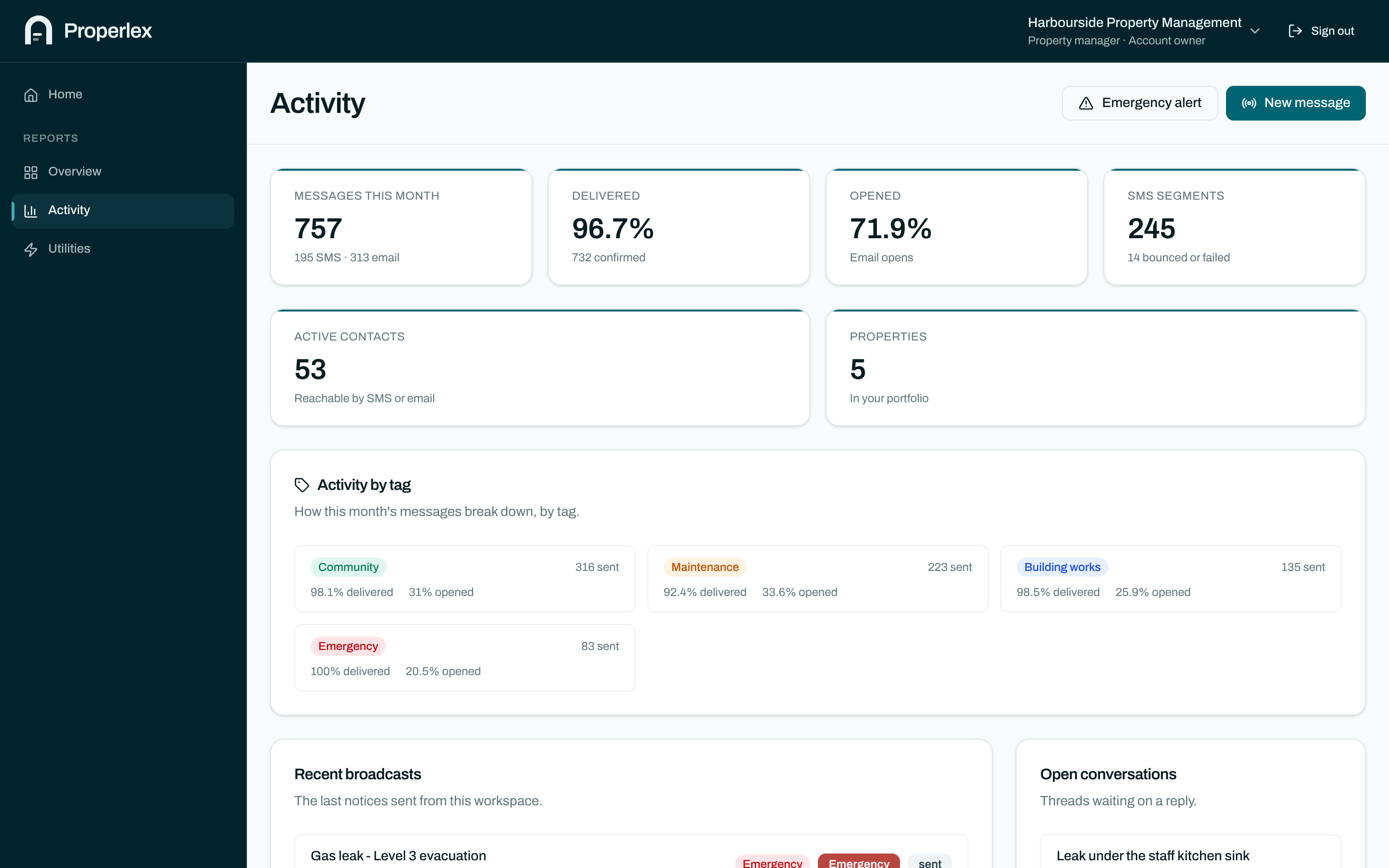
Activity and delivery
What went out this month, and whether it landed.
- Messages sent, delivery and open rates, and SMS usage this month.
- Activity by communication tag, from maintenance to emergencies.
- Recent broadcasts and open conversations.
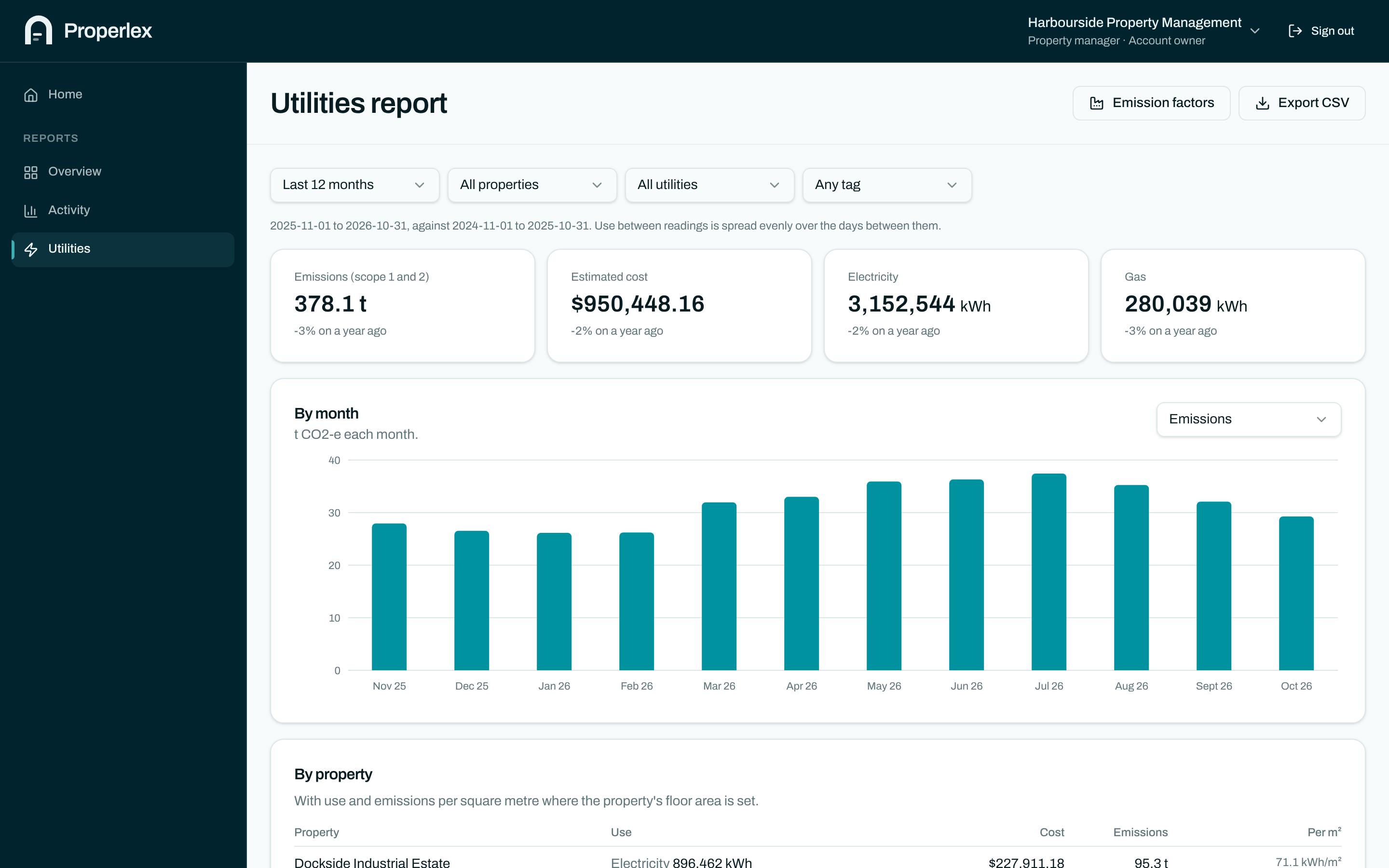
Utilities, cost and emissions
From meter readings to a number for the board.
- Consumption and estimated cost by month, property, meter, utility and tag, against the same period a year earlier.
- Emissions in tonnes of CO2-e (scope 1 and 2), from published New Zealand and Australian factors, or your own.
- Use per square metre where you have set a property's floor area.
- Sub-meters are never counted twice. Export to CSV.
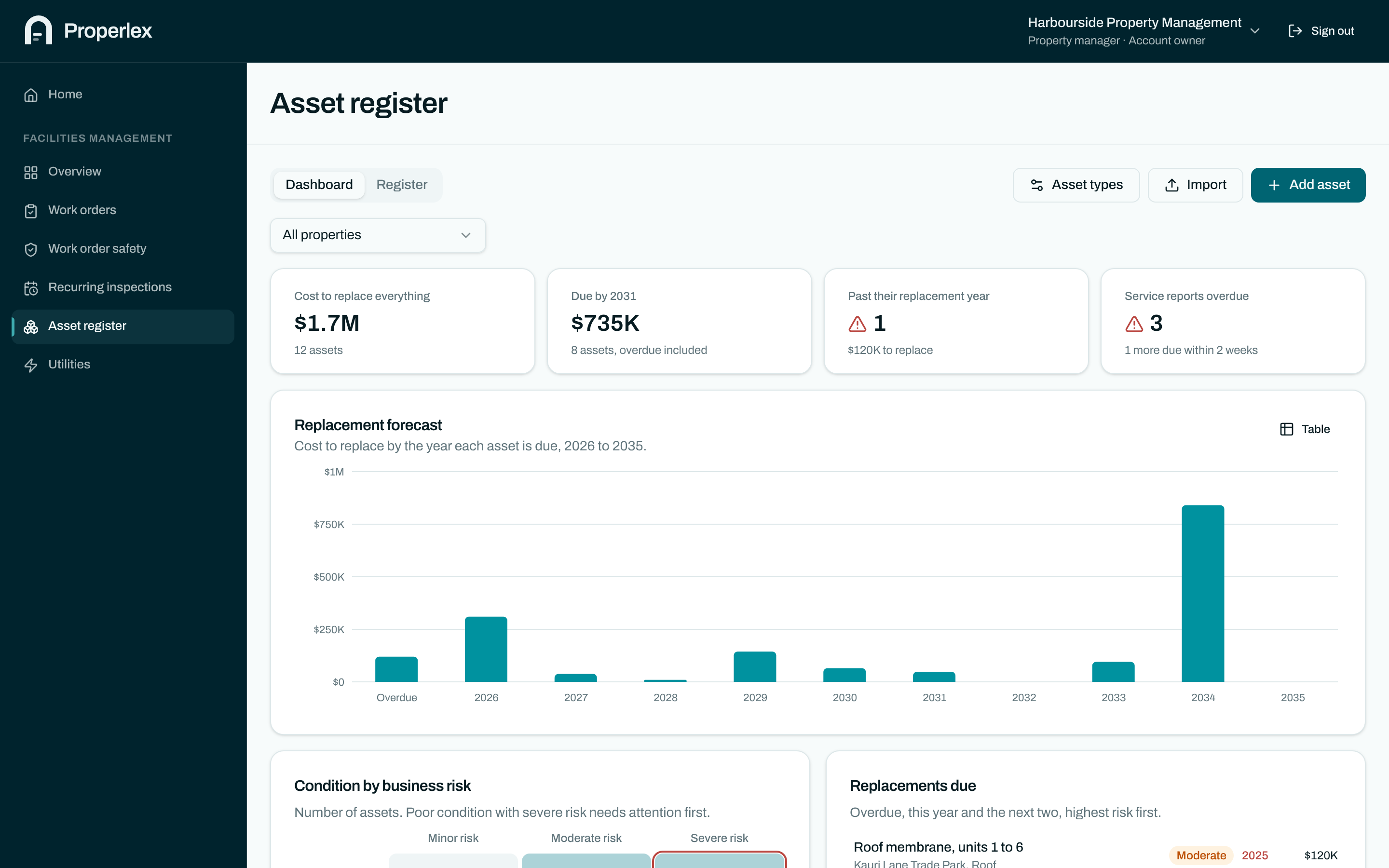
The dashboards inside each module
Each module reports on its own work, on the same properties.
- Asset register: cost to replace, a replacement forecast by year and service reports overdue.
- Recurring inspections: due, overdue, missed and on-time rates by property.
- NPS and CSAT: scores and trends by party and tenant type.
- Health & Safety: contractor sign-in records, with CSV export.
Who reads the reports
- Property managers and owners
- Report on delivery, satisfaction and spend across the portfolio.
- Facilities managers
- Track utilities, asset replacement and inspection rates.
- Health and safety leads
- Export contractor sign-in records for an audit.
Where the numbers come from
- Communications
Every broadcast feeds activity and delivery.
- Facilities Management
Meter readings feed the utilities report, and the asset register forecasts replacement.
- Community
Survey results trend month by month.
- Health & Safety
Sign-in, induction and hazard records are ready to export.
In Reports
- Utilities & Emissions
Meters and readings for every property, with cost and emissions reported against last year.
- Delivery Reports
Sent, delivered, opened and bounced for every recipient, with a full audit trail.
Related guides
- How-to2 min read
How to calculate the cost of contact admin in property management
Keeping tenant, vendor and partner contact details current takes real staff time. Here is a simple formula to put an annual dollar figure on it.
Read article - CalculatorFree tool
Contact admin cost calculator for property managers
Free calculator: estimate what your property management business spends each year keeping tenant, vendor and partner contact details up to date.
Open tool - How-to6 min read
Tenant satisfaction survey: a practical guide
How to run a tenant satisfaction survey for commercial property: NPS or CSAT, the questions to ask, how often to send it and what to do with the results.
Read article
Reports questions
Which emission factors does Properlex use?
New Zealand's Ministry for the Environment factors and Australia's National Greenhouse Accounts factors for each state. You can set your own factor for any region and fuel.
Can I export reports?
Yes. The utilities report and contractor sign-in records export to CSV.
Can I build my own reports?
Not yet. Reports are built in, and each module has its own dashboard.
See your portfolio in numbers
We'll show you delivery, utilities and asset reports for a portfolio like yours.