Run the building with the people who maintain it.
Facilities Management is where jobs, checks, equipment and meters live. Raise work orders and send them to vendors, schedule inspections that vendors and tenants complete in their portal, keep an asset register with a replacement forecast, and track utilities, all against the same properties and contacts.
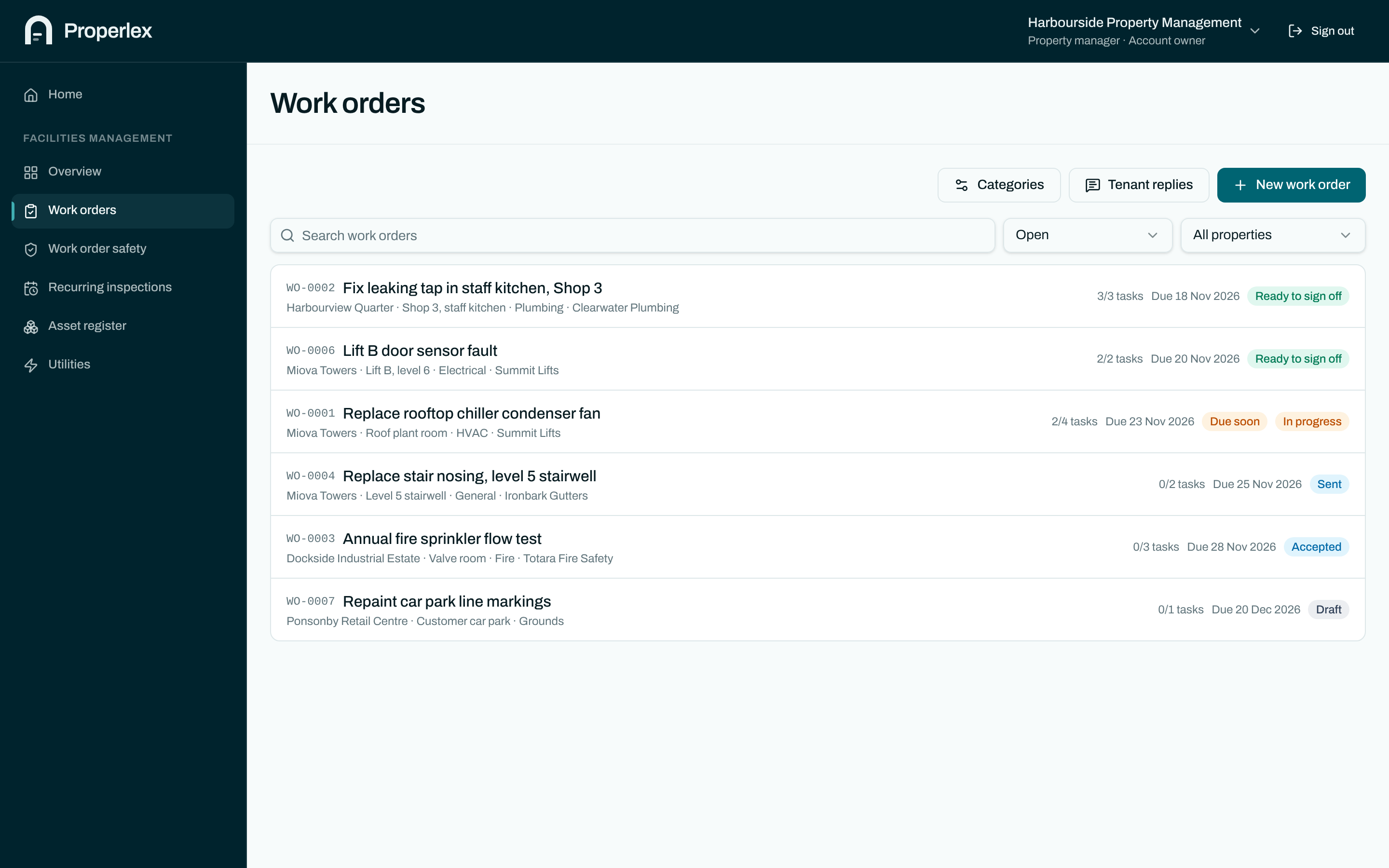
Work orders, from request to sign-off
Every job, its checklist and its proof, in one record shared with the vendor.
- Raise a job with a checklist, due date, location and equipment, and send it to a vendor.
- The vendor accepts, starts and completes it from their portal, with photos as proof of work.
- Turn a tenant's maintenance request into a work order, and keep the tenant updated.
- Sign it off when the work is done.
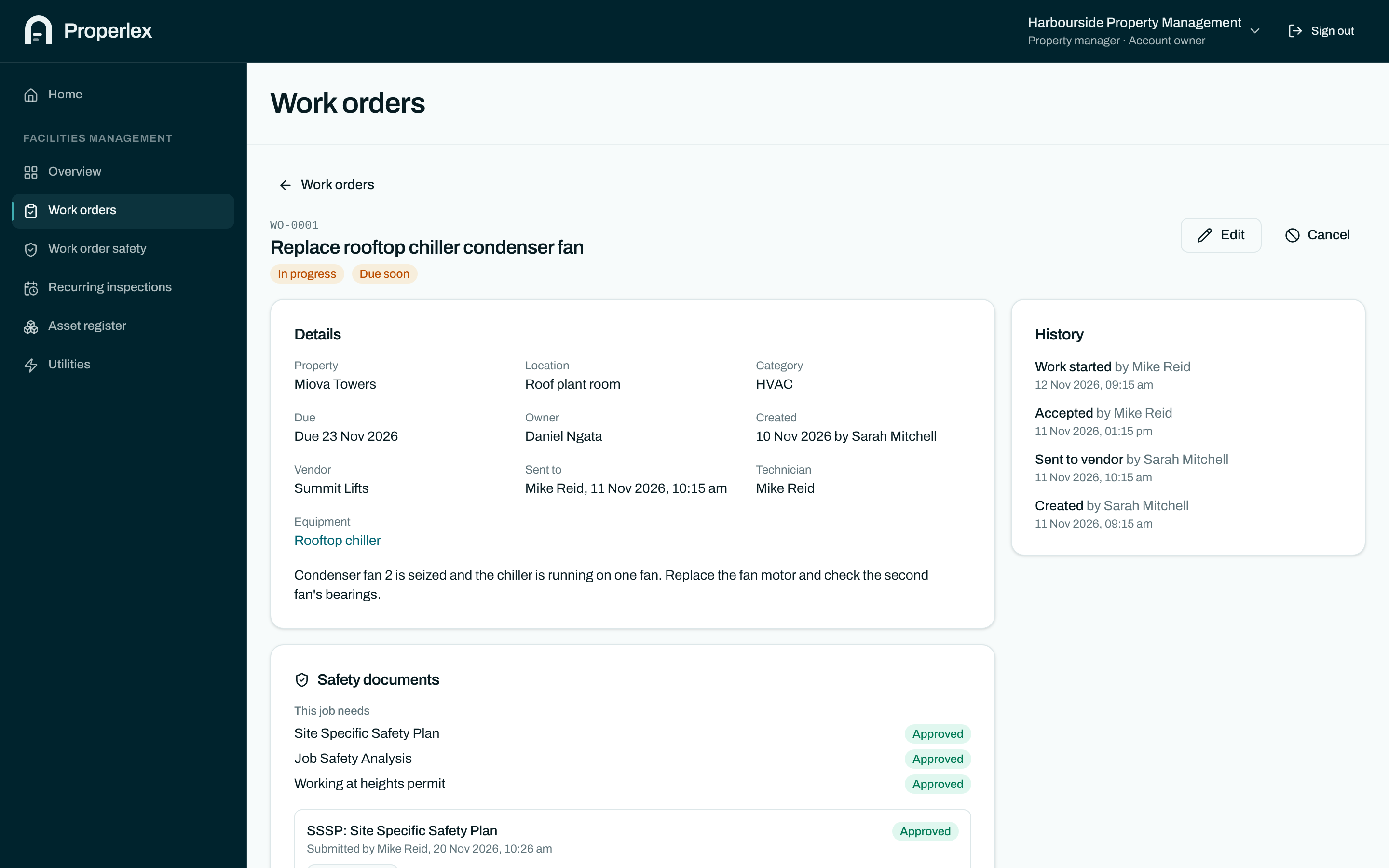
Safety documents before work starts
For the jobs that need them, the paperwork travels with the work order.
- Ask for a Site Specific Safety Plan, a Job Safety Analysis or a permit to work on a job.
- Vendors submit them with the work order, and your team approves or rejects each one.
- Approved permits are numbered and download as a permit to work PDF: hot works, working at heights, confined spaces, electrical isolation and excavation.
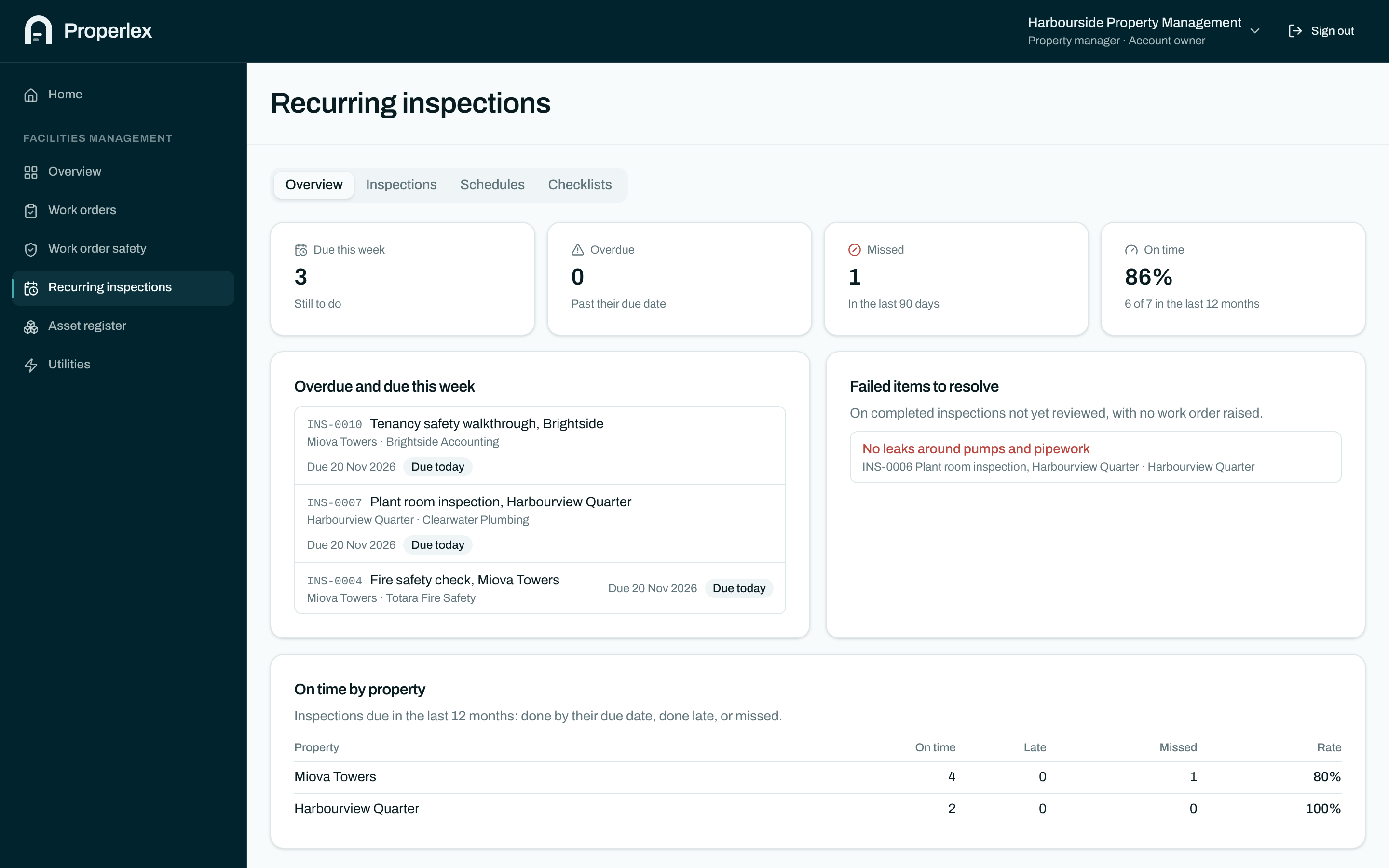
Recurring inspections
Checks that happen on schedule, done by the people on site.
- Build checklists with pass or fail, tick, number (with an acceptable range), text and condition items.
- Schedule them by property and assign them to a vendor or a tenant. Each one is raised ahead of its due date.
- They are completed in the portal, with photo and PDF evidence.
- Review the results, raise a work order from a failed item, and see on-time rates by property.
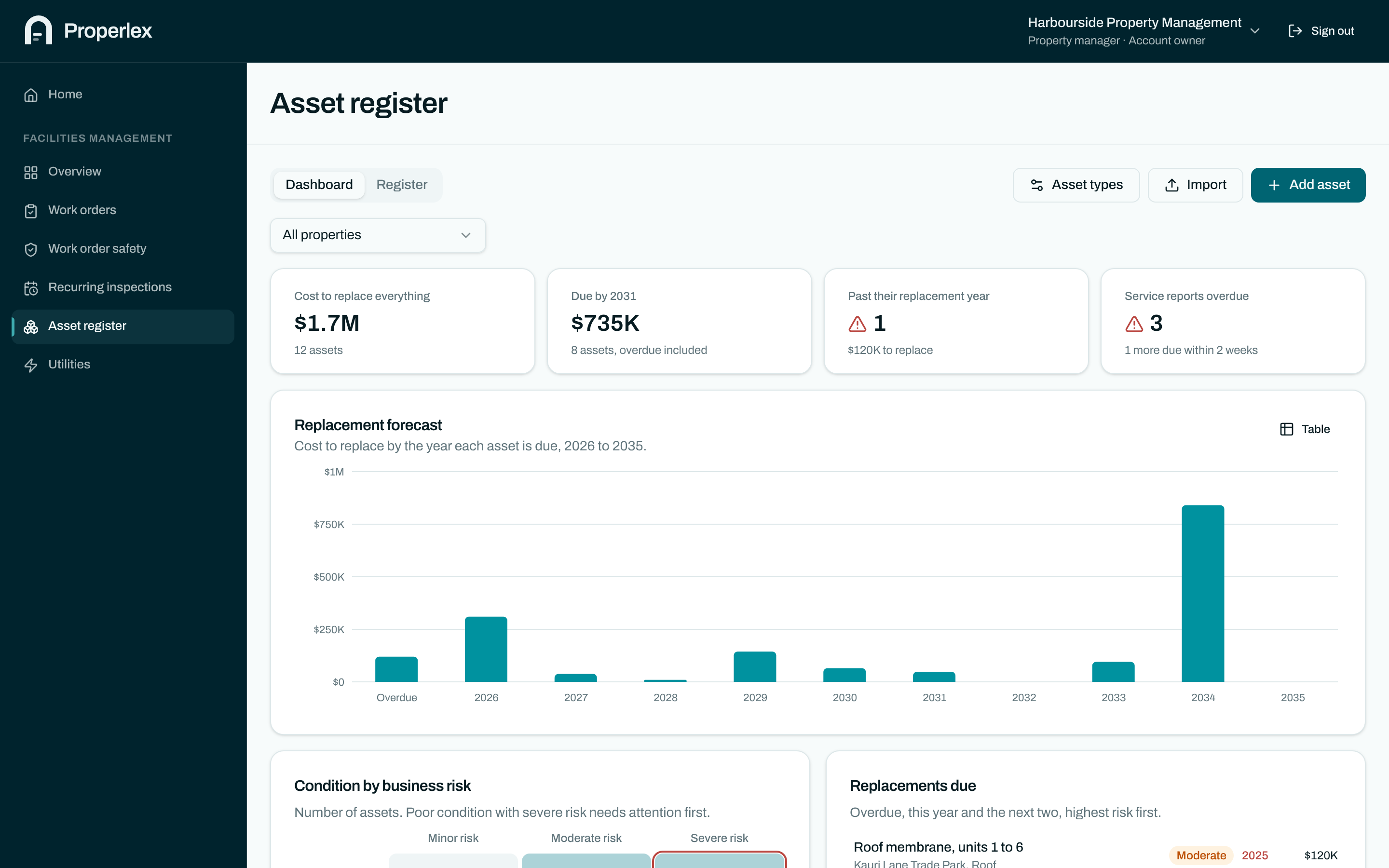
An asset register with a replacement forecast
Know what you have, what condition it's in and when it needs replacing.
- Key equipment with condition, business risk, make, model and serial number.
- A replacement cost forecast by year, and what needs attention soon.
- Service schedules, with service reports from the assigned vendor and reminders when one is due.
- Import your existing register from CSV or Excel.
Utilities
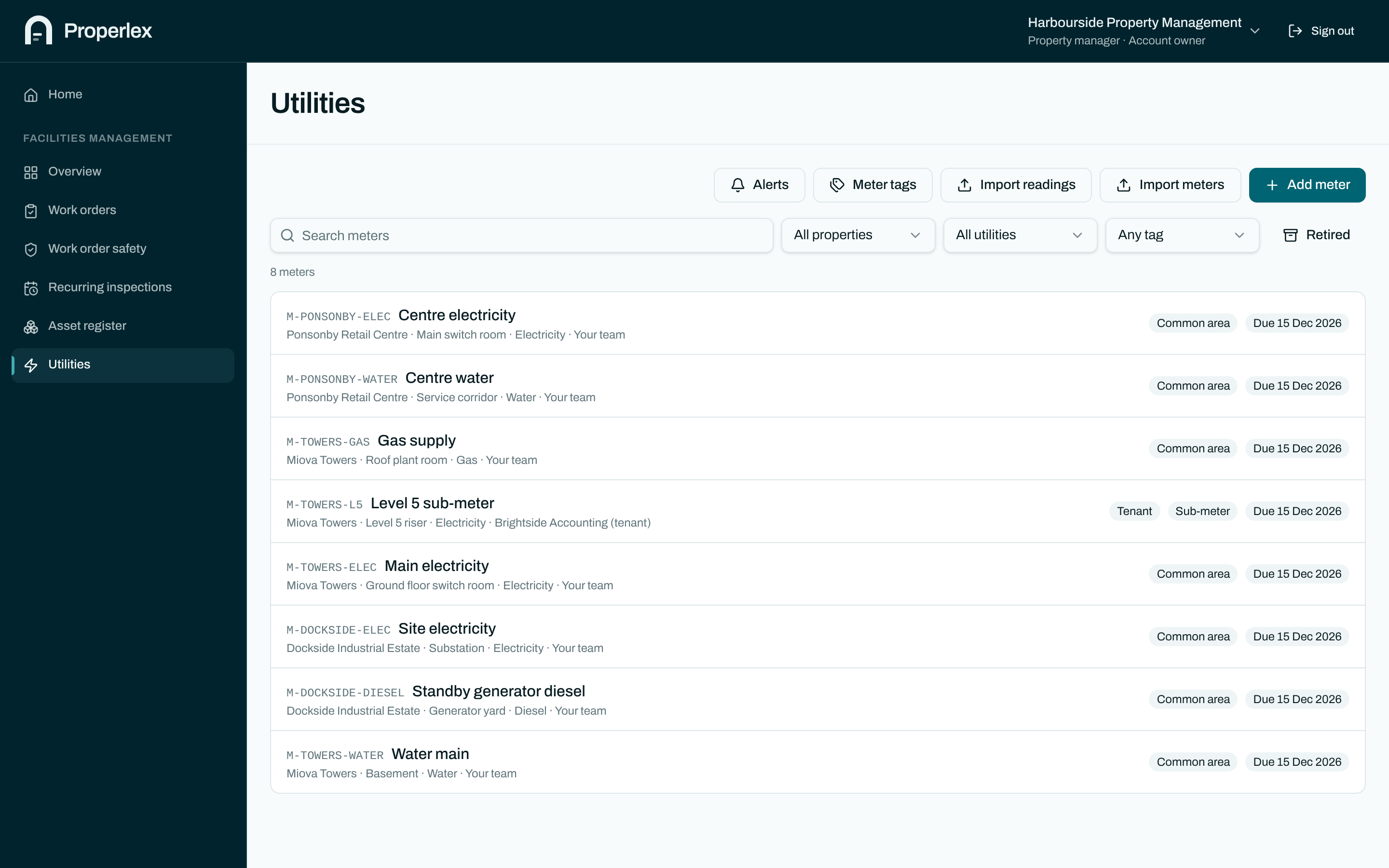
Meters and readings for every property, ready for reporting.
- Electricity, gas, water, solar, LPG, diesel and other meters, including sub-meters.
- Readings entered by your team, imported by CSV, or entered by the tenant or vendor who reads the meter.
- Reading reminders, and alerts for high use or a missed reading.
- Consumption, cost and emissions in Reports.
Who does the work
- Facilities and property managers
- Raise and sign off work orders, schedule inspections, keep the asset register and track meters.
- Vendors
- Work jobs, submit safety documents, complete inspections, file service reports and read meters, all in their portal.
- Tenants
- Raise maintenance requests, complete the inspections assigned to them and read the meters linked to them.
What feeds into Facilities, and what it feeds
- Communications
Maintenance requests arrive in InMail and become work orders.
- Health & Safety
Safety plans, job safety analyses and permits are reviewed on the work order, and contractors sign in through your induction.
- Reports
Meter readings feed the utilities report, and the asset register forecasts replacement costs.
In Facilities Management
- Work Orders
Jobs sent to vendors, worked in their portal and signed off, with photos as proof.
- Recurring Inspections
Checklists vendors and tenants complete on schedule, with evidence and follow-up work orders.
- Asset Register
Key equipment, its condition and service history, and a replacement forecast by year.
- Utilities & Emissions
Meters and readings for every property, with cost and emissions reported against last year.
Related guides
- Buyer's guide3 min read
Software for commercial property assets
The software stack for commercial property assets: lease management, tenant communication, operations, visitor sign-in and analytics, and how to choose.
Read article - Checklist6 min read
Contractor contact list for facilities managers
A contractor contact list is only useful if it is right when you need it. Here is how facilities managers keep every site's contacts current.
Read article - Buyer's guide5 min read
Software for shopping centres and malls
The software shopping centre teams use, from lease management to retailer communication, footfall and contractor sign-in, and how to choose each piece.
Read article
Facilities Management questions
Do vendors pay to use Properlex?
No. Vendors you invite use their portal free, on their phone or computer.
Can a tenant complete an inspection?
Yes. Schedules can be assigned to a vendor or a tenant workspace connected to the property.
Can I import my existing asset register?
Yes, from CSV or Excel.
Does Properlex work out emissions?
Yes. The utilities report estimates emissions from meter readings, using published New Zealand and Australian factors, or your own.
Run your next job through Properlex
Bring a recent job and we'll follow it from request to sign-off.