Turn a tenant's request into a work order
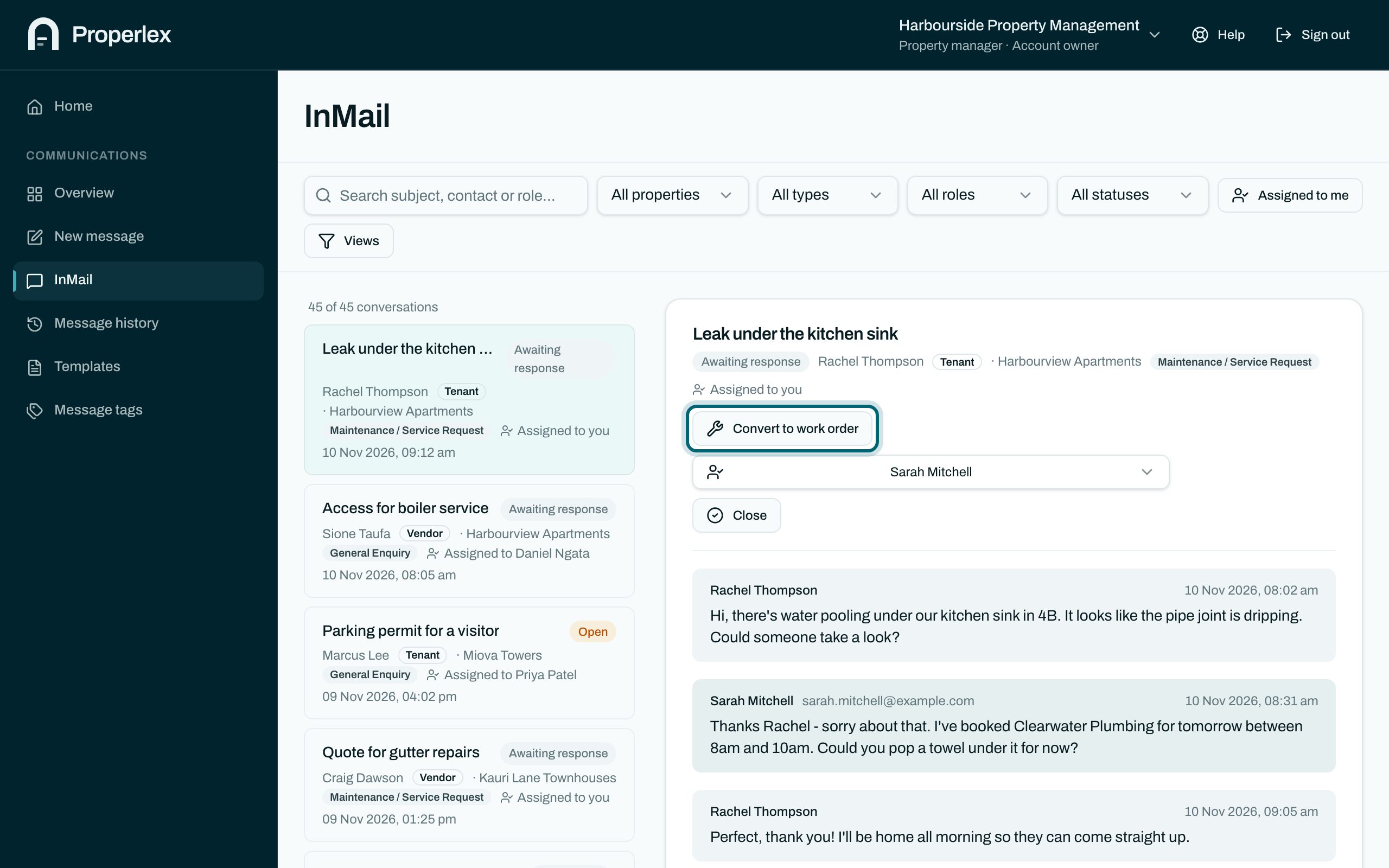
In InMail, open the tenant's Maintenance / Service Request and select Convert to work order. The form is filled in from their request, and the tenant is told in InMail.
- For
- Property managers
- Needs
- Work orders switched on
When a tenant asks for maintenance in InMail, you can raise a work order straight from their message, without retyping it.
Before you start
You need the Create, send and sign off work orders control.
It works for InMail conversations from tenants with the type Maintenance / Service Request.
Steps
Go to Communications, then InMail, and open the tenant's conversation.
Select Convert to work order.
Check the details filled in from their request, and add the rest. See Create a work order.
Check Reply to the tenant. The tenant sees shows what they'll get.
Save.
What happens next
The tenant gets a reply in InMail saying a work order has been raised, with its number.
The work order links back to the Tenant conversation.
When you sign it off, the tenant is told the work is done.
Common problems
I can't see Convert to work order. The conversation isn't a tenant's maintenance request, or it came in by SMS.
Last checked against the app on .