Set the replies tenants get about work orders
In Work orders, select Tenant replies to change, or switch off, the InMail replies a tenant gets when their request becomes a work order and when it's signed off.
- For
- Property managers
- Needs
- Work orders switched on
When a tenant's maintenance request becomes a work order, they get two replies in InMail, from the person who acted: one when the work order is raised, and one when it's signed off.
Steps
Go to Facilities Management, then Work orders.
Select Tenant replies.
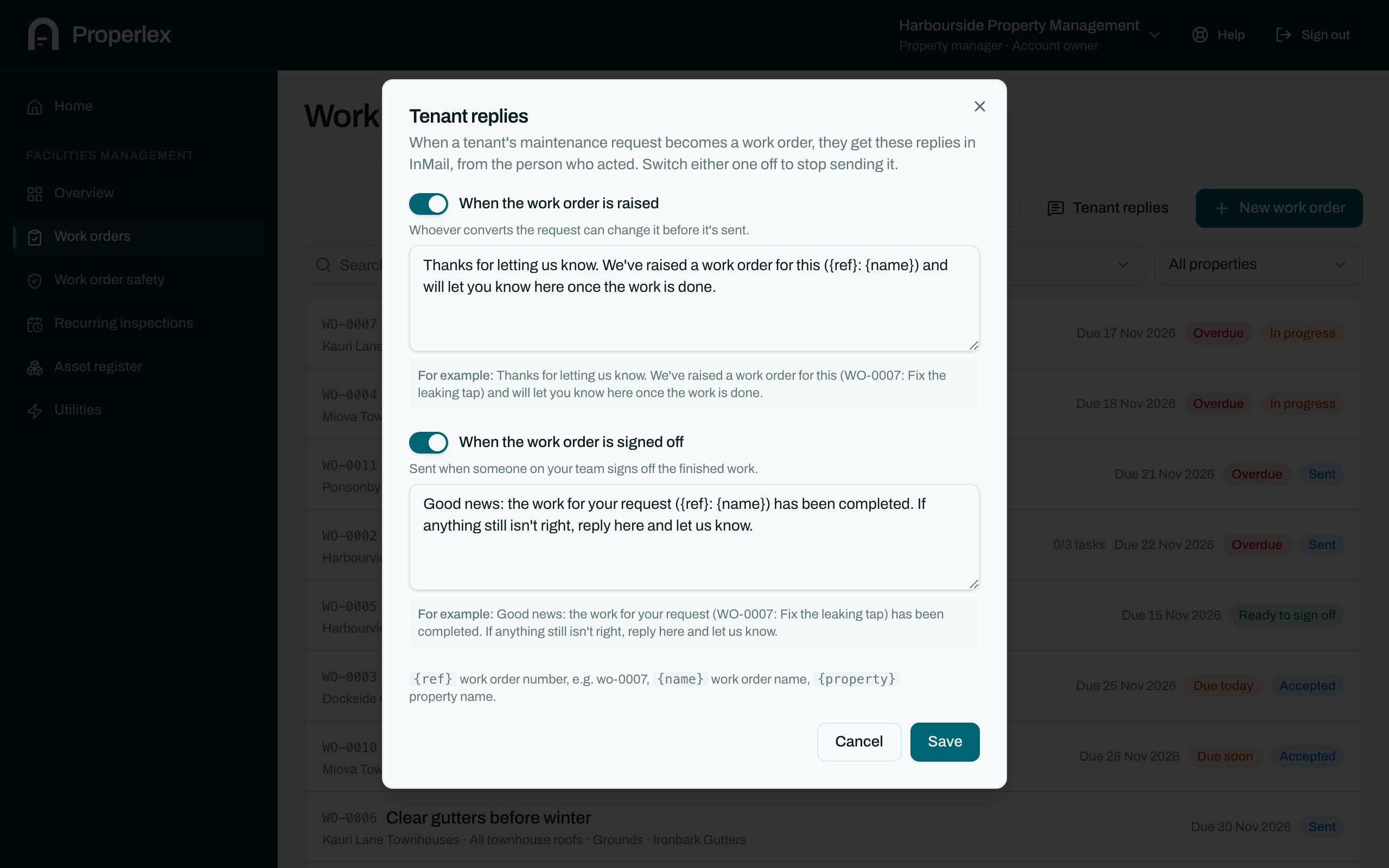
Change the text for When the work order is raised and When the work order is signed off. You can use
{ref}(the work order number),{name}(its name) and{property}(the property name).To stop sending one, switch it off. To go back to the standard wording, select Use the default.
Save.
Common problems
Can I change the reply for one work order? Yes. When you convert a request, you can edit Reply to the tenant before saving.
Last checked against the app on .