Set up contact positions
Go to Tenants, Vendors or Partners, then Contact positions, to add, rename or delete the positions contacts can hold, such as Primary or Emergency.
- For
- Property managers
- Needs
- Admin or above
Positions describe what a contact does, such as Store Manager or Emergency. You use them to send messages to the right people, and to decide what each person sees in their portal.
Your workspace starts with common positions. Tenants, for example, have Primary, Store Manager, Billing, Emergency and more.
Before you start
You need to be an Admin or the Account owner.
Steps
Go to Tenants, Vendors or Partners, then Contact positions.
To add one, type a New position name and select Add.
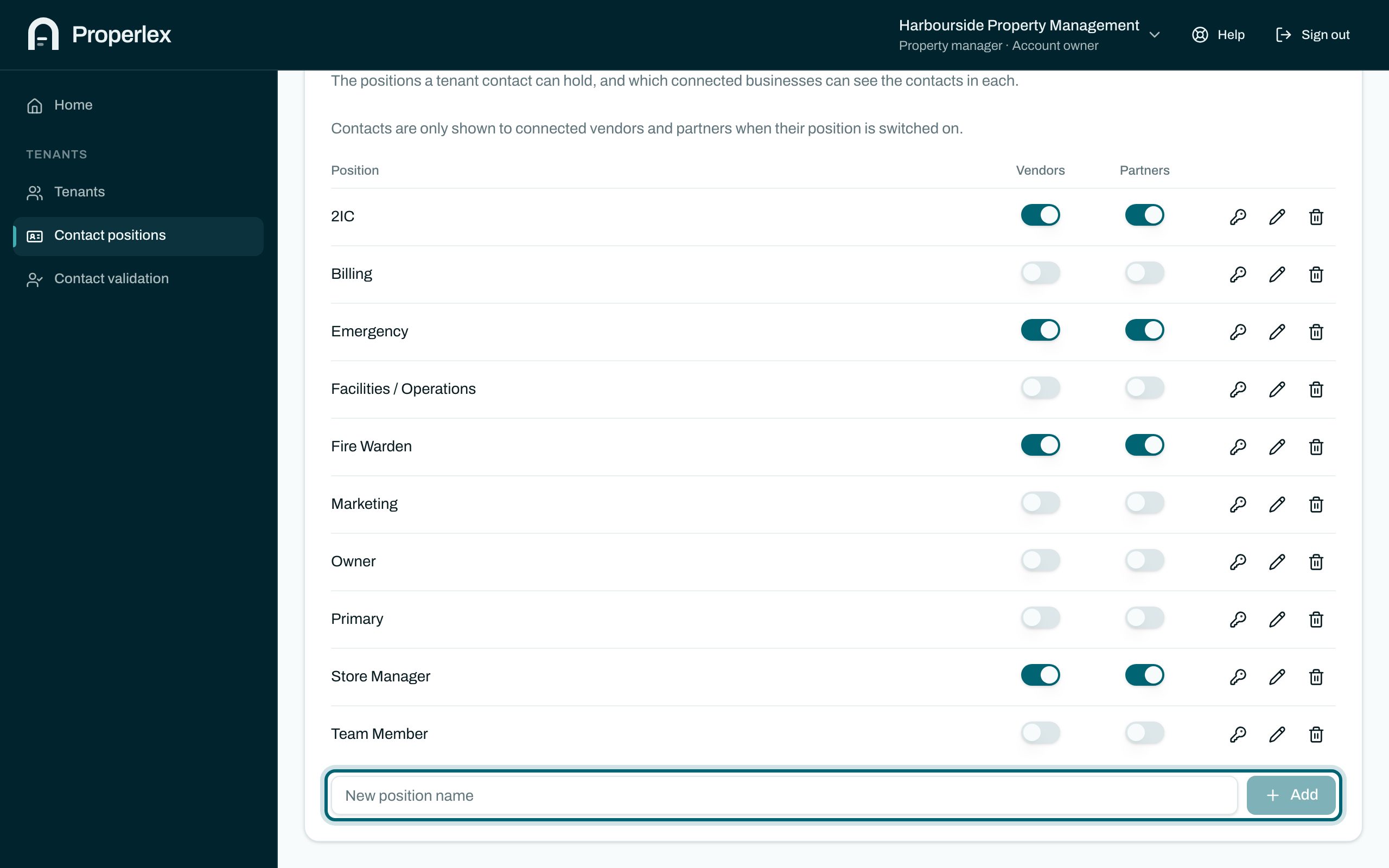
To rename one, select the pencil icon, change the name and save.
To delete one, select the bin icon.
Positions for one property
In Settings, Organisation configuration, choose a property in Managing settings for. Positions you add there are only available at that property, on top of the organisation's.
Common problems
Can I send a message to just one position? Yes. When you choose the audience, refine each recipient type by position. See Choose who receives a message.
Last checked against the app on .