Choose who receives a message
Under Audience, choose All properties or specific ones, tick the recipient types (tenants, vendors, partners, onsite visitors), then narrow each type by position.
- For
- Property managers
- Needs
- Sender or above
The Audience section decides who gets your message. The Audience summary updates as you choose, so you can see how many people you'll reach.
Steps
Under Properties, leave All properties or pick the properties to send to.
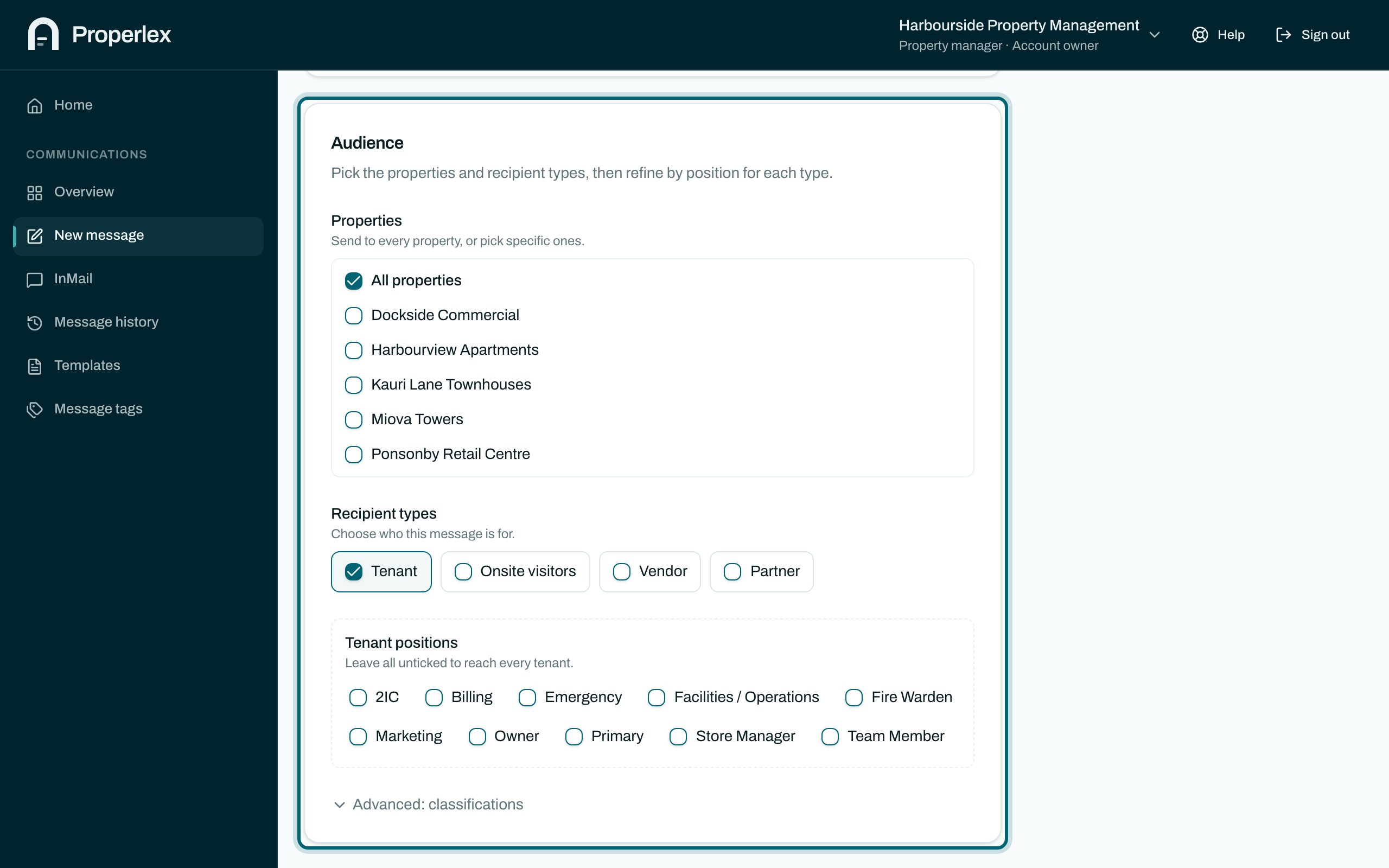
Under Recipient types, tick who it's for: tenants, vendors, partners and, if you use Visitors, Onsite visitors.
For each type, tick the positions to reach, for example only Emergency contacts. Leave them all ticked to reach everyone of that type.
Optional: open Advanced: classifications to narrow it further.
Check the Audience summary.
Who are onsite visitors?
People signed in through the visitor kiosk who haven't signed out yet. They're reached on the mobile number and email they gave when signing in.
Common problems
Matching contacts is higher than Reachable by SMS. Some contacts don't have a mobile number. They're still reached by email or InMail if you ticked those.
There are no positions to choose. No positions are set up for that type at those properties. See Set up contact positions.
Last checked against the app on .