Control what a position can see in the portal
In Contact positions, select Portal access next to a position, then choose the areas people holding it can open and what they can do.
- For
- Property managers
- Needs
- Admin or above
Each position decides what its holders see in the portal. Someone with several positions gets everything those positions allow.
Before you start
You need to be an Admin or the Account owner.
Steps
Go to Tenants, Vendors or Partners, then Contact positions.
Select Portal access next to the position.
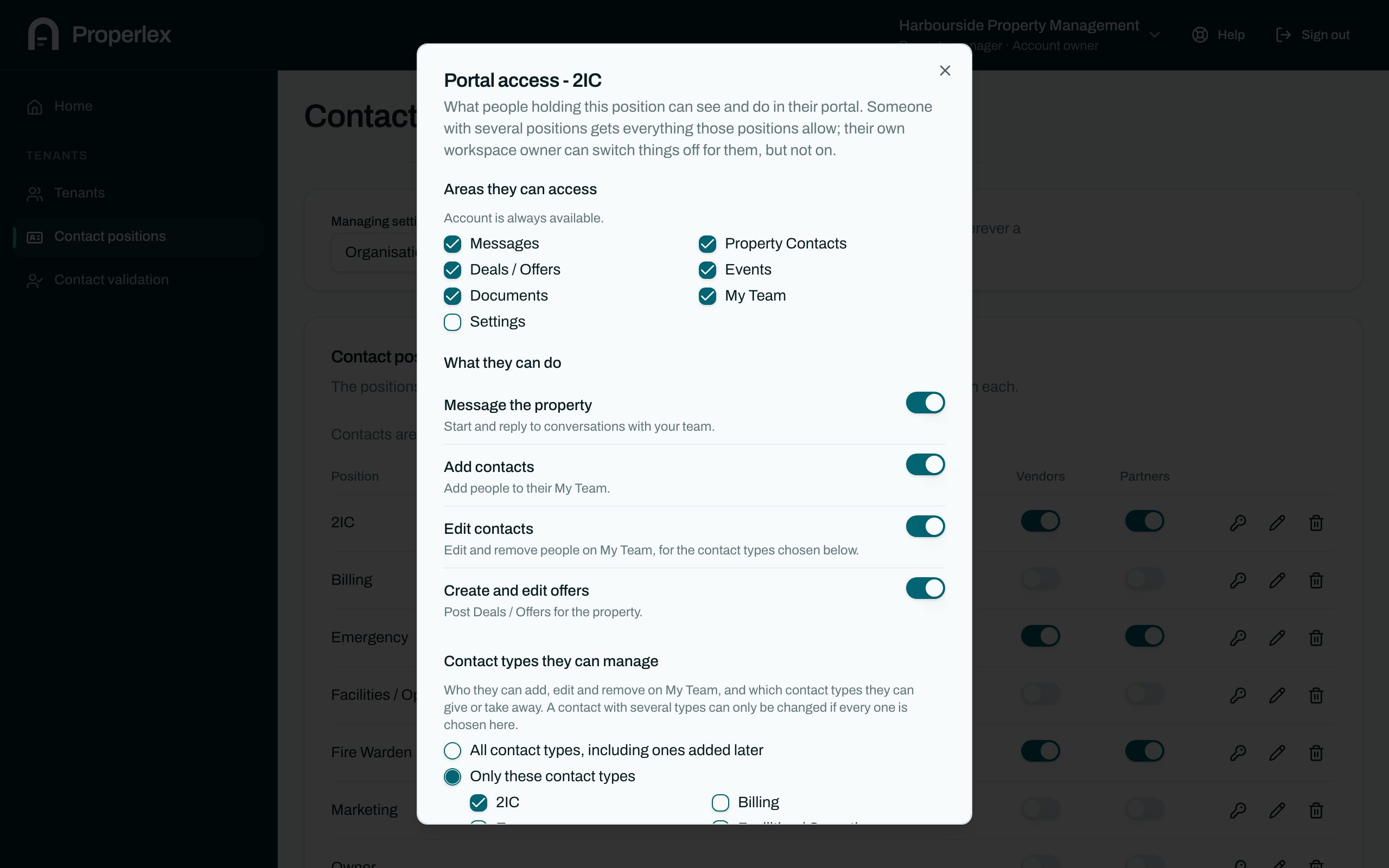
Under Areas they can access, tick the cards they can open, such as Messages, Property Contacts, Documents or My Team. Account is always available.
Under What they can do, switch on actions such as Message the property, Add contacts and Edit contacts.
If they can manage their team, choose the Contact types they can manage.
Select Save.
Common problems
A tenant can't see a card, such as Report an Incident. Some cards also need a module switched on for your organisation, such as Incident reporting, Work orders or Visitors.
Last checked against the app on .