Send an emergency alert
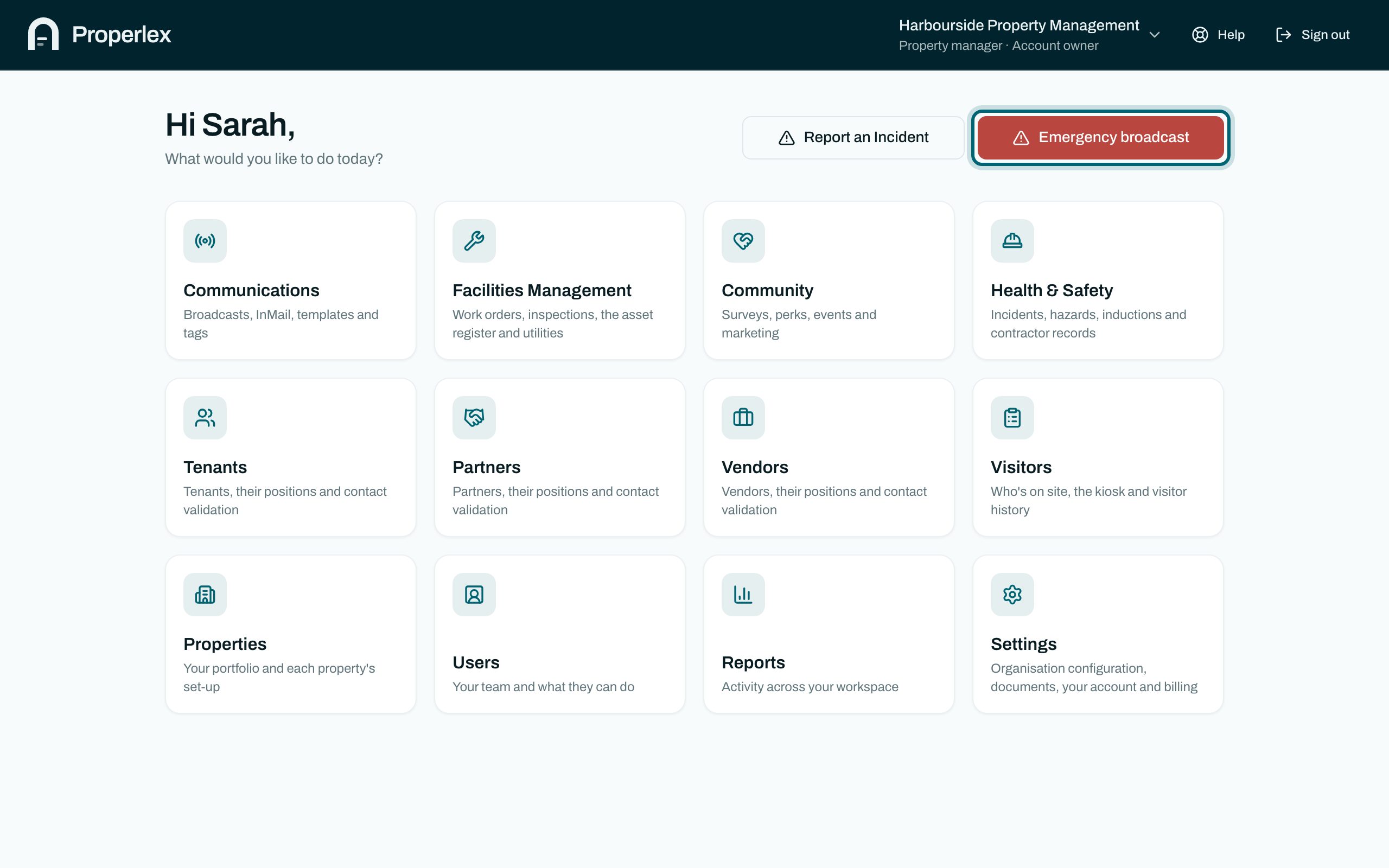
On your home page, select Emergency broadcast. The message opens set up for an emergency, by SMS and email to your Emergency contacts. Write it, check the audience and select Send now.
- For
- Property managers
- Needs
- Sender or above
An emergency alert is a message set up for speed. It starts with SMS and email ticked, the Emergency tag, tenants in the Emergency position and, if you use Visitors, everyone signed in on site.
Before you start
You need to be a Sender or above, with the Create new SMS & emails control.
Steps
On your home page, select Emergency broadcast. You can also select Emergency alert on the Activity page.
The page opens as Emergency alert. Write the Email subject and Message. Keep it short and say what people should do.
Check the properties under Audience. Add other recipient types or positions if needed.
Check the Audience summary.
Select Send now.
What happens next
The alert goes out straight away and shows as Emergency in Message history.
Common problems
Some tenants weren't included. The alert starts with tenants in the Emergency position. Add more positions under Audience, or make sure each tenant has an Emergency contact.
I can't see Emergency broadcast. You need to be a Sender or above with the Create new SMS & emails control.
Last checked against the app on .