Require safety documents for a work order
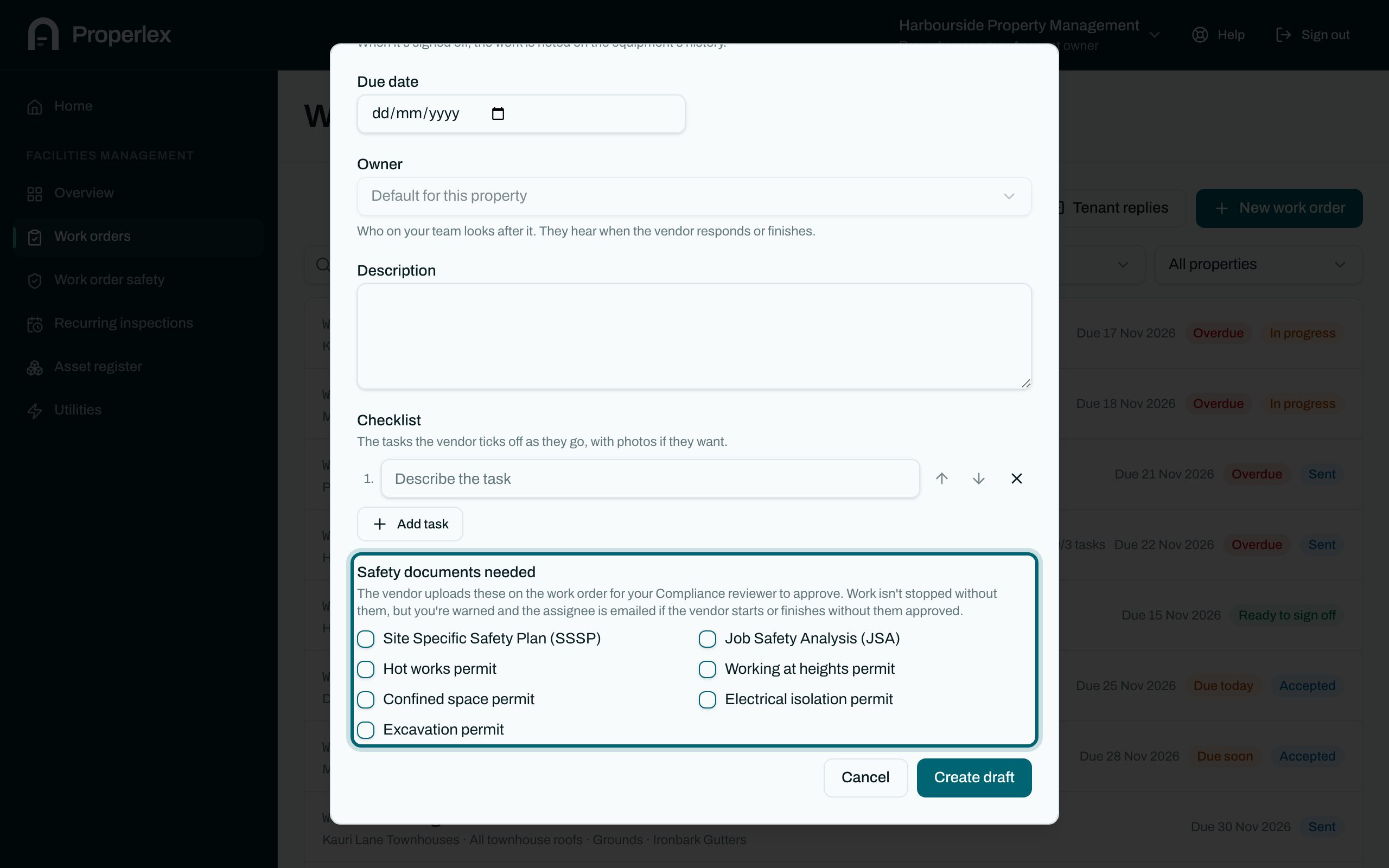
When creating a work order, tick the documents the vendor must provide under Safety documents needed - an SSSP, a JSA or a permit. Your reviewer approves them in Work order safety.
- For
- Property managers
- Needs
- Work orders switched on
- Contractor compliance switched on
For riskier jobs, ask the vendor for safety documents before they start. They upload them on the work order, and your reviewer approves or rejects them.
Before you start
Work orders and Contractor compliance must both be switched on.
Steps
Create or edit the work order.
Under Safety documents needed, tick what's required:
Site Specific Safety Plan (SSSP)
Job Safety Analysis (JSA)
a permit: Hot works, Working at heights, Confined space, Electrical isolation or Excavation
Save, then send it to the vendor.
What happens next
The vendor sees what the job needs and uploads the documents, or requests the permit.
Your reviewer approves or rejects each one in Work order safety. See Approve or reject a JSA.
Work isn't blocked without them, but the work order shows a warning, and the owner is emailed if the vendor starts or finishes without them approved.
Last checked against the app on .