Add an asset
Go to Facilities Management, then Asset register, and select Add asset. Enter what it is, where it is, when it was installed, its condition and who maintains it.
- For
- Property managers
- Needs
- Asset register switched on
The asset register is your list of key equipment, when each item is due for replacement and who maintains it.
Before you start
You need the Add, edit and import assets control.
Asset register must be switched on for your organisation.
Steps
Go to Facilities Management, then Asset register.
Select Add asset.
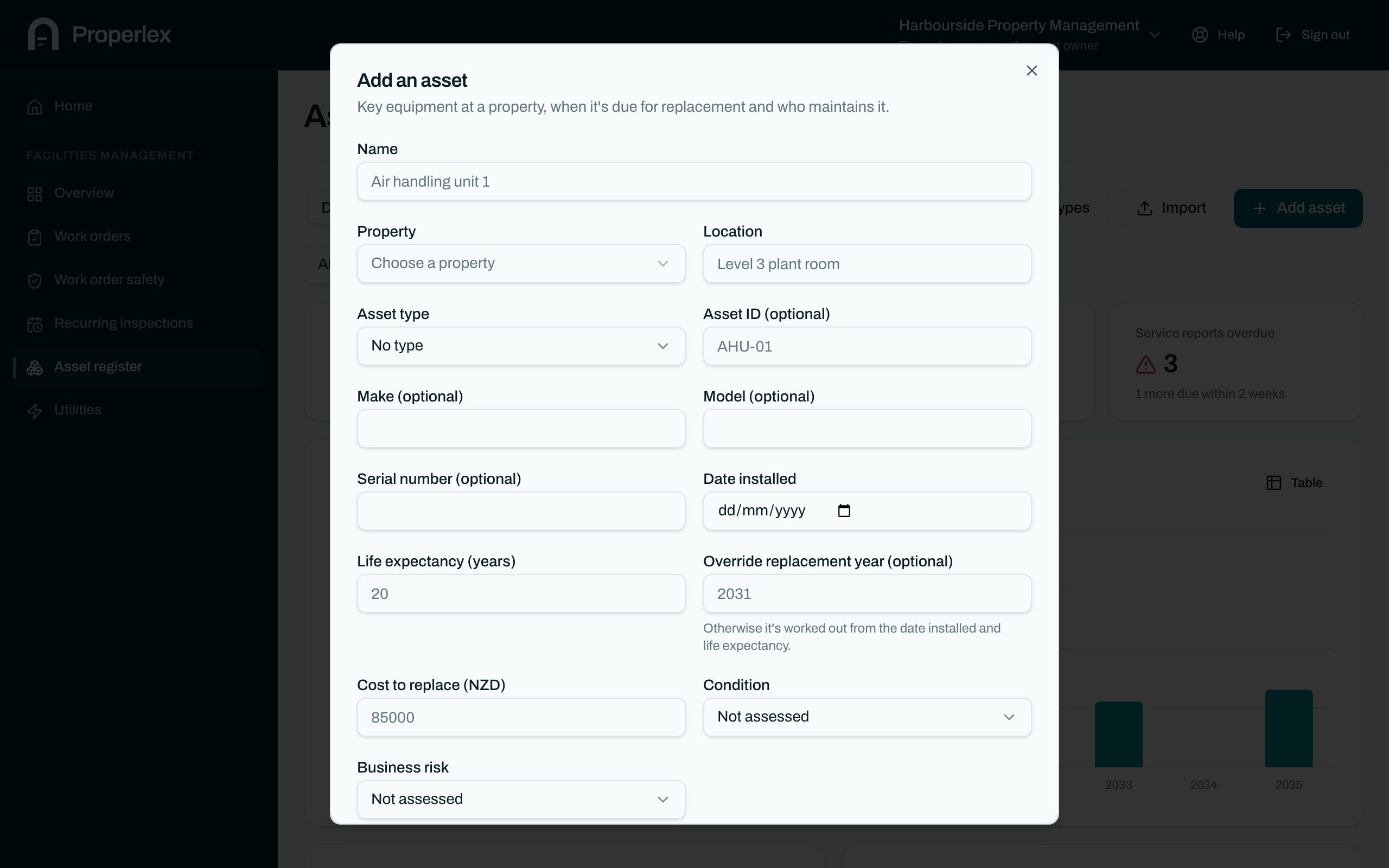
Enter the Name, Property, Location and Asset type. Add the Asset ID (optional), Make, Model and Serial number if you have them.
Enter the Date installed and Life expectancy (years). The replacement year is worked out from these, or set Override replacement year (optional).
Enter the Cost to replace, and choose the Condition and Business risk.
Under Maintenance, choose the vendor that maintains it. Everyone at that vendor can see it in their portal.
Optional: set up Service reports. See Set up service reports for an asset.
Select Add asset.
Common problems
"No vendor companies are connected to this property yet." Add the vendor as a contact at the property first. See Add a contact.
Last checked against the app on .