Plan asset replacements
Asset register opens on the Dashboard: the cost to replace everything, what's due in the next five years, the replacement forecast by year and the condition of each asset against its risk.
- For
- Property managers
- Needs
- Asset register switched on
The Dashboard helps you plan and budget for replacing equipment.
Steps
Go to Facilities Management, then Asset register. It opens on Dashboard.
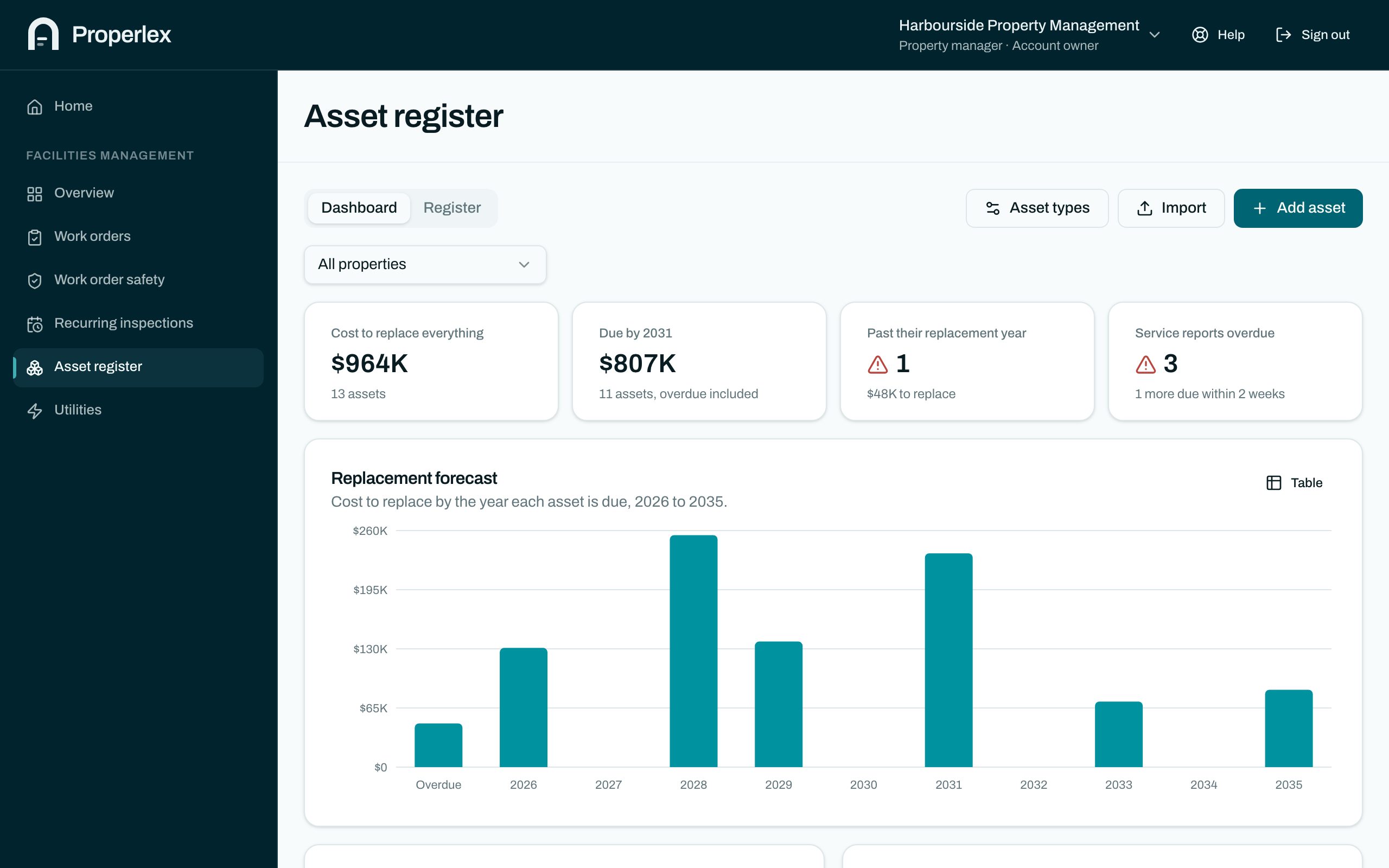
Choose a Property, or leave All properties.
Read the figures:
Cost to replace everything, and what's Due by the next five years.
Past their replacement year and Service reports overdue.
Replacement forecast: replacement cost by year. Select Table for the figures.
Condition by business risk: assets in poor condition with severe risk need attention first.
Replacements due and Service reports due: lists to act on.
Last checked against the app on .