Know what you have, its condition, and when it needs replacing.
The Properlex asset register keeps the key equipment at every property: lifts, chillers, boilers, fire systems, generators and more. Record its condition and business risk, assign a maintenance vendor and service schedule, and get a replacement cost forecast by year for the next ten years.
Building the register
- 1
Build the register
Add assets one by one or import them from CSV or Excel, with make, model, serial number, location, install date, life expectancy and replacement cost.
- 2
Assign service
Choose each asset's maintenance vendor and how often it's serviced. The vendor is reminded a week before a service report is due.
- 3
Plan replacement
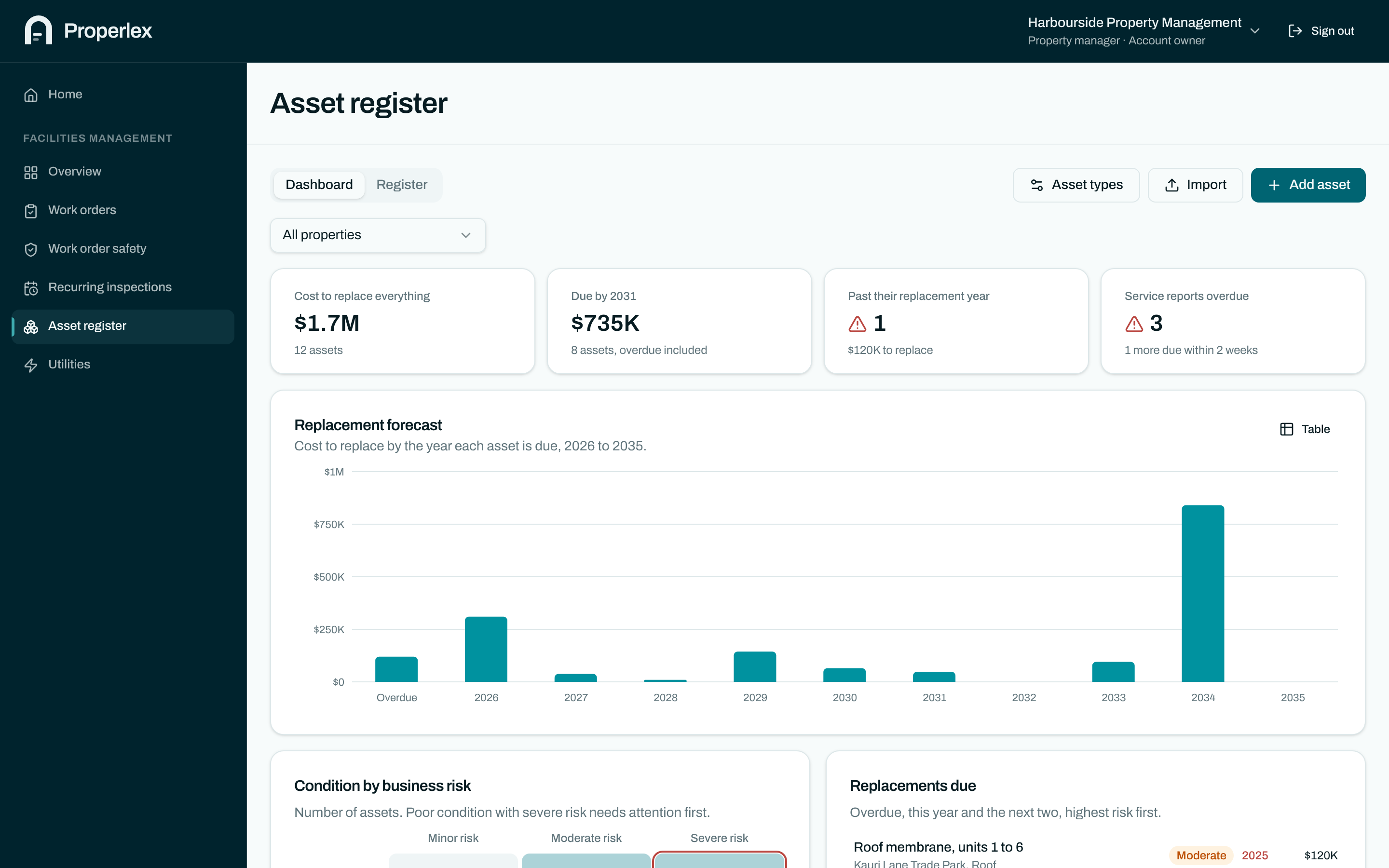
The dashboard shows the cost to replace by year, what's past its replacement year, and condition against business risk.
What the register is for
- A forecast for the budgetReplacement cost by year for the next ten years, with anything overdue in its own bar.
- Service reports from the vendorThe vendor files each service report in their portal, with condition, notes and photos.
- Risk firstPoor condition with severe business risk stands out, so the right things get attention first.
- Linked to the workWork orders and meters can point at the asset they're about.
Asset Register questions
Can I import my existing register?
Yes, from CSV or Excel, using the template in the app.
What kinds of assets can I track?
Any equipment you choose, grouped into asset types such as HVAC, boiler, chiller, lift, generator, fire system, hot water, electrical and roof, or your own.
Do vendors see the register?
Vendors see the assets assigned to their company, and file service reports for them.
Related guides
- Buyer's guide3 min read
Software for commercial property assets
The software stack for commercial property assets: lease management, tenant communication, operations, visitor sign-in and analytics, and how to choose.
Read article - Checklist6 min read
Contractor contact list for facilities managers
A contractor contact list is only useful if it is right when you need it. Here is how facilities managers keep every site's contacts current.
Read article - Buyer's guide5 min read
Software for shopping centres and malls
The software shopping centre teams use, from lease management to retailer communication, footfall and contractor sign-in, and how to choose each piece.
Read article
Works alongside
- Work Orders
Jobs sent to vendors, worked in their portal and signed off, with photos as proof.
- Recurring Inspections
Checklists vendors and tenants complete on schedule, with evidence and follow-up work orders.
- Utilities & Emissions
Meters and readings for every property, with cost and emissions reported against last year.
Plan the next five years of replacements
Bring your asset list and we'll show you the replacement forecast it gives you.