Every job, from request to sign-off, on one record.
Properlex work orders let property and facilities managers raise a job, send it to a vendor and follow it to sign-off. The vendor accepts, starts and completes it in their own portal with photos as proof, and a tenant's maintenance request can become a work order in one click.
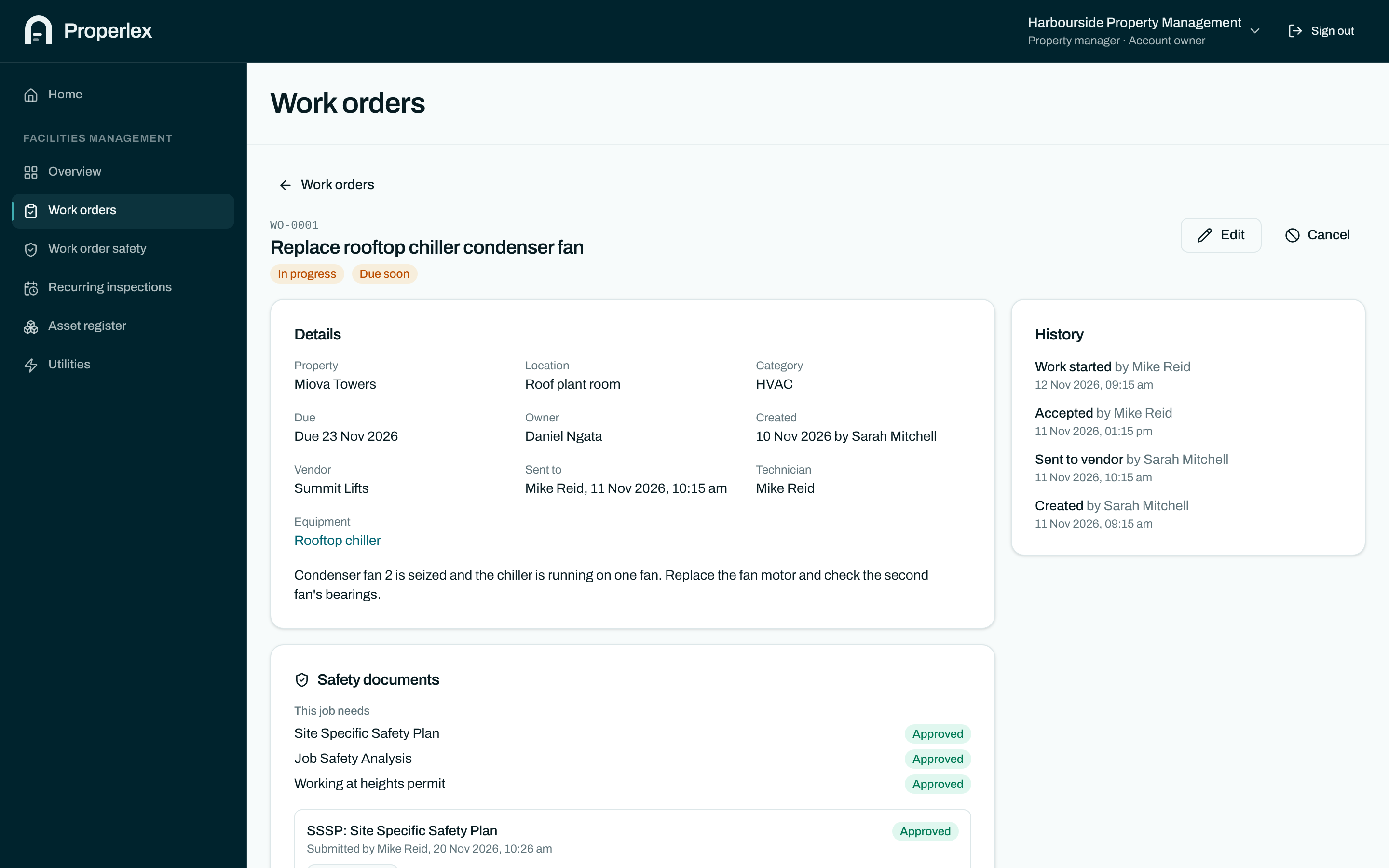
A job, start to finish
- 1
Raise the job
Add a checklist of tasks, a due date, the location and the equipment involved, file it under a category, and choose the vendor. A tenant's maintenance request in InMail can start it for you.
- 2
The vendor works it in their portal
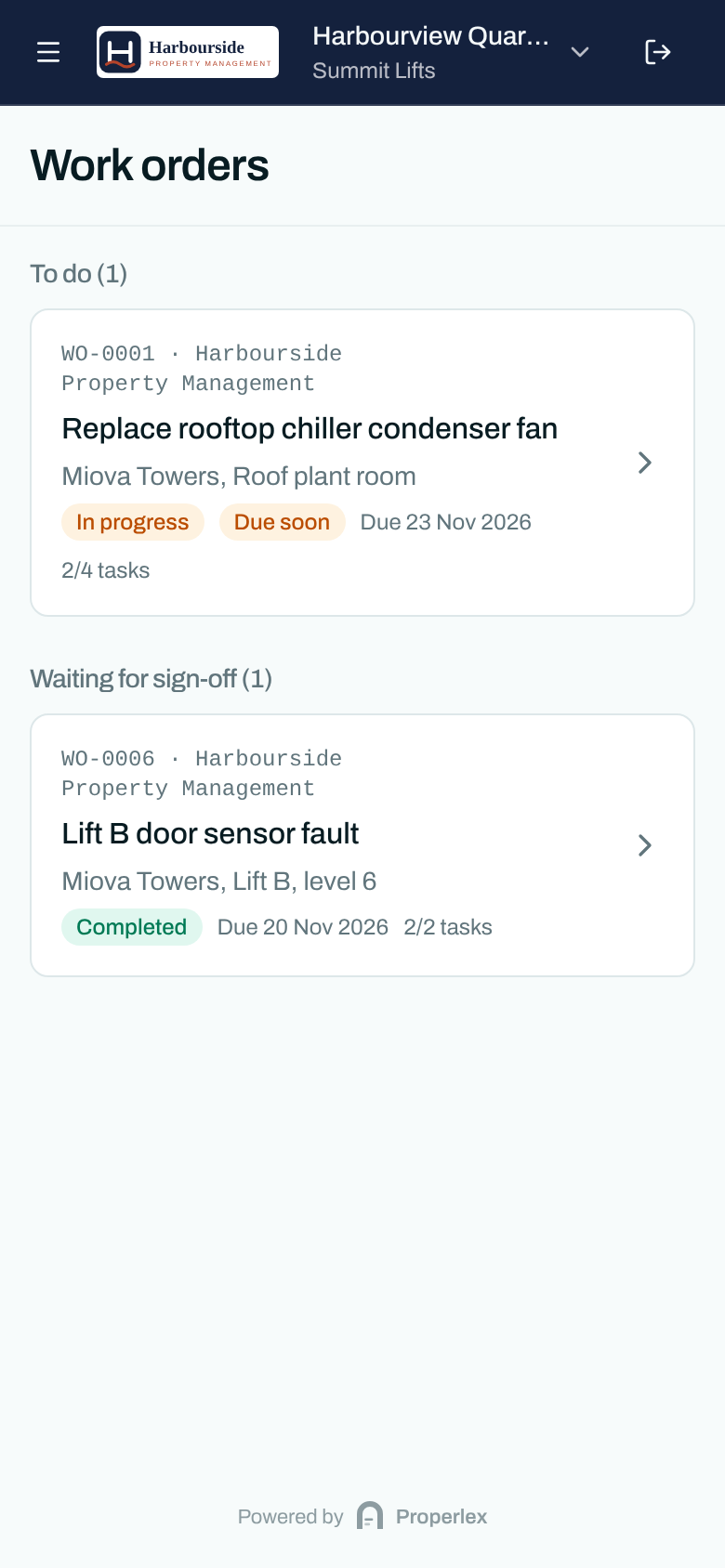
They accept or decline, assign a technician, tick off tasks and add photos as proof of work, on their phone or computer.
- 3
Sign it off
When the vendor marks it complete, check the tasks and photos and close it. The tenant who asked hears about it in the same conversation.
Why jobs stop falling through the cracks
- One record per jobTasks, photos, status changes and who did what, kept with the property instead of in emails and texts.
- Safety before work startsAsk for a safety plan, a job safety analysis or a permit to work, and approve it on the job.
- Tenants kept in the loopReplies go to the tenant's original request when it becomes a work order, and you can switch each one off.
- Free for vendorsVendors you invite use their portal free, with nothing to install.
Work Orders questions
Does the vendor need a Properlex account?
Yes, a free one. Vendors you invite get their own portal, where they see the jobs sent to their company.
Can a tenant request a job?
Yes. A tenant sends a maintenance request in InMail, and your team turns it into a work order in one click.
Which safety documents can I ask for?
A Site Specific Safety Plan, a Job Safety Analysis and permits to work for hot works, working at heights, confined spaces, electrical isolation, excavation or other work.
Can a failed inspection item become a work order?
Yes. When you review an inspection, raise a work order from any failed item.
Related guides
- Checklist6 min read
Contractor contact list for facilities managers
A contractor contact list is only useful if it is right when you need it. Here is how facilities managers keep every site's contacts current.
Read article - Buyer's guide3 min read
Software for commercial property assets
The software stack for commercial property assets: lease management, tenant communication, operations, visitor sign-in and analytics, and how to choose.
Read article - Buyer's guide5 min read
Software for shopping centres and malls
The software shopping centre teams use, from lease management to retailer communication, footfall and contractor sign-in, and how to choose each piece.
Read article
Works alongside
- Recurring Inspections
Checklists vendors and tenants complete on schedule, with evidence and follow-up work orders.
- Asset Register
Key equipment, its condition and service history, and a replacement forecast by year.
- Contractor Compliance
Site inductions, hazard registers, and contractor insurance and licences, checked at sign-in.
Follow your next job from request to sign-off
Bring a recent job and we'll run it through Properlex in the demo.