Upload a property document
Go to Settings, then Documents, and select Upload document. Choose the file, give it a title, category and properties, and choose who can see it.
- For
- Property managers
Keep property paperwork in one place, and share what's relevant with tenants, vendors and partners.
Before you start
You need the Upload documents control.
Steps
Go to Settings, then Documents.
Select Upload document and choose the File.
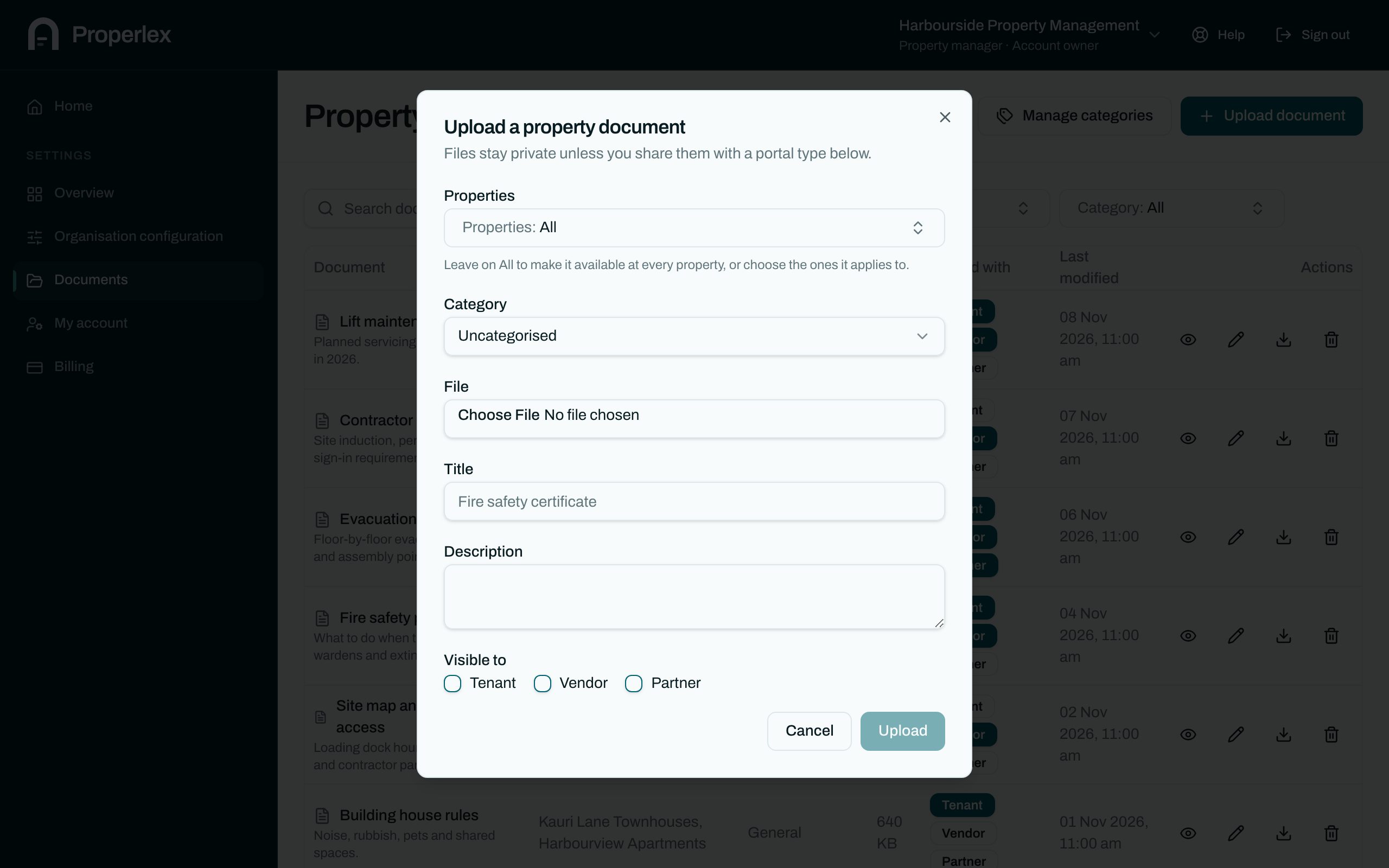
Enter a Title, such as "Fire safety certificate", and a Description if you like.
Choose a category, or leave it Uncategorised.
Under Properties, leave All to make it available at every property, or choose the ones it applies to.
Under Visible to, tick tenants, vendors and/or partners. Leave them all unticked to keep it private to your team.
Select Upload.
Files stay private unless you share them.
Last checked against the app on .