Share a document in the portals
In Documents, select Edit on the document and tick who it's Visible to. They see it under Documents in their portal, for the properties it's linked to.
- For
- Property managers
Before you start
You need the Edit documents & their sharing control.
Steps
Go to Settings, then Documents, and find the document. Use Search documents or the Shared with filter.
Select Edit.
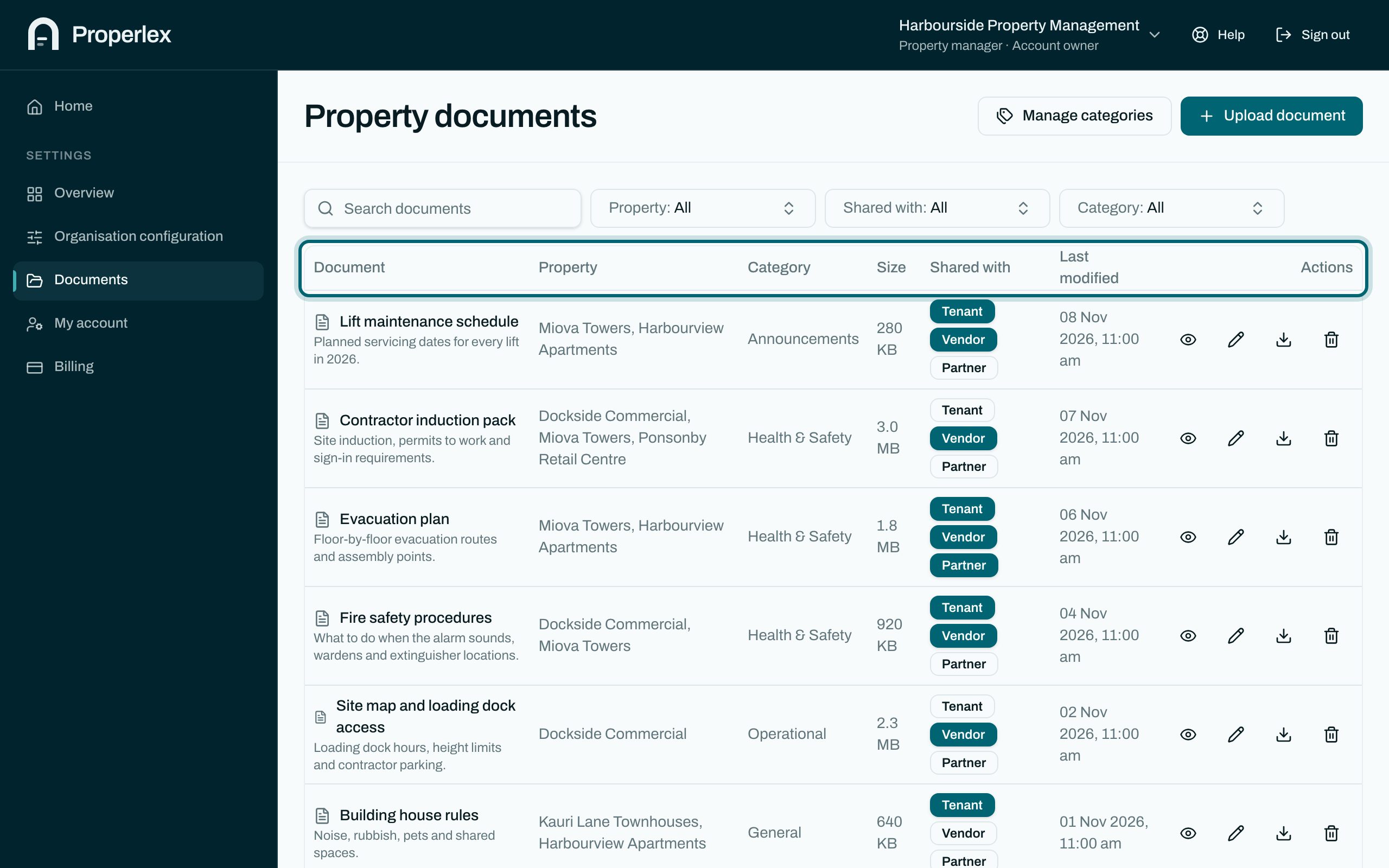
Under Visible to, tick or untick tenants, vendors and partners.
Check the Properties it's linked to, then select Save changes.
People see it under Documents in their portal, for the properties it's linked to. Untick them all to make it private again.
To point people to a document in a message, add it as the message's link. See Add a link or document to a message.
Last checked against the app on .