Send an NPS or CSAT survey
In NPS & CSAT, open Send a survey. Choose the question, the channels, the contact types and properties, then select Send survey.
- For
- Property managers
- Needs
- NPS & CSAT switched on
Before you start
You need the Send surveys control, and a question. See Create an NPS or CSAT question.
Steps
Go to Community, then NPS & CSAT, and open Send a survey.
Choose the Question.
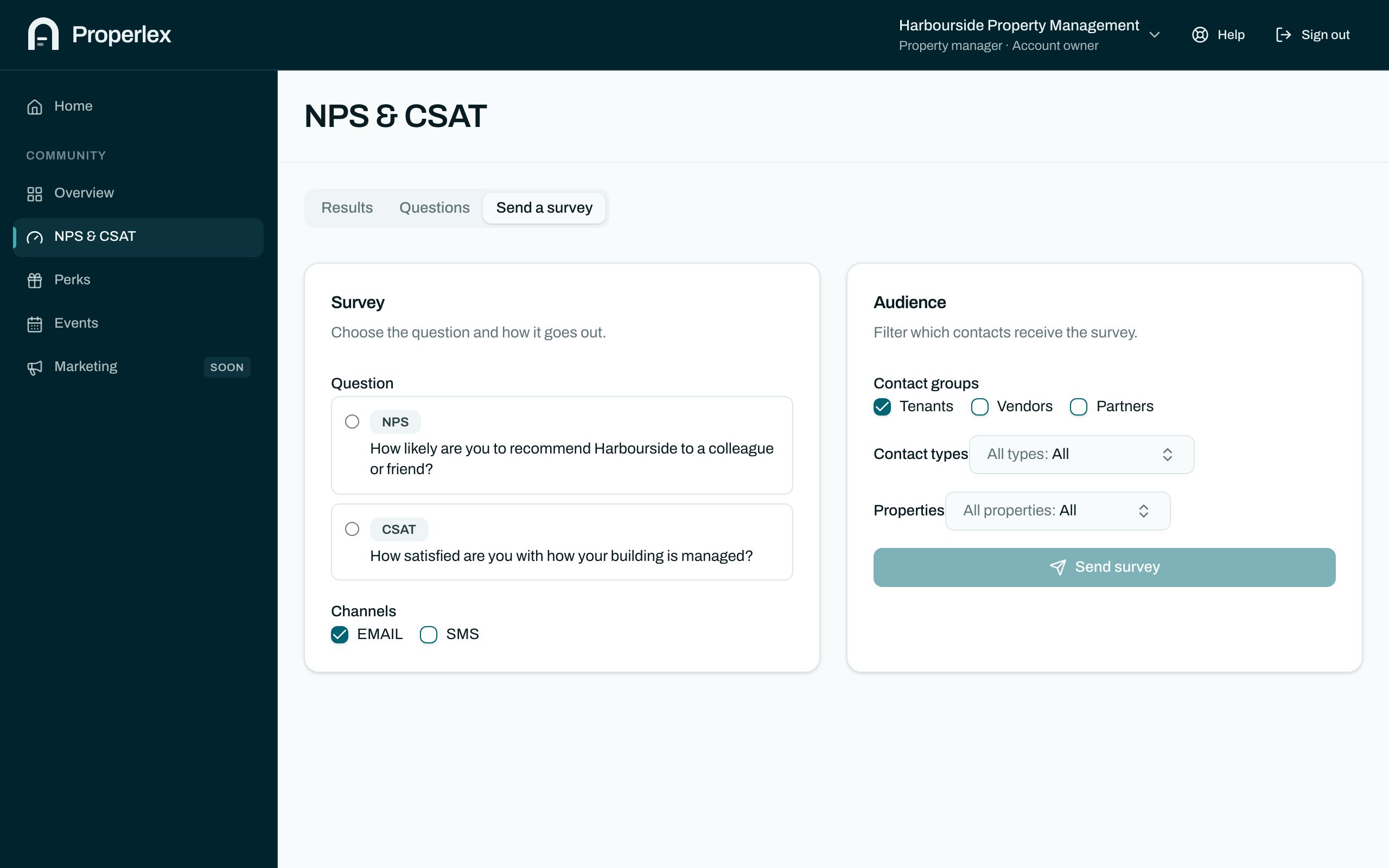
Choose the Channels: email, SMS or both.
Under Audience, tick the Contact groups (tenants, vendors, partners), and narrow it by Contact types and Properties if you like.
Select Send survey.
You'll see how many contacts it went to, by SMS and by email. Each person gets a link to answer.
Last checked against the app on .