Create an NPS or CSAT question
Go to Community, then NPS & CSAT, open Questions, choose NPS or CSAT and write the prompt people will see. Select Add question.
- For
- Property managers
- Needs
- NPS & CSAT switched on
NPS asks how likely someone is to recommend you, on a 0 to 10 scale. CSAT asks how satisfied they are, on a 1 to 5 scale. Write the question once, then send it whenever you like.
Before you start
You need the Create survey questions control.
NPS & CSAT must be switched on for your organisation.
Steps
Go to Community, then NPS & CSAT, and open Questions.
Under New question, choose the Type: NPS or CSAT.
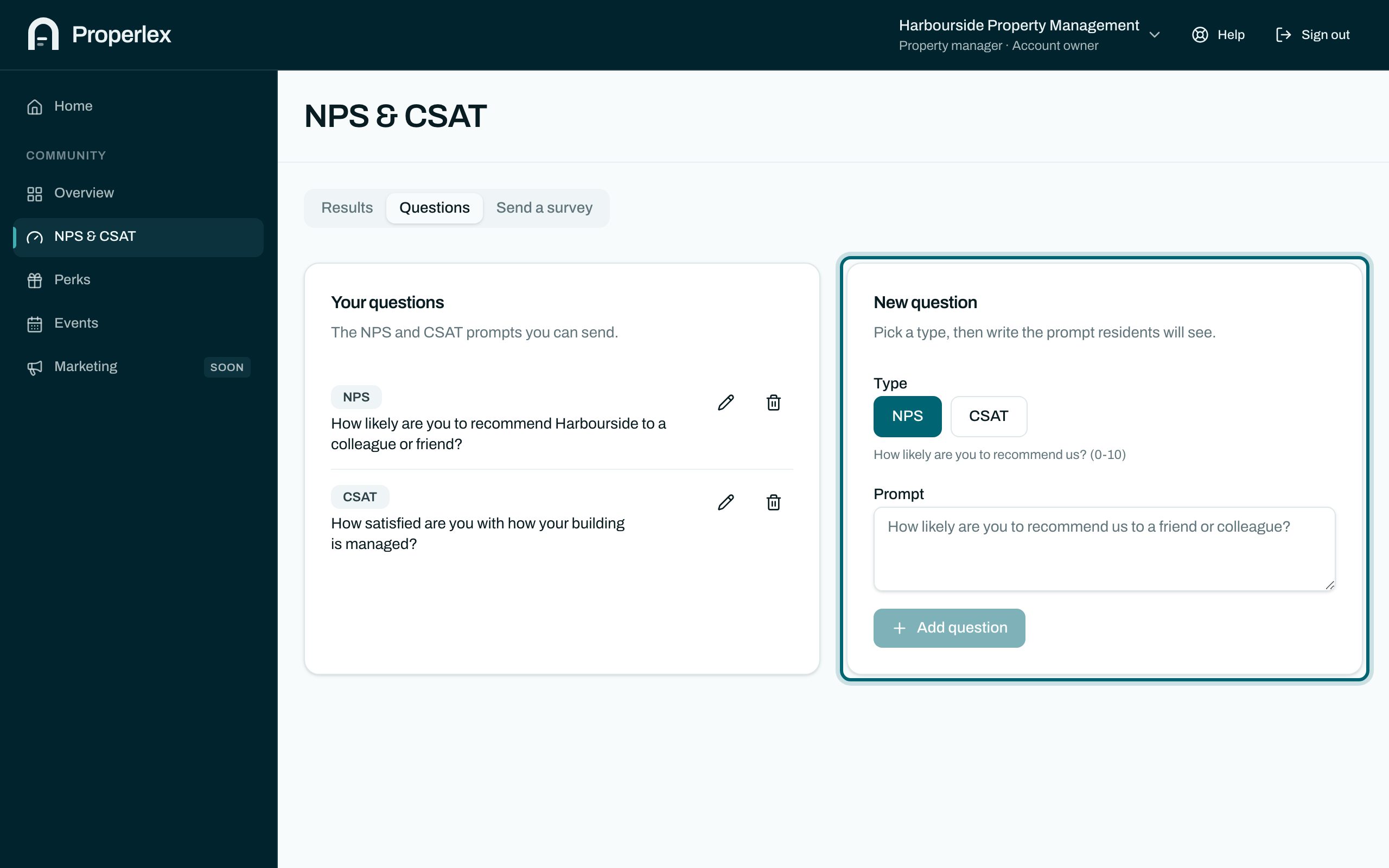
Write the Prompt, for example "How likely are you to recommend us to a friend or colleague?"
Select Add question.
To change or remove one, use Edit question or Delete question under Your questions.
Last checked against the app on .