Request a permit for a work order
Open the work order, select Request a permit under Safety documents, fill in the type, what it's for and when the work starts and finishes, then select Request permit.
- For
- Vendors
- Needs
- Work orders switched on
- Contractor compliance switched on
Some jobs need a permit before work starts, such as hot works or working at heights. You request it on the work order, and your property manager's reviewer approves or rejects it.
Steps
Open the job from Work Orders.
Under Safety documents, select Request a permit.
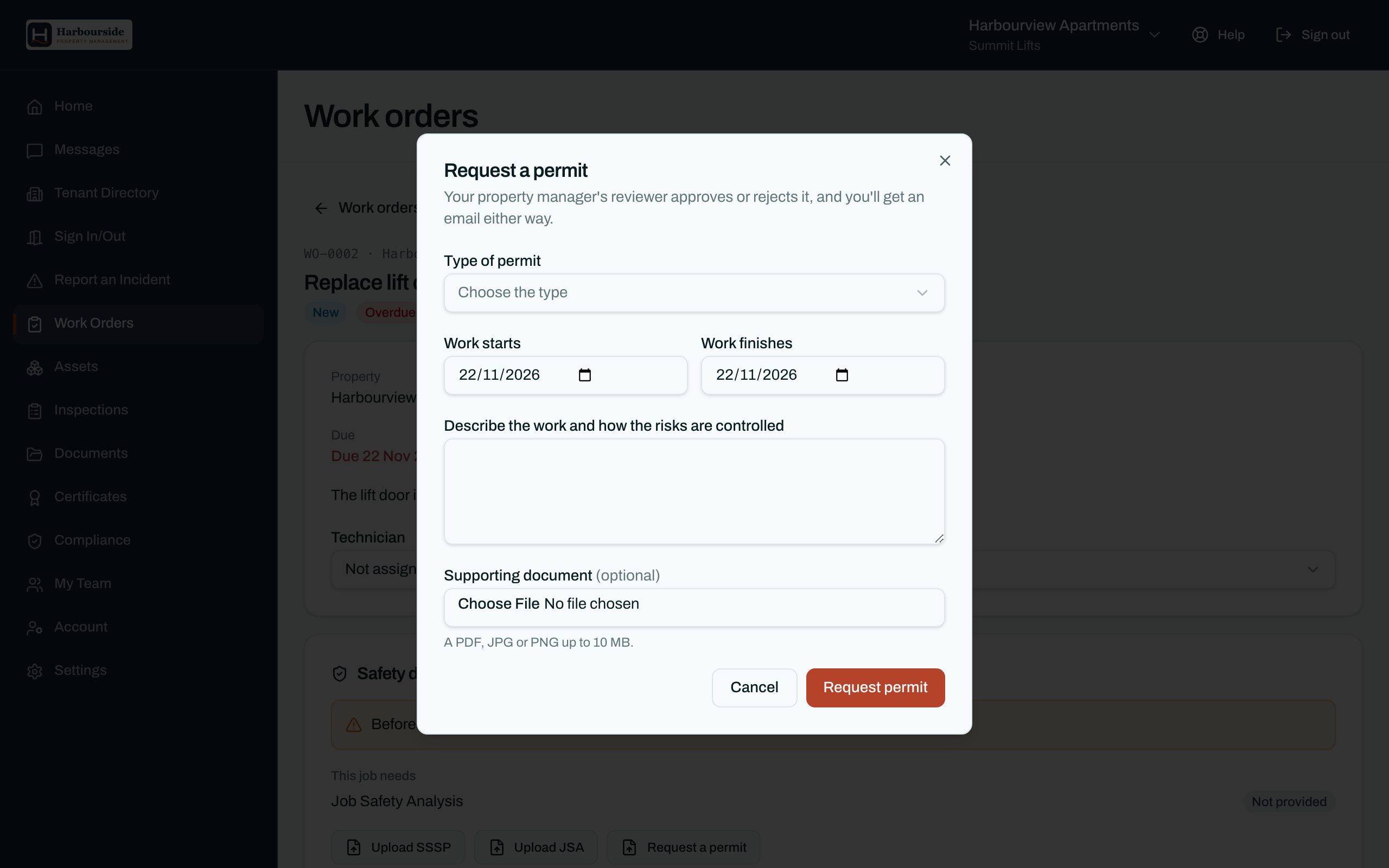
Choose the Type of permit.
Describe What's the permit for?.
Set when the Work starts and Work finishes.
Optional: add a Title, Notes on how the risks are controlled, and a Supporting document (a PDF, JPG or PNG up to 10 MB).
Select Request permit.
What happens next
It shows as Requested under Safety documents.
You're emailed when it's approved or rejected. An approved permit may have Conditions to follow.
Common problems
The work order says "This job needs" a permit. Your property manager has asked for it. Request it before you start work.
Last checked against the app on .