Create a message template
Go to Communications, then Templates, select New template, and set the message, default channels, tag and audience.
- For
- Property managers
- Needs
- Admin or above
Anyone who can send messages can pick from your templates. A template can set the channels, tag and audience as well as the wording.
Before you start
You need to be an Admin or the Account owner.
Steps
Go to Communications, then Templates.
Select New template.
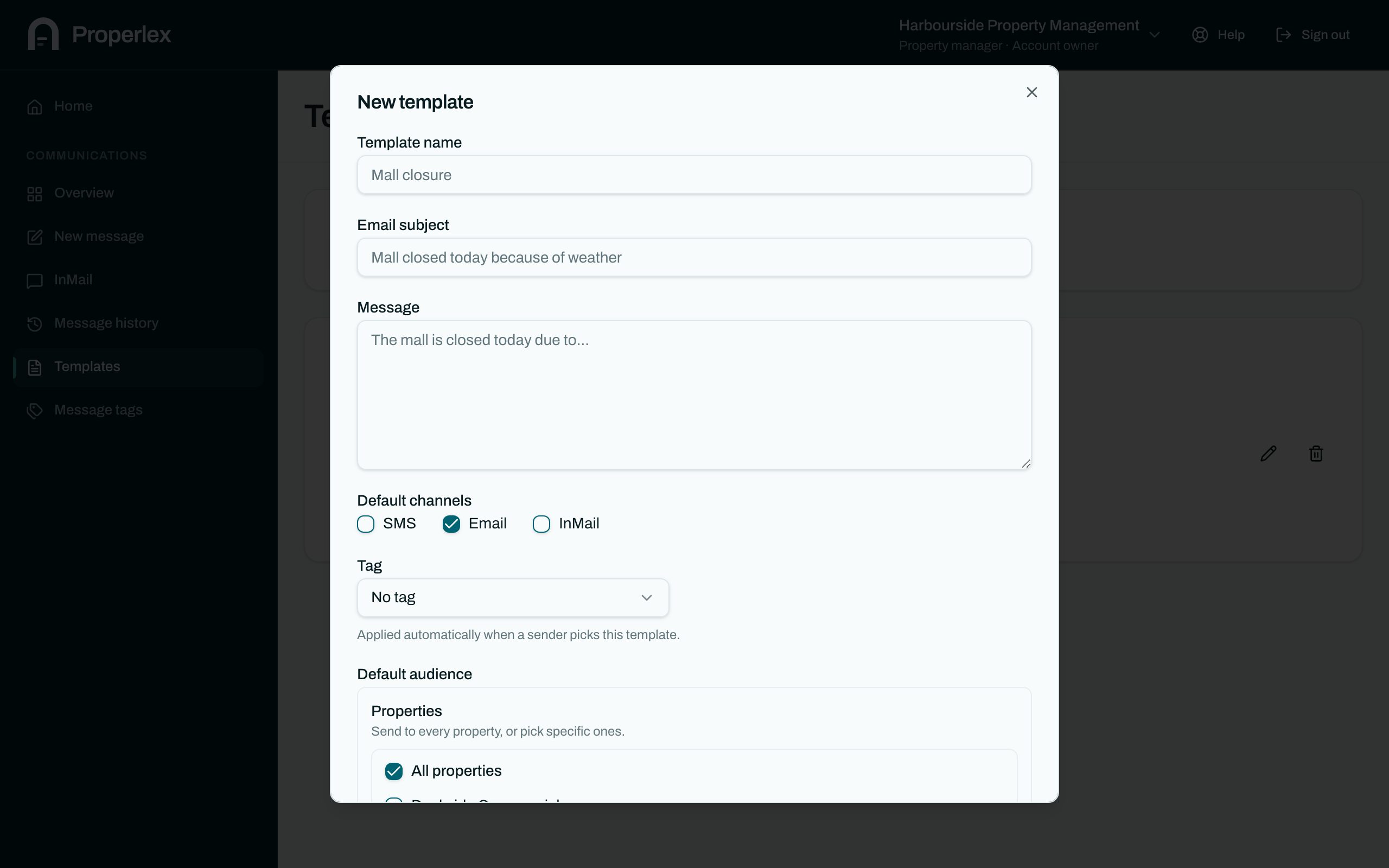
Enter a Template name, the Email subject and the Message.
Choose the Default channels.
Optional: choose a Tag. It's applied automatically when someone uses the template.
Optional: set a Default audience. Senders can still change it before sending.
Select Add template.
Templates for one property
In Settings, Organisation configuration, choose the property in Managing settings for, then add the template there. It's only offered when that property is being messaged.
Last checked against the app on .