Choose who gets new InMail conversations
In a property's InMail defaults tab, choose the team member new conversations are assigned to, with a different person for each type of message if you like.
- For
- Property managers
When a tenant, vendor or partner starts an InMail conversation, it's assigned to someone on your team. You choose who for each property, and for each type of message.
Before you start
You need the Edit property details & default contacts control.
Steps
Go to Properties, then Portfolio, and select Manage next to the property.
Open the InMail defaults tab.
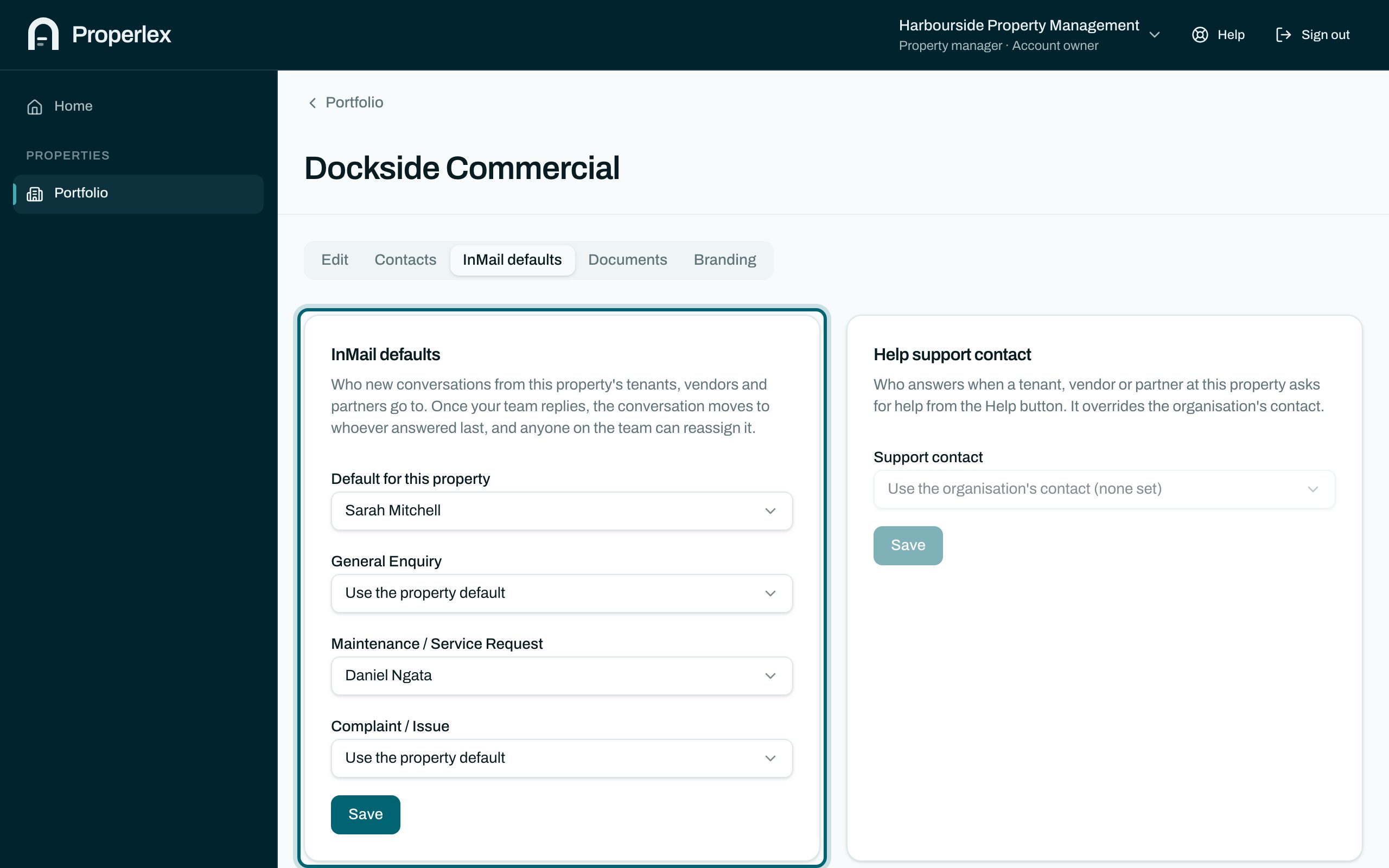
Choose a team member for Default for this property.
To send a type of message to someone else, choose a person for General Enquiry, Maintenance / Service Request or Complaint / Issue. Leave it as Use the property default to use the default person.
What happens next
New conversations are assigned straight away. You can still reassign any conversation from InMail.
Common problems
Conversations show as Unassigned. Nobody is set as the default for that property. Choose someone for Default for this property.
Last checked against the app on .