Assign a technician
Open the work order and choose a person from your team under Technician. Your property manager can see who's doing the job.
- For
- Vendors
- Needs
- Work orders switched on
Choose who at your company will do the job.
Steps
On your home page, select Work Orders, and open the job.
Under Technician, choose a person from your team.
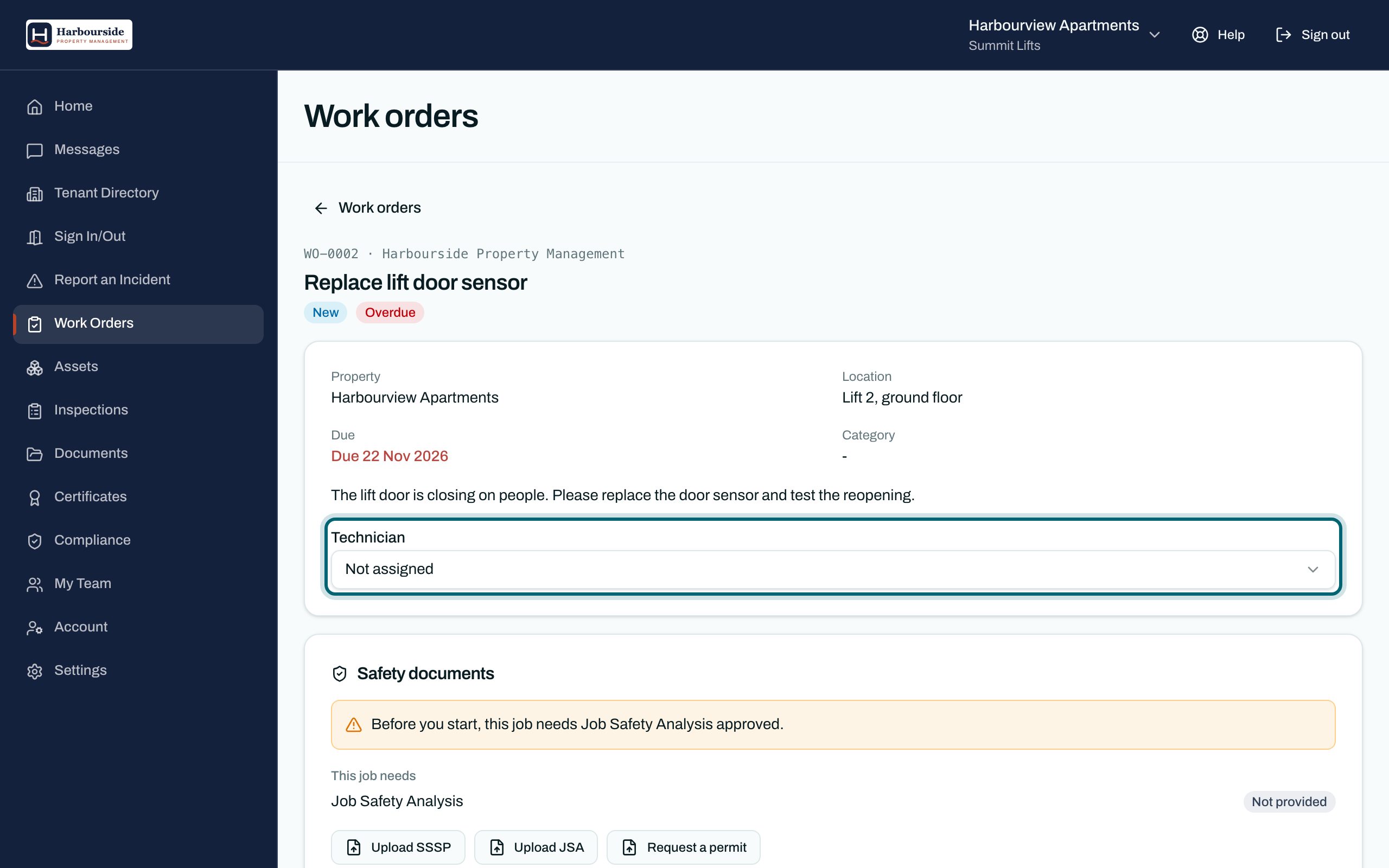
You can change the technician until the job is marked complete.
Common problems
The person isn't in the list. Only people who can sign in to your portal are listed. Add them under My Team and invite them. See Add people to your team.
Last checked against the app on .