Add people to your team
Select My Team, then Add contact. Enter their details and choose whether to invite them to sign in. Your property manager can see them straight away.
- For
- Tenants
- Vendors
- Partners
My Team is the people at your business your property manager can contact. Anyone you add here is shared with them straight away.
Before you start
Your position needs to allow adding contacts. If you can't see Add contact, ask your property manager.
Steps
On your home page, select My Team.
Select Add contact.
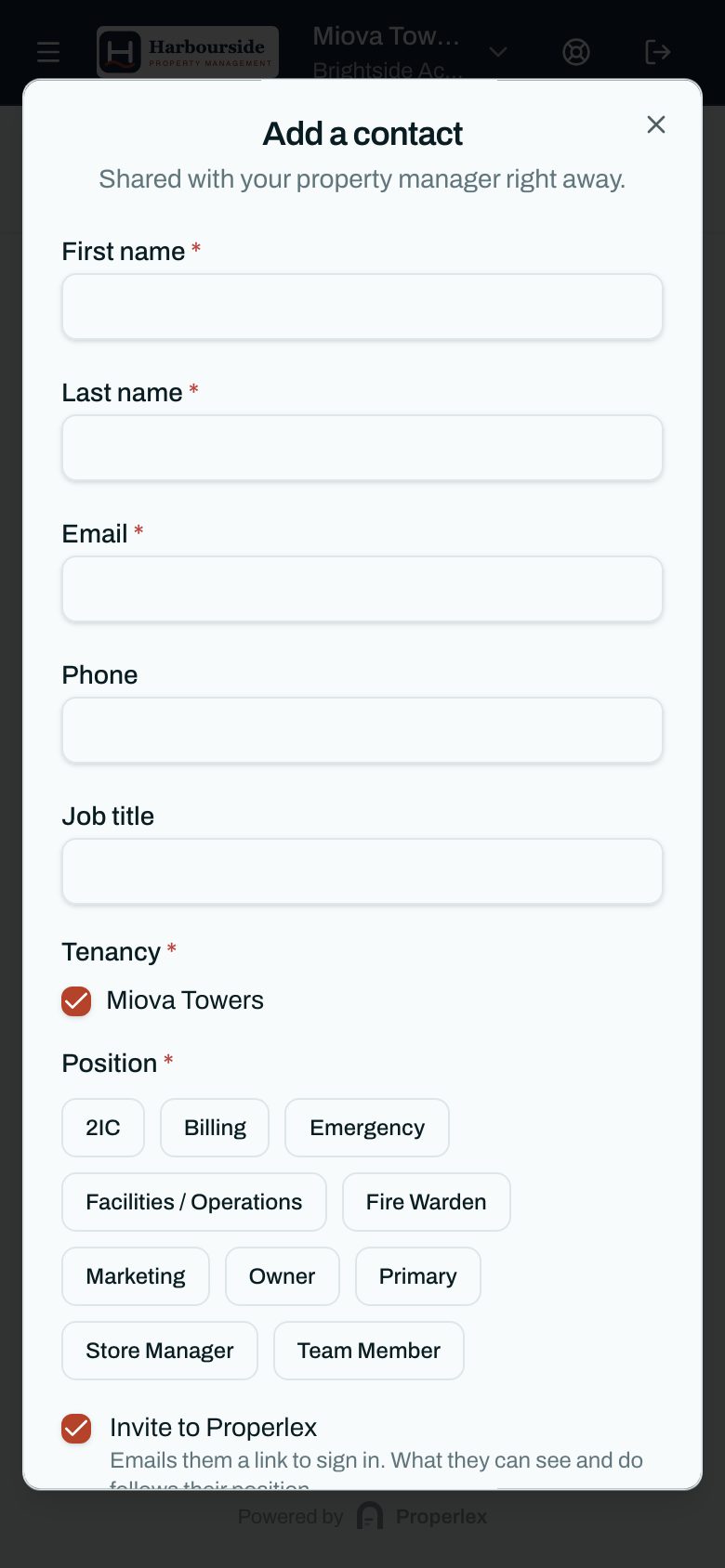
Enter their First name, Last name, Email, Phone and Job title.
Choose their positions. What they can see and do in the portal follows their position.
To let them sign in, tick the invite option. They're emailed a link to sign in.
Select Add contact.
Change or remove someone
Select the pencil icon next to them to edit their details.
Select the bin icon, then Remove, to remove them. They no longer appear for you or your property manager.
Common problems
"Your property manager hasn't set up any positions yet." Ask your property manager to add positions.
Last checked against the app on .