Add property contacts
In a property's Contacts tab, fill in the contact's details, choose who can see them and select Add contact. Tenants, vendors and partners find them under Property Contacts in their portal.
- For
- Property managers
Property contacts are the people at your company that tenants, vendors and partners should get in touch with, such as the building manager or the after-hours number.
Before you start
You need the Edit property details & default contacts control.
Steps
Go to Properties, then Portfolio, and select Manage next to the property.
Open the Contacts tab. The contacts already shared are listed, with a form below to add another.
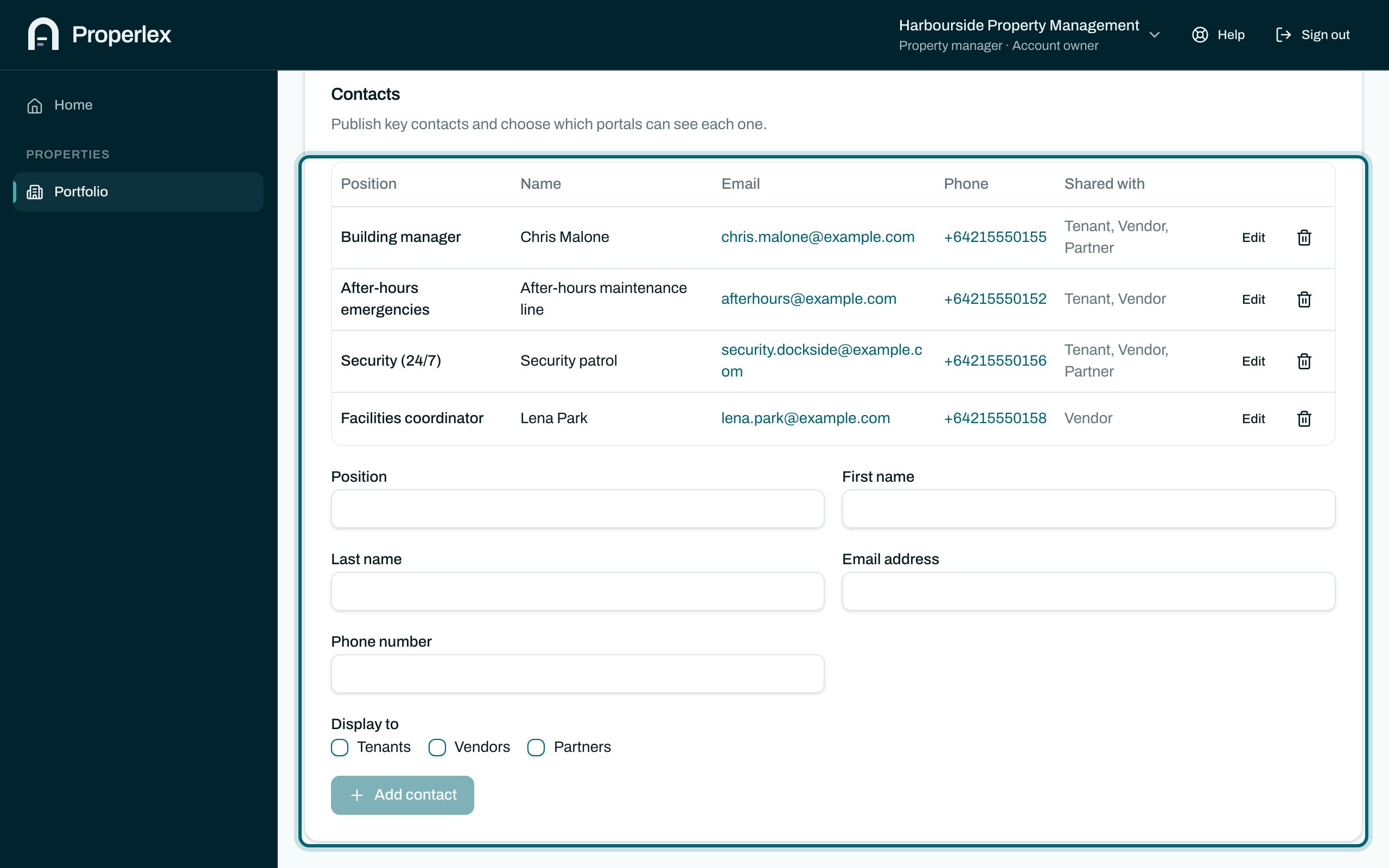
Fill in the Position, First name, Last name, Email address and Phone number.
Under Display to, choose who can see this contact: tenants, vendors, partners or a mix.
Select Add contact.
To change a contact, select Edit next to them, make your changes and select Save contact. To take one away, select Remove contact.
What happens next
The contact shows under Property Contacts in the portal of everyone you chose, for this property.
Common problems
A tenant says they can't see Property Contacts. It only appears once at least one contact is shared with their type. Check Display to.
Last checked against the app on .