Add your company details and insurance
Select Compliance on your home page. Enter your company number, registered name and insurance cover, upload your insurance certificate and select Submit for review.
- For
- Vendors
- Needs
- Contractor compliance switched on
Property managers check your company details against your insurance before you work on site.
Before you start
Only your company's Account owner can manage its compliance details.
Steps
On your home page, select Compliance.
Under Company details and insurance, choose the Number type (NZBN, ABN, ACN or other) and enter your Company number.
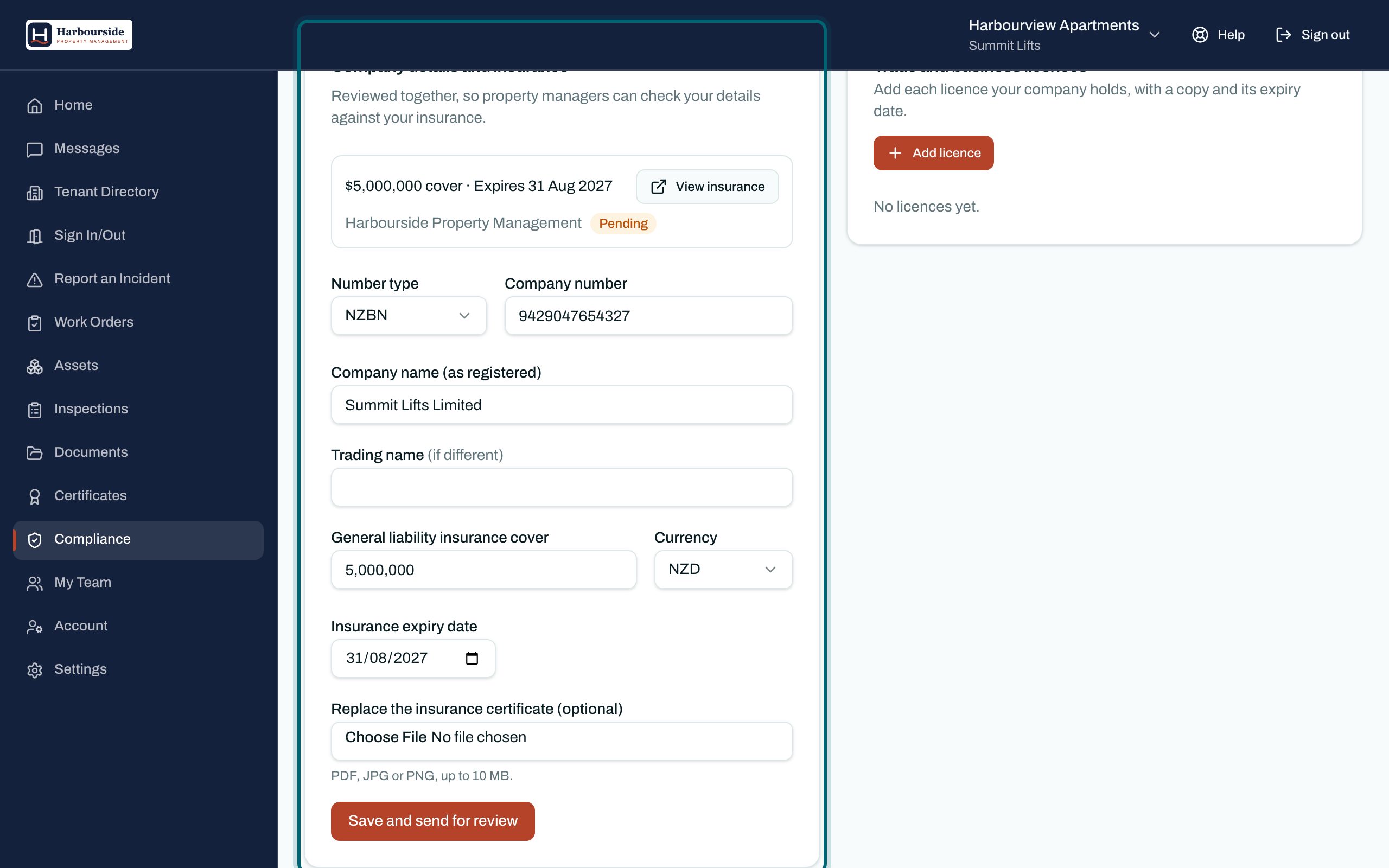
Enter the Company name (as registered), and the Trading name if it's different.
Enter your General liability insurance cover, the Currency and the Insurance expiry date.
Upload a copy of your insurance certificate (PDF, JPG or PNG, up to 10 MB).
Select Submit for review.
What happens next
Each property manager you work with reviews it. You can see their decision on the same page. When your insurance renews, update it and select Save and send for review.
Last checked against the app on .