Know who got the message, and be able to show it.
Every broadcast in Properlex records what happened to each recipient on each channel: sent, delivered, opened, clicked or bounced. The dashboard shows delivery rates, SMS volume and activity by communication tag across your portfolio, and a full audit trail records who sent what, to whom and when.
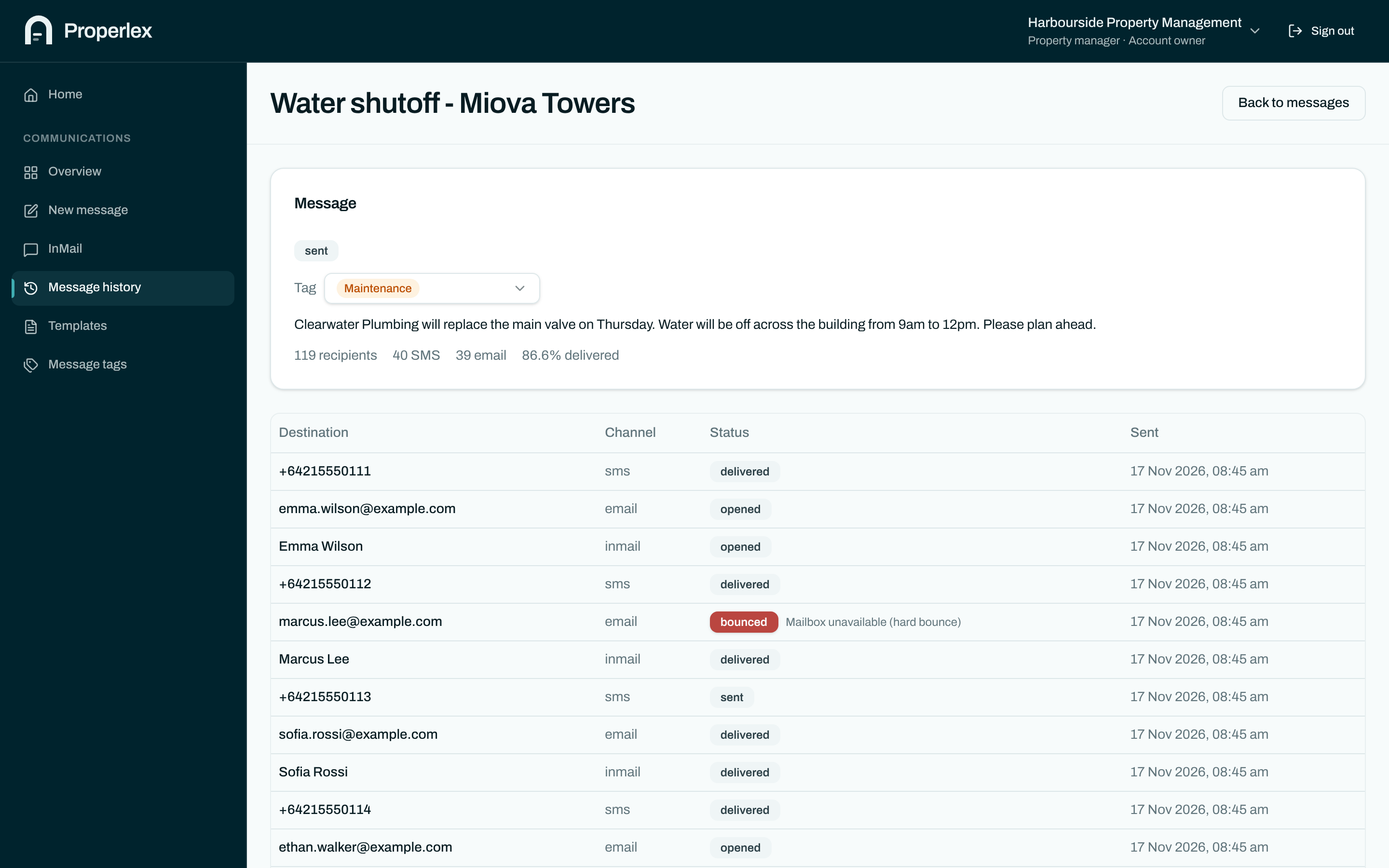
- Filed by tagEvery message carries a tag, so reports group it with notices like it.
- The totalsRecipients, SMS and email counts, and the share delivered, for the whole send.
- Why it failedA bounce shows its reason, so you know whether to fix the address or call instead.
From send to proof
- 1
Send a broadcast
Every recipient is tracked separately on SMS, email and InMail from the moment the message leaves.
- 2
Watch it land
Statuses update as the SMS and email networks report back, so you can see who has the message and who to reach another way.
- 3
Fix what bounced
Bounced emails and numbers that are out of service stand out in the report, so you can correct the contact before the next notice.
What the report gives you
- Status for every recipientNot just a total: each person, each channel, with the time it was delivered or opened.
- Portfolio viewDelivery rates, recent broadcasts and activity by communication tag on one dashboard.
- A full audit trailWho sent each message, to whom, when and with what result, recorded as it happens.
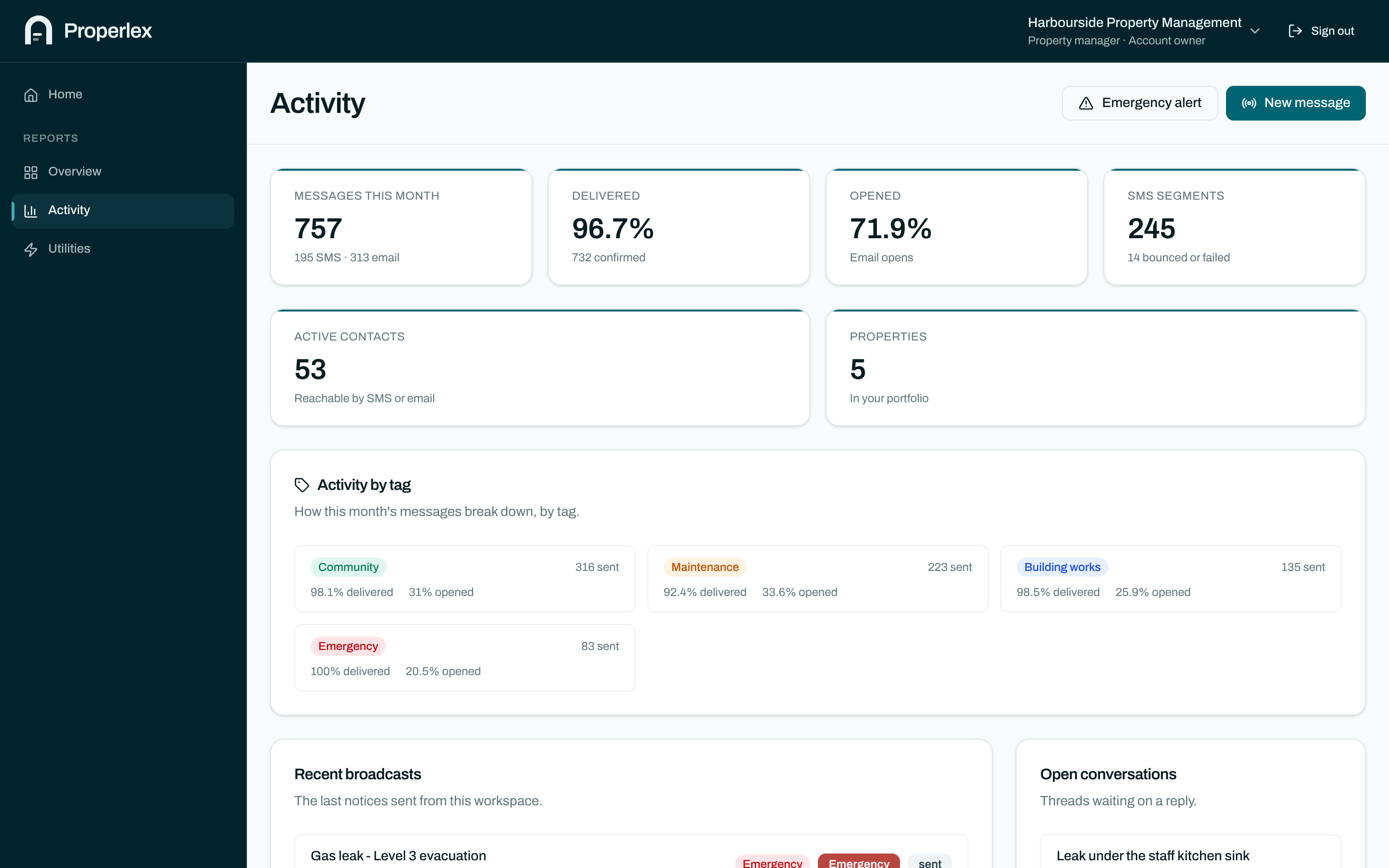
100% delivered
83 sent this month
Delivery Reports questions
What do the delivery statuses mean?
Sent means the message left Properlex. Delivered means the network or mail server accepted it. Opened and clicked are recorded for email and InMail. Bounced or failed means it did not arrive, usually because the number or address is wrong.
Are email opens exact?
They are a good guide rather than a guarantee. Some email apps load messages automatically or block tracking, so treat opens as an indication and deliveries as the firm record.
Can I see how much SMS we send?
Yes. The dashboard shows this month's SMS segments alongside your delivery rates, so you can keep an eye on usage against your plan.
Related guides
- How-to8 min read
How to broadcast urgent notices to tenants and owners
How to broadcast urgent notices, from maintenance shutdowns to safety alerts: pick recipients by property, send by SMS and email, confirm delivery, keep a log.
Read article - Buyer's guide3 min read
Mass notification for property managers
Mass notification software for property managers compared: Everbridge, Rave, OnSolve, AlertMedia, bulk SMS tools and Properlex, and how to choose.
Read article - How-to7 min read
Building incident record: what to keep and why
A building incident record is the written account of what happened, who was told and what was done. Here is what to capture and how to keep it.
Read article
Works alongside
- Communications
SMS, email and InMail to every party, written once and sent from one place.
- Contact Management
Tenants, vendors and partners organised by property, and kept current at the source.
- Role Based Access
Customisable roles, property-level access, and every party sees only what you choose to share.
Know who got your last notice
We'll walk you through a delivery report on a real broadcast.