The right documents, in front of the right people.
Properlex stores property documents, such as evacuation plans, site maps, house rules and contractor inductions, against each property and files them into categories. You choose whether tenants, vendors or partners can see each document, and they open it from their own portal.
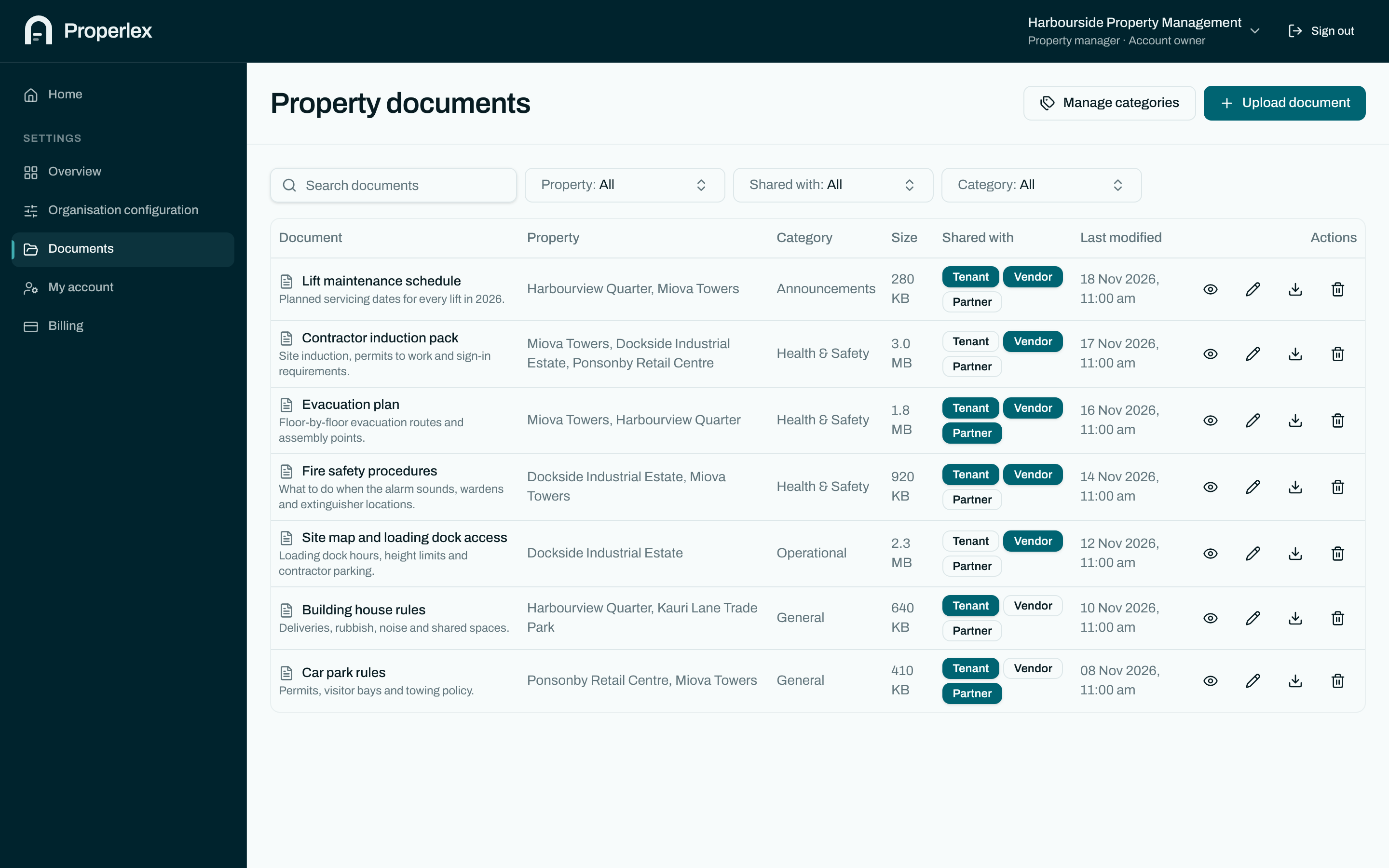
Filed once, for the right people
- 1
Upload and file
Add a document to one property or several, and file it in a category such as emergency procedures or site maps.
- 2
Choose who sees it
Share each document with tenants, vendors, partners or nobody but your team.
- 3
Keep it current
Replace a file when it changes, and everyone who can see it gets the new version in their portal.
Why it beats the shared drive
- One place to lookTenants and contractors find the plan or procedure in their portal instead of asking you for it.
- Shared with careContractor inductions go to vendors, house rules to tenants, and internal files stay internal.
- Ready for an emergencyEvacuation plans and site maps are already in front of the people at the property when they are needed.
Document Storage questions
Who can see a document?
Only the parties you share it with: tenants, vendors or partners connected to that property. Documents you don't share are visible to your team alone.
Can one document apply to several properties?
Yes. Add it once and link it to every property it applies to.
Who on my team can upload documents?
Anyone whose role includes document permissions. You decide that in Role Based Access.
Related guides
- How-to6 min read
After-hours contact for tenants: what to publish
After-hours contact for tenants: what to publish, who should answer and how to keep the numbers current, with a checklist and a ready-to-copy notice.
Read article - Checklist5 min read
Tenant move-out checklist for property managers
A tenant move-out checklist for property managers: the contact, access and communication steps to run, with a timeline and a notice you can copy.
Read article - How-to7 min read
Building incident record: what to keep and why
A building incident record is the written account of what happened, who was told and what was done. Here is what to capture and how to keep it.
Read article
Works alongside
- Property Contacts
Publish the building manager, after-hours and security numbers to the right parties.
- Contractor Compliance
Site inductions, hazard registers, and contractor insurance and licences, checked at sign-in.
- Contractor & Visitor Sign-In
A live list of every contractor and visitor on site, at every property.
Put building documents where people look for them
We'll show you how documents are shared by property and by party.