Contact details that stay right, because the right people keep them.
Properlex keeps every tenant, vendor and partner contact against the properties they belong to. You invite one primary contact for each business, and they manage their own people in their portal. Scheduled confirm-your-details messages catch anything that has gone out of date.
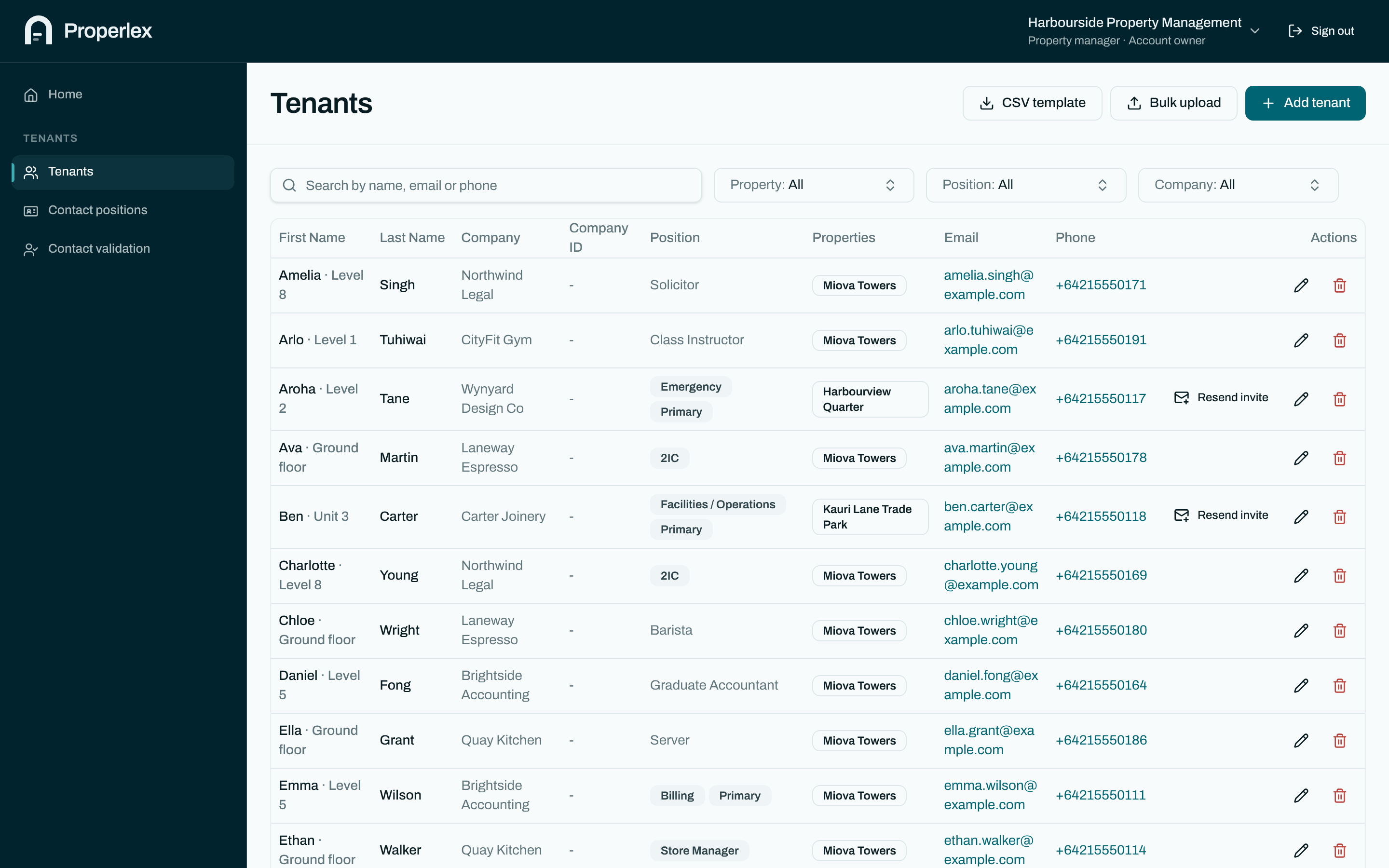
Getting your contacts in, and keeping them right
- 1
Bring your contacts in
Import tenants, vendors and partners from a spreadsheet using the CSV template, or add them one by one against their properties.
- 2
Organise them the way you work
Give contacts positions, such as store manager or site lead, and tenant types, such as retail or office, so you can reach exactly the right people.
- 3
Let them keep it current
Each party's portal owner adds and removes their own people. Scheduled confirm-your-details messages ask contacts to confirm or correct their details, and record each answer.
Less chasing, fewer bounced notices
- Invite one, they manage the restYou invite a single primary contact per party. They maintain their own team, so lists don't go stale on your side.
- Organised by propertyContacts belong to the properties they are connected to, so a notice for one building never reaches another.
- Shared only where you chooseDecide which tenant types vendors and partners can see, property by property.
- Opt-outs respectedEach contact's SMS and email preferences are kept with the record and honoured when you send.
Contact Management questions
Can I import the contacts I already have?
Yes. Download the CSV template for tenants, vendors or partners, fill it in from your existing spreadsheet and import it. Properlex lists any rows it could not read so you can fix them.
How do contact details stay up to date?
Two ways. Each tenant, vendor and partner manages their own people in their portal, and you can schedule confirm-your-details messages that ask contacts to confirm or correct their details on a regular basis.
What are positions and tenant types?
Positions describe a contact's role, such as store manager, emergency contact or site lead. Tenant types group tenancies, such as retail or office. Both let you target a message precisely.
Related guides
- Template6 min read
Tenant contact list template for managers
A tenant contact list template for property managers: the fields to include, a CSV layout to copy and a monthly check to keep entries right.
Read article - Checklist6 min read
Contractor contact list for facilities managers
A contractor contact list is only useful if it is right when you need it. Here is how facilities managers keep every site's contacts current.
Read article - How-to2 min read
How to calculate the cost of contact admin in property management
Keeping tenant, vendor and partner contact details current takes real staff time. Here is a simple formula to put an annual dollar figure on it.
Read article
Works alongside
- Communications
SMS, email and InMail to every party, written once and sent from one place.
- Role Based Access
Customisable roles, property-level access, and every party sees only what you choose to share.
- Property Contacts
Publish the building manager, after-hours and security numbers to the right parties.
Bring your contact list across
Send us your spreadsheet before the demo and we'll show it to you imported, by property and position.