Tag meters
In Utilities, select Meter tags to add tags such as Common area or Tenant, then add them to meters. Reports can break use down by tag.
- For
- Property managers
- Needs
- Utilities switched on
Steps
Go to Facilities Management, then Utilities, and select Meter tags.
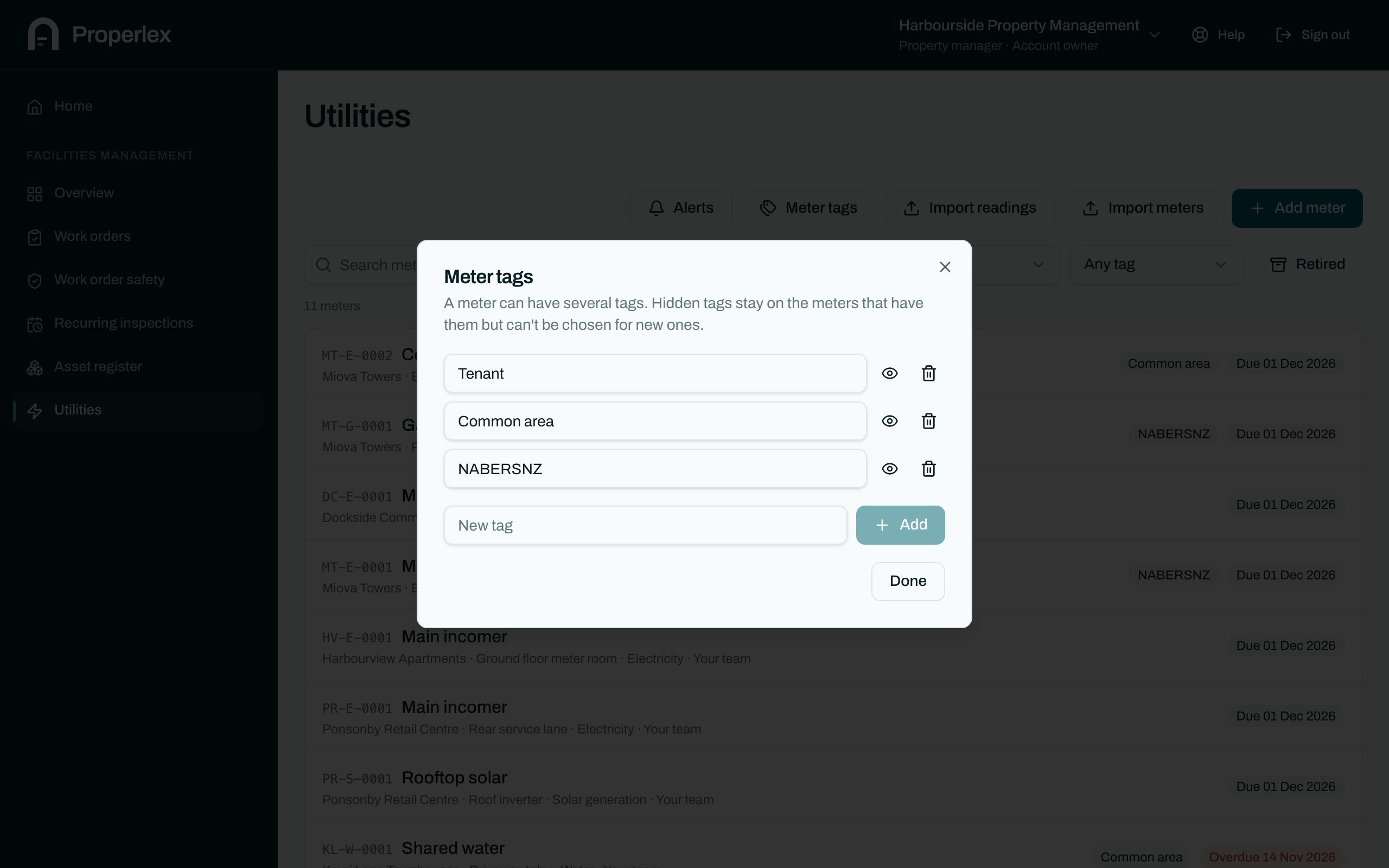
Type a New tag and select Add. Use the icons to rename, hide or remove a tag.
Select Done.
Add tags to a meter when you add or edit it, under Tags.
A meter can have several tags. Hidden tags stay on the meters that have them but can't be chosen for new ones.
Last checked against the app on .