Look up past visits
Go to Visitors, then Visitor history. Search by name, filter by property and dates, and see who visited whom and when they signed in and out.
- For
- Property managers
- Needs
- Visitors switched on
Visitor history keeps every signed-out visit across your properties.
Steps
Go to Visitors, then Visitor history.
Use Search by name, Search properties, From and To to find a visit.
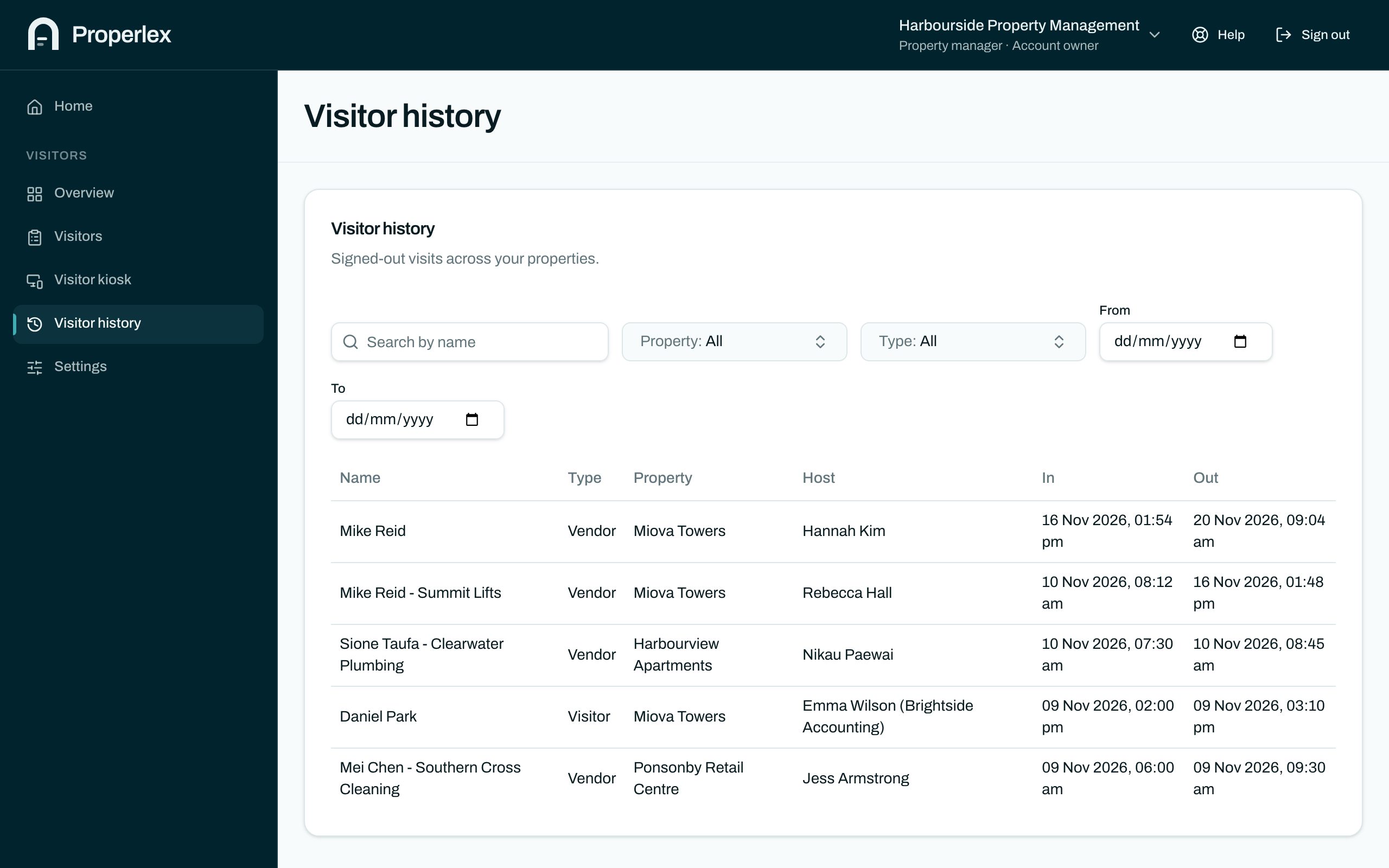
Each visit shows the Name, Type, Property, Host, and the time they signed In and Out. (auto) means they were signed out automatically.
Select Clear filters to see everything again.
Common problems
Someone isn't listed. History shows signed-out visits. People still on site are on the Visitors page.
Last checked against the app on .