Complete a service report
Open the asset under Assets and select Complete a service report. Enter the date, the condition you found it in and notes, add photos and select Submit report.
- For
- Vendors
- Needs
- Asset register switched on
After each service, record what you did. It updates the property manager's asset register straight away.
Steps
On your home page, select Assets, and open the asset.
Select Complete a service report.
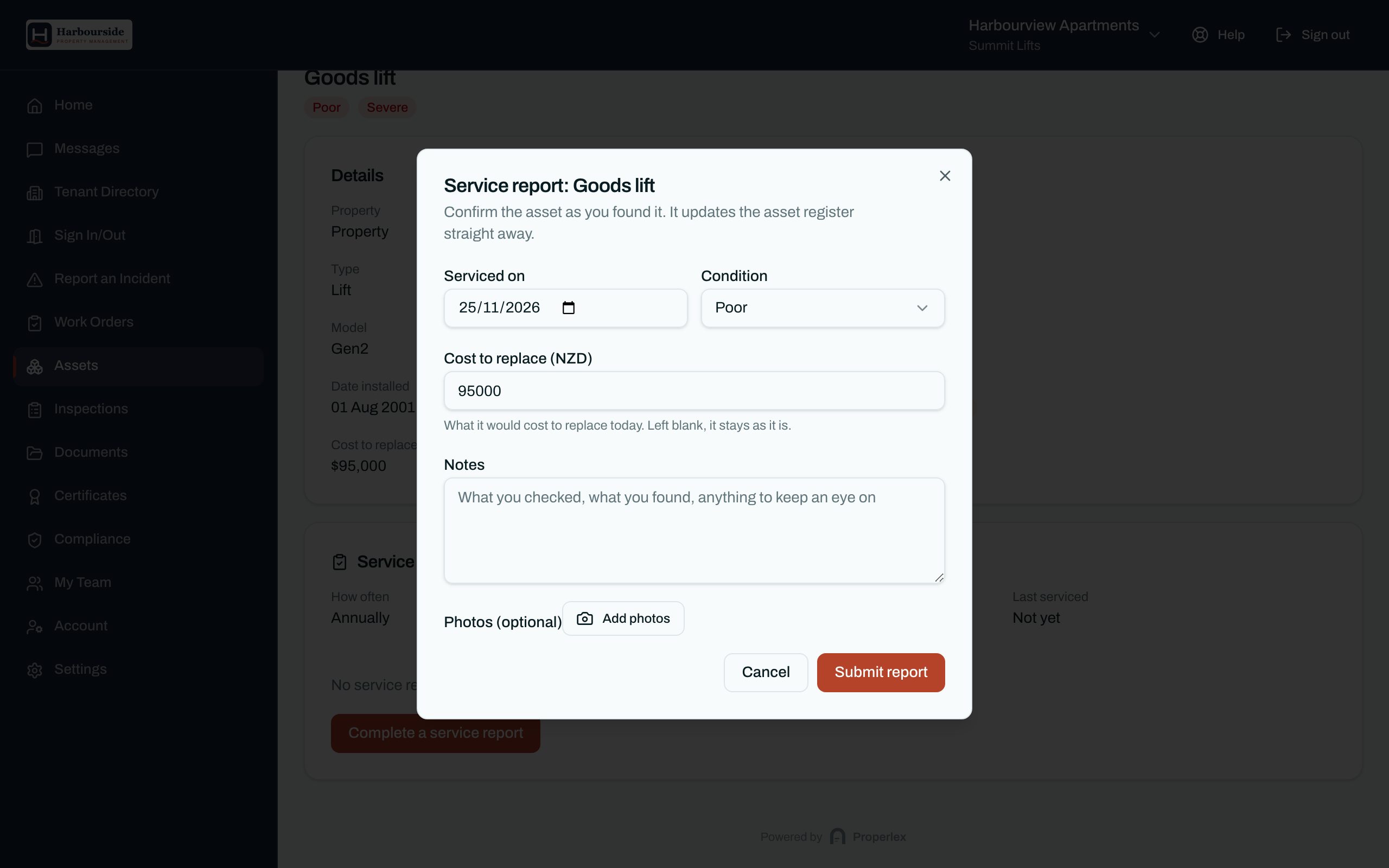
Enter the Serviced on date and the Condition you found it in.
Optional: enter what it would cost to replace today.
Under Notes, say what you checked, what you found and anything to keep an eye on.
Add photos, then select Submit report.
You'll see when the next report is due.
Last checked against the app on .