Choose whether visitors can pick you
Go to Settings, then My account. Under Visitor kiosk availability, turn off a property to hide your name from Who are you visiting? on its sign-in form.
- For
- Property managers
- Needs
- Visitors switched on
Visitors choose who they're visiting from your team. That person is emailed when they arrive. If you don't meet visitors at a property, hide your name there.
Steps
Go to Settings, then My account.
Under Visitor kiosk availability, each property shows Visitors can choose you or Hidden from the visitor kiosk.
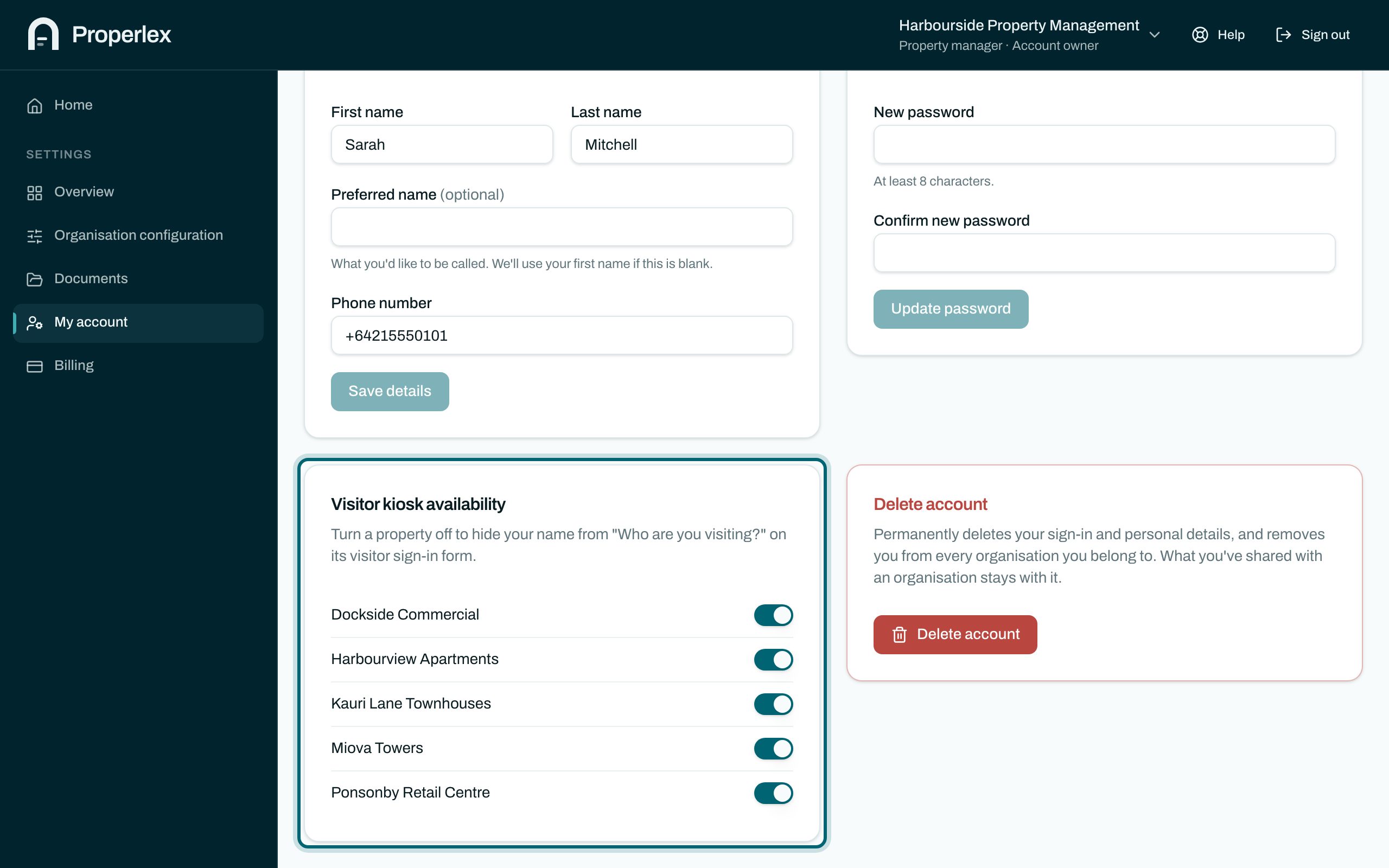
Switch a property off to hide your name from its sign-in form, or on to show it.
Common problems
A colleague is missing from the list. They may have hidden themselves, or their access doesn't include that property.
Last checked against the app on .