Check contractor sign-in records
Go to Health & Safety, then Records. Every contractor sign-in is listed with what they agreed to. Filter by contractor, property or date, open one for the details, or export a CSV.
- For
- Property managers
- Needs
- Contractor compliance switched on
Records keep every contractor sign-in, what they agreed to, and sign-ins that didn't go through.
Before you start
You need the View compliance records control.
Steps
Go to Health & Safety, then Records.
Under Contractor sign-ins, search by contractor, company or email, or filter by property and date. Select Clear filters to see everything.
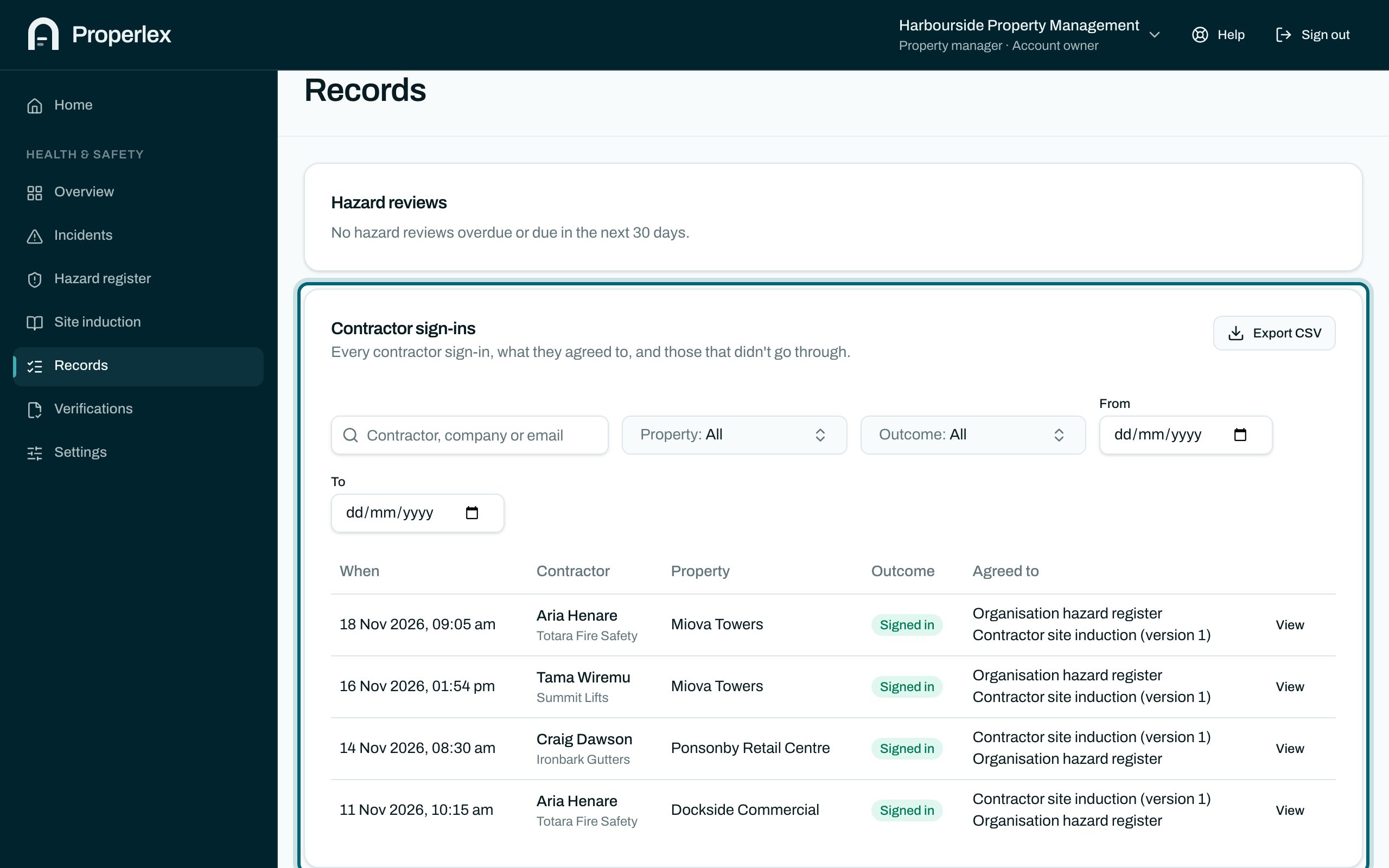
Each sign-in shows When, the Contractor, Property, Outcome and what they Agreed to.
Select View for the details: who they visited, where they signed in from, each induction and hazard register they agreed to, and when.
Select Export CSV to download the list.
Common problems
A sign-in shows it stopped. The contractor chose I don't agree, or left part way. The details show where it stopped.
Last checked against the app on .