Build an inspection checklist
Go to Facilities Management, then Recurring inspections, open Checklists and select New checklist. Add the items to check and the answer each one needs.
- For
- Property managers
- Needs
- Recurring inspections switched on
A checklist is the list of things a vendor or tenant checks on each inspection. You can start from a ready-made one, such as Roller door check or Fire extinguisher check, and change it.
Before you start
You need the Manage inspections control.
Recurring inspections must be switched on for your organisation.
Steps
Go to Facilities Management, then Recurring inspections, and open Checklists.
Select New checklist, or select Copy on a ready-made one to start from it.
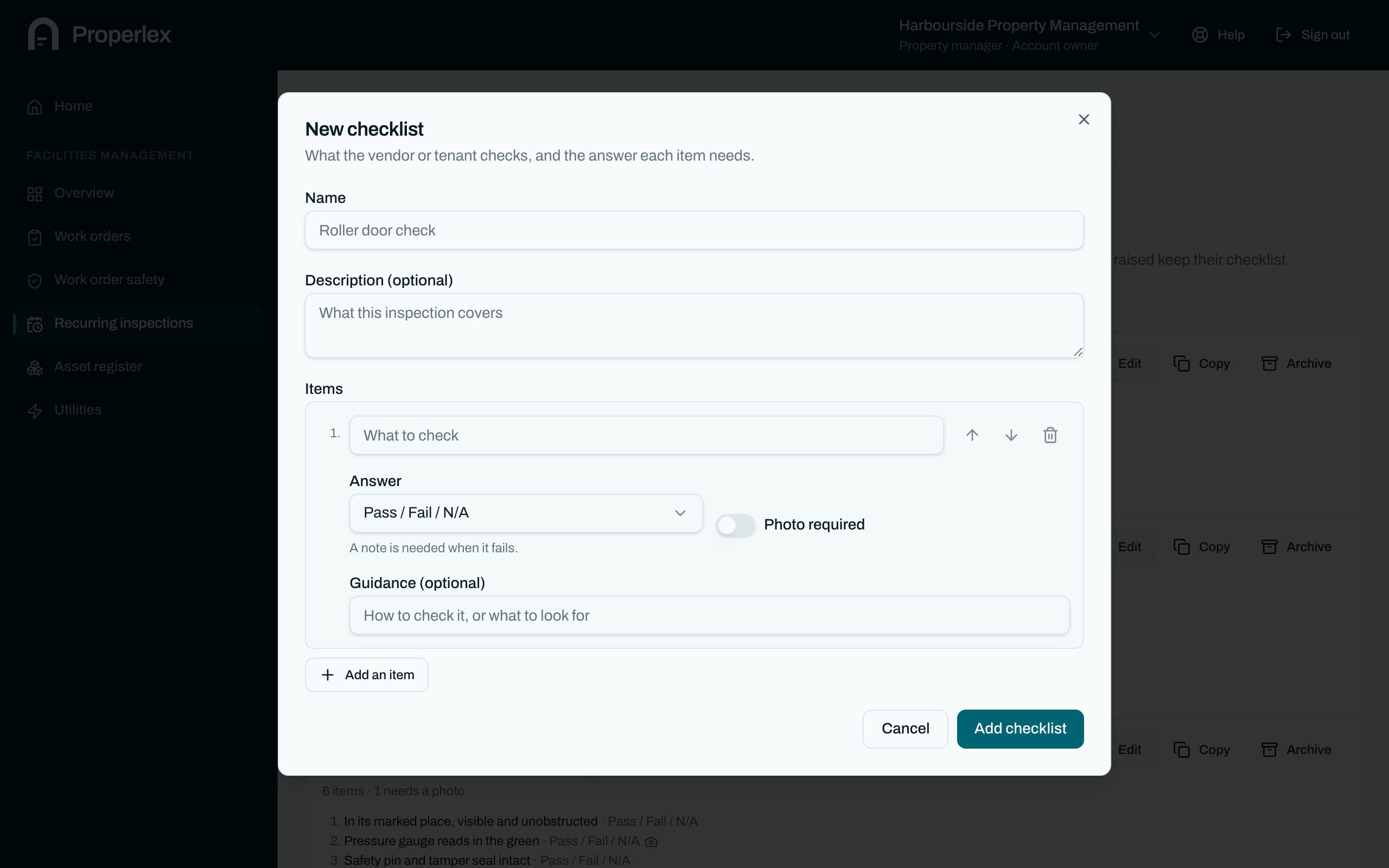
Give it a Name, and a Description (optional).
For each item, enter What to check and choose its Answer:
Pass / Fail / N/A
Tick: ticked when it's done
Number: with a Unit and, if you like, the Lowest OK and Highest OK values
Text: a short written answer
Condition: Poor, Fair, Good or Excellent
Tick Photo required where you need evidence, and add Guidance (optional) on how to check it.
Select Add an item for more, then Add checklist.
Common problems
I changed a checklist. Do inspections already sent change too? No. Changes apply to inspections raised from now on.
A number outside the OK range. It's flagged as failed, and the person doing it is asked to say what failed.
Last checked against the app on .