Ask contacts to confirm their details
Go to Tenants, Vendors or Partners, then Contact validation, and select New rule. Contacts get a regular email asking them to confirm or update their details.
- For
- Property managers
- Needs
- Admin or above
Contact validation keeps your directory current. A rule sends a regular message asking contacts to confirm their details are right, or to tell you what's changed.
Before you start
You need to be an Admin or the Account owner.
Steps
Go to Tenants, Vendors or Partners, then Contact validation.
Select New rule.
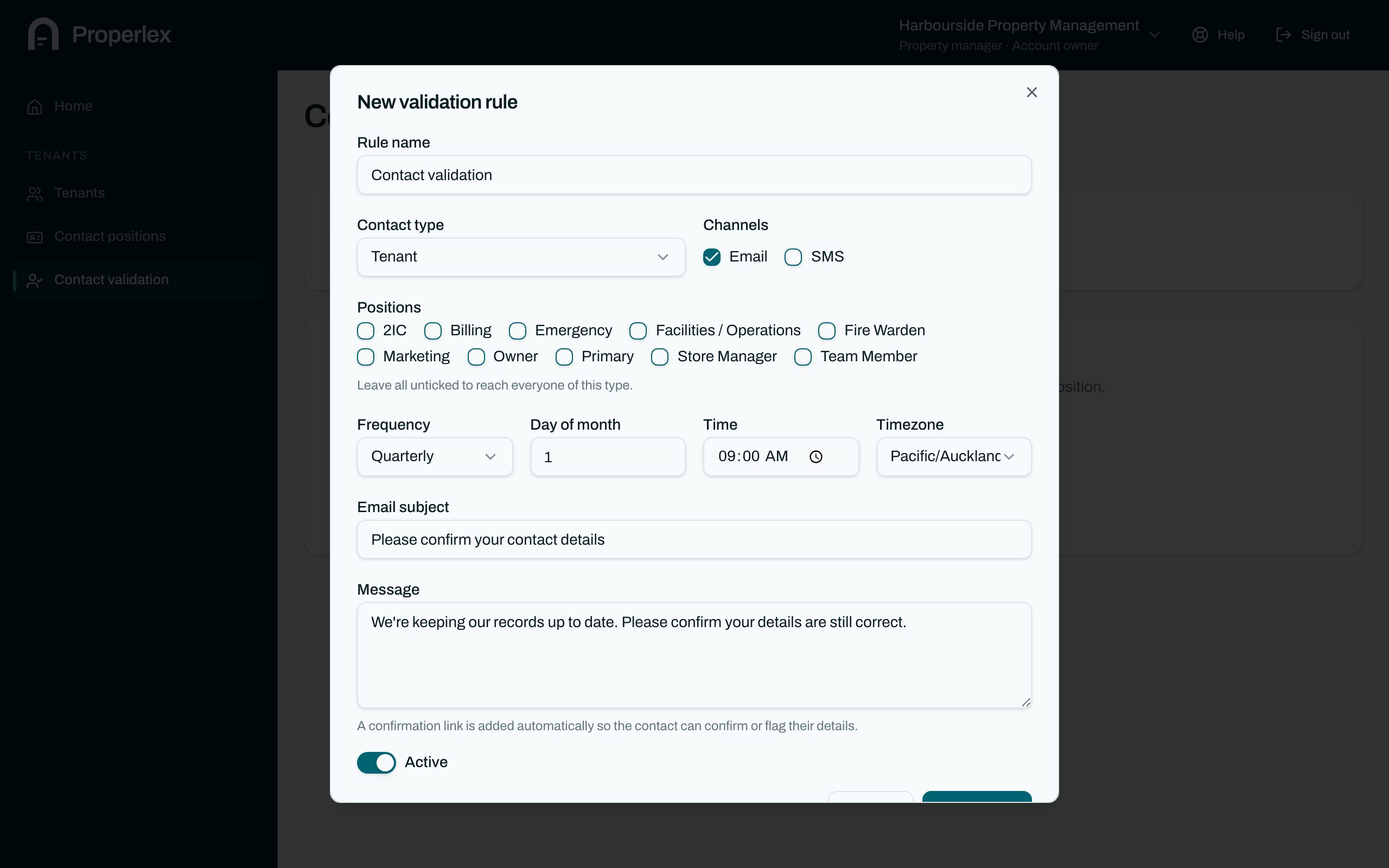
Give it a Rule name and choose the Contact type.
Choose Positions, or leave them all unticked to reach everyone of that type.
Choose the Frequency (Monthly, Quarterly, Every 6 months or Annually), the Day of month, Time and Timezone.
Check the Email subject and Message. A confirmation link is added automatically.
Make sure Active is on, then select Create rule.
What happens next
Contacts get the message on schedule. They select the link and choose Yes, they're correct or Something's changed.
Replies show under Recent responses. Anyone who said something's changed is Flagged, so you can follow up and update their contact.
Common problems
I want to stop sending them for a while. Edit the rule and switch Active off.
Last checked against the app on .