Change or reset your password
Signed in, go to Account and use Password to change it. Forgotten it? On the sign-in page, select Forgot password?, enter your email and follow the link in the email.
- For
- Property managers
- Tenants
- Vendors
- Partners
- Visitors and invitees
You can change your password at any time, or reset it if you've forgotten it.
Change your password
Go to Account (property managers: Settings, then My account).
Under Password, enter your New password and Confirm new password. Use at least 8 characters.
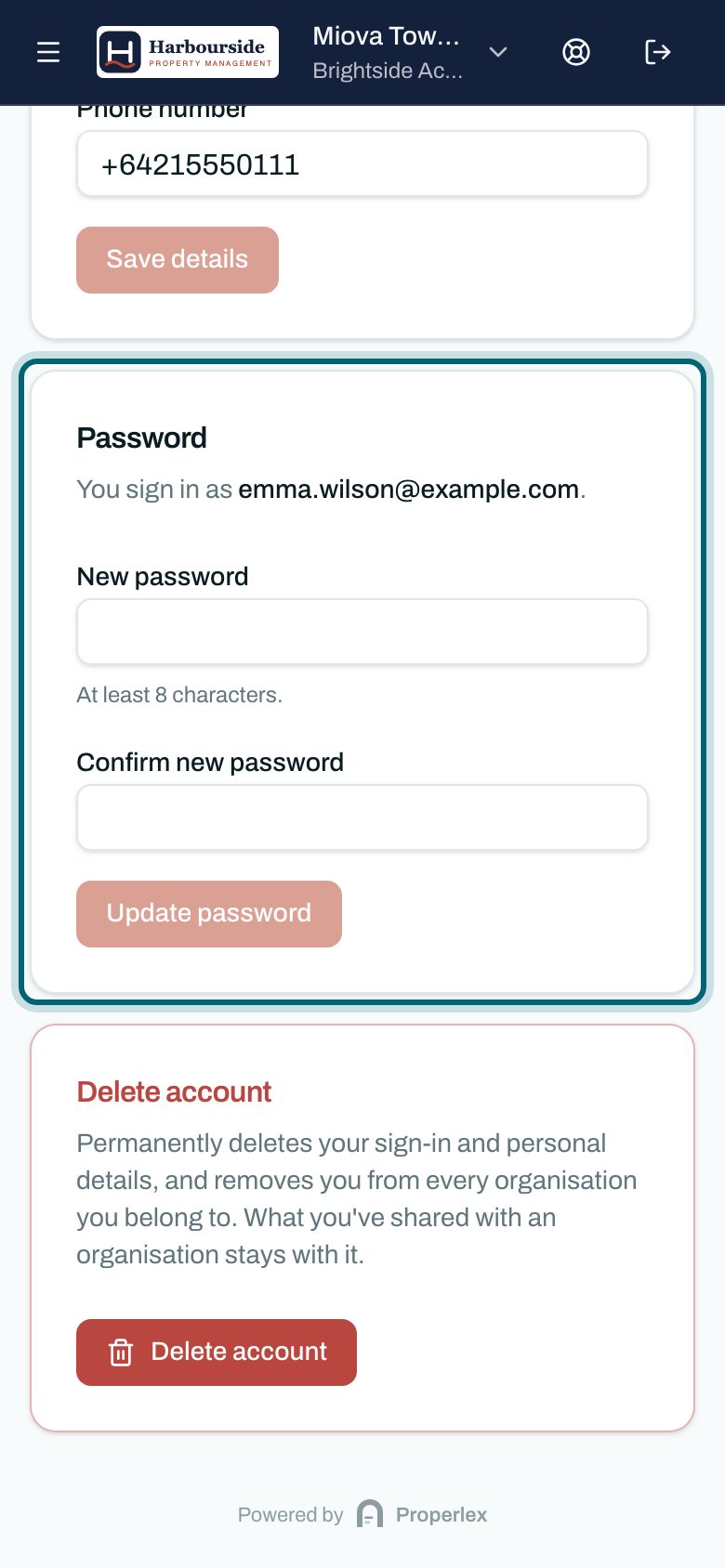
Select Update password.
Reset a forgotten password
On the sign-in page, select Forgot password?.
Enter your email and select Send reset link.
Open the email and select the link. It expires after a short time, so use it soon.
Enter your New password, then Confirm new password, and select Update password.
Common problems
The reset email hasn't arrived. Check your junk folder, and check you used the email you sign in with. You can request another link.
"This reset link is invalid or has expired." Request a new link from Forgot password?.
"That password is too easy to guess." Choose a longer password, such as a few unrelated words.
Last checked against the app on .