Create an event
Go to Community, then Events, and select New event. Enter the details, guest limit and who to invite, then select Create event.
- For
- Property managers
- Needs
- Manage contacts or above
- Events switched on
Before you start
Events must be switched on for your organisation.
Steps
Go to Community, then Events, and select New event.
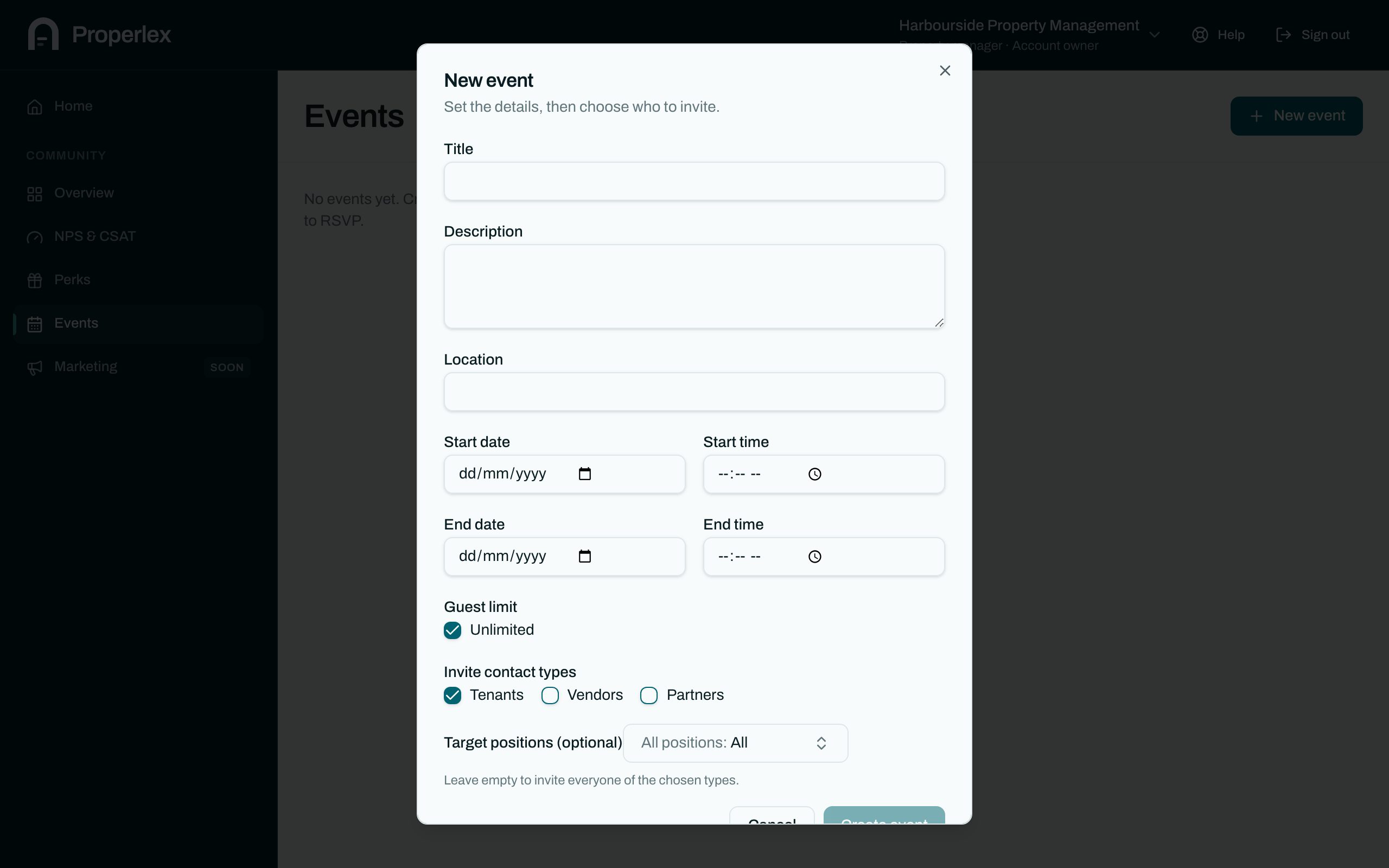
Enter the Title, Description and Location.
Set the Start date, Start time, End date and End time.
Set a Guest limit, or leave it Unlimited. Once it's full, people go on a waitlist.
Under Invite contact types, tick who it's for, and optionally Target positions. Leave positions empty to invite everyone of those types.
Select Create event.
It shows in the portal for the people you chose. To tell them about it, send invitations. See Send event invitations.
Last checked against the app on .